AI Articles: Tutorials, Reviews and In-depth Guides

Head-to-head picks

Several products compared line by line, with a clear recommendation at the end.

A hand quickly drops a blank index card into one of three slots of a light wooden sorting rack; each slot already holds a few cards marked only by a sage, sand or slate edge, and a shallow tray beside it holds two cards set aside for review
InsightsAPI

What Is Jev? An AI Model That Can't Chat, and How to Split Work With LLMs

Jev is the "System One model" TypeSafe AI released on September 15, 2026: it generates no text and only picks from options you define in advance, returning probabilities. Using the official docs, this article explains how it works, which decisions it suits, and the weaknesses the vendor itself lists. It then checks the marketing numbers against independent tests, and closes with steps for trying it on a single decision point and a tiered setup that pairs it with LLMs.

AI Article Editorial Team1
Seen over the shoulder, a person at a pale wooden desk looks at a laptop showing a column of permission toggles with icons, the first three on and the rest off, a finger resting on the trackpad beside a blank checklist
How-toAgents

Set Permissions Before You Let an AI Agent Use Your Computer: A Least-Privilege Checklist for Mac, Windows and Coding Agents

More desktop agents can read your files, click buttons and send messages for you, yet their permissions are usually granted by clicking "Allow" all the way through a setup wizard. This article splits what an agent can reach into four layers: system, app, accounts and outside actions. It then walks through six steps: how to isolate before installing, how to grant system permissions one at a time, how to check the agent's own switches, which actions you must confirm yourself and how to take access back afterward, plus separate notes on configuring coding agents.

AI Article Editorial Team1
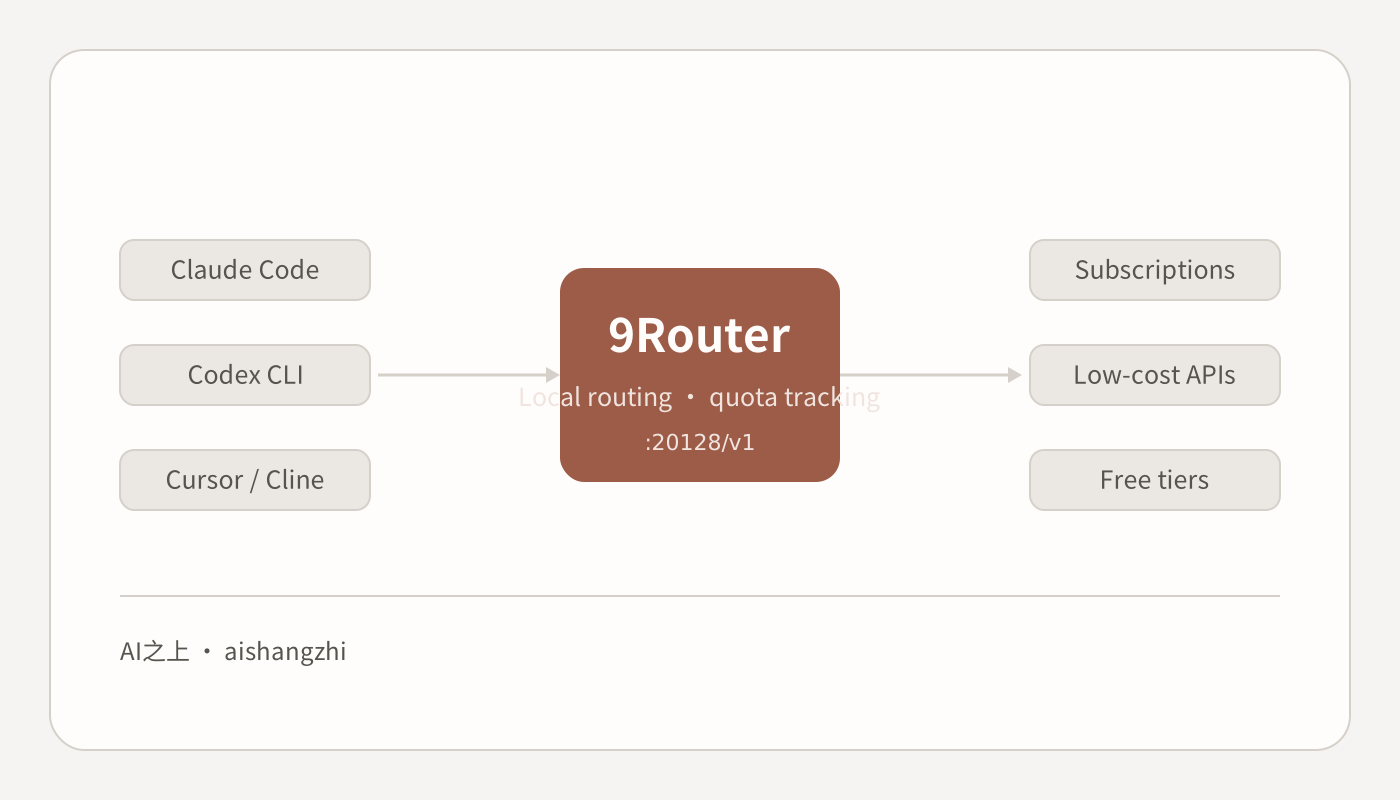
Diagram of where 9Router sits: Claude Code, Codex CLI and Cursor all call the local :20128/v1, and 9Router routes to subscriptions, low-cost APIs and free tiers
How-toCoding

Installing and Using 9Router: One Local Endpoint for Claude Code, Codex and Cursor

9Router is an AI coding router that runs on your own machine, gathering subscriptions, low-cost APIs and free tiers behind a single OpenAI-compatible endpoint. This is the full walkthrough after the one-line npm install: what to do about the default password of 123456, what the Providers and CLI Tools pages each control, how to configure Docker and DATA_DIR, and which features are best left alone.

AI Content Editor2
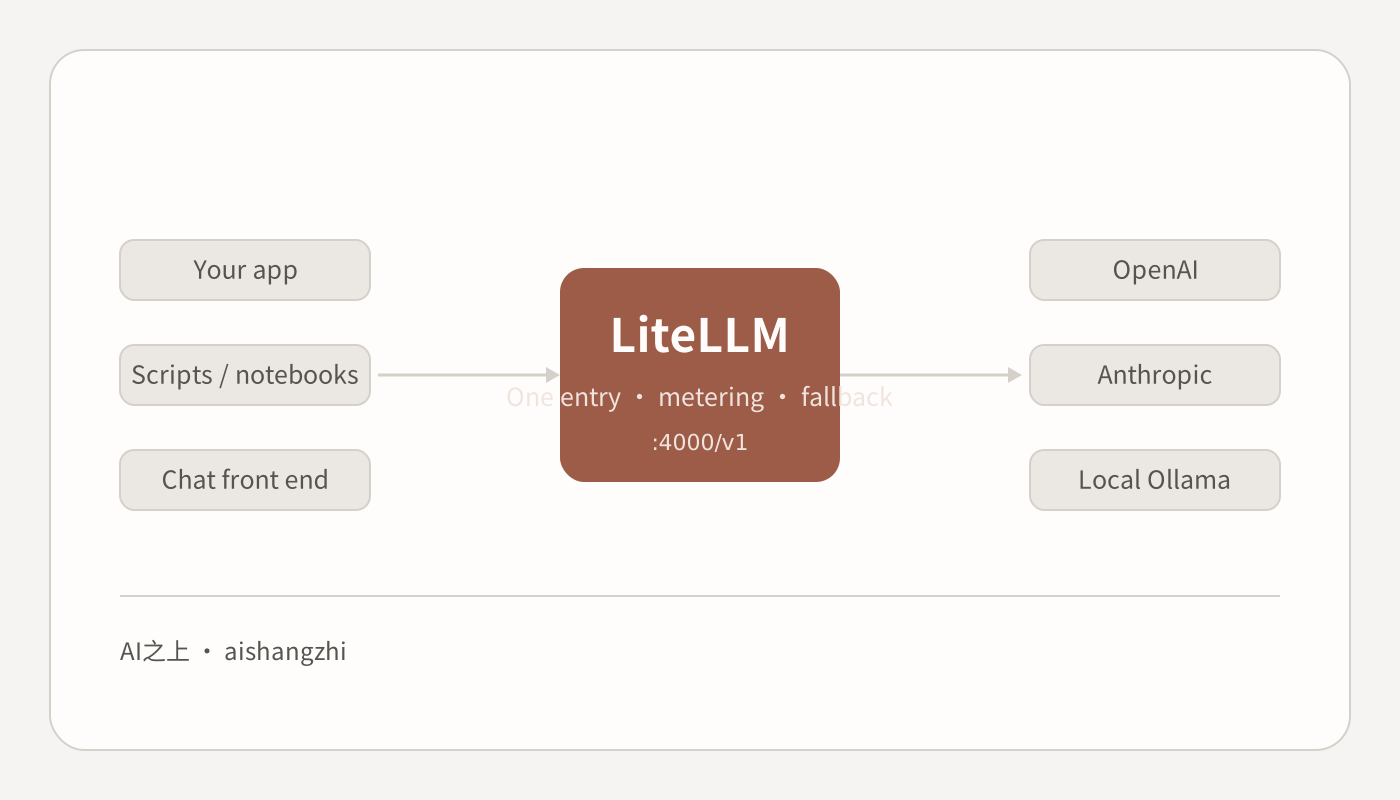
Diagram of where LiteLLM sits: apps, scripts and chat front ends all call :4000/v1, and LiteLLM routes to OpenAI, Anthropic and local Ollama
How-toAPI

Deploying the LiteLLM Gateway: From One pip Command to Virtual Keys, Budgets and Automatic Fallback

A full record of bringing LiteLLM 1.99.0 up from scratch on a laptop: the smallest config that works, how to verify it, deliberately breaking the primary model to watch fallback fire, issuing virtual keys with budgets from the admin UI, and the traps you only hit by actually installing it — such as prisma still being missing after pip install 'litellm[proxy]'.

AI Content Editor2
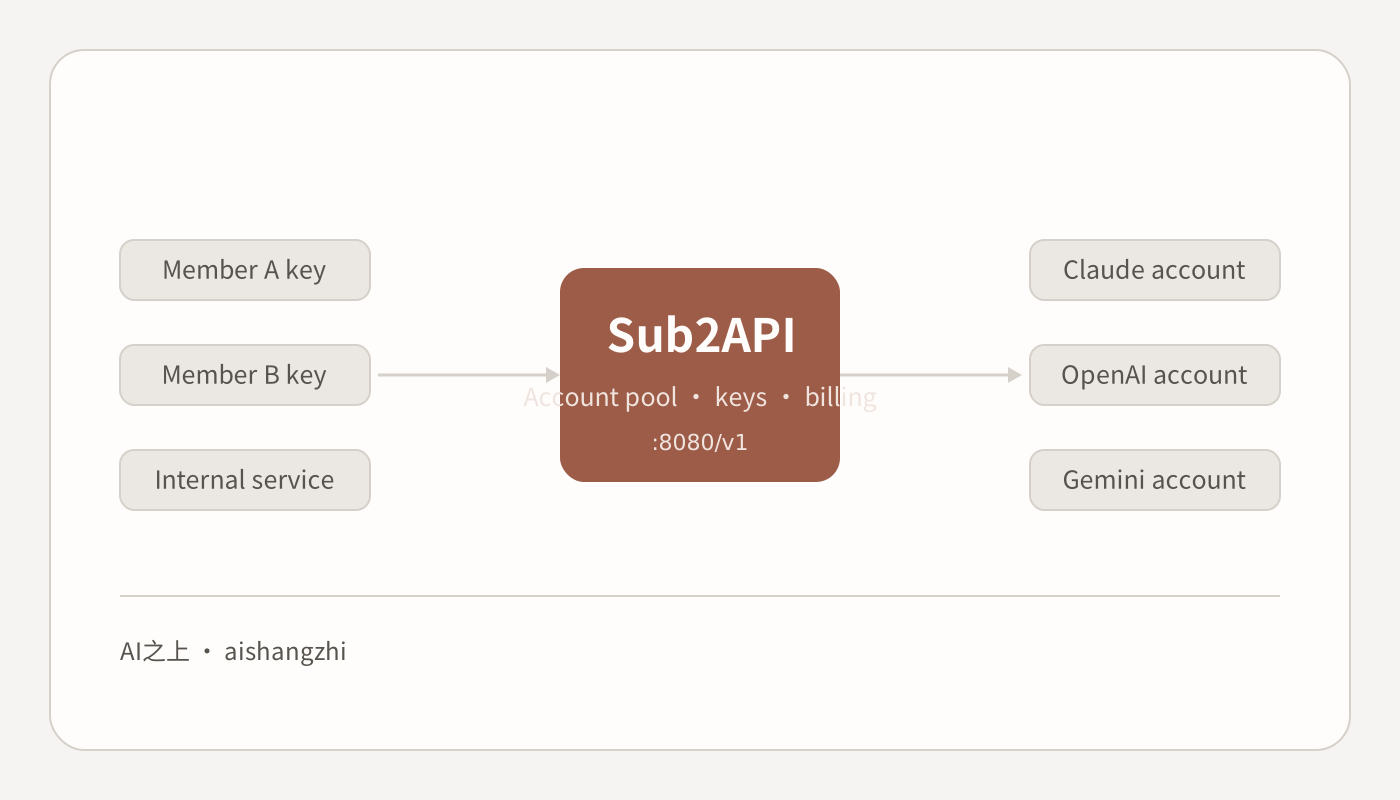
Diagram of where Sub2API sits: member keys and internal services all call :8080/v1, and Sub2API routes to Claude, OpenAI and Gemini accounts
How-toAPI

Deploying Sub2API: Pooling Subscription Quota Behind Your Own Gateway, and Where the Line Is

Sub2API is an open-source gateway that turns Claude, OpenAI and Gemini subscriptions into a single API entry point. This is a full v0.2.0 install from scratch: the Docker Compose and binary routes, the four-step setup wizard, the compliance phrase you must type before the console opens, how the account pool and groups fit together, and why the author put a ban warning in the first paragraph of the README.

AI Content Editor1
A researcher checking source references across tagged PDF reports and a structured laptop table
How-toOffice

Read and Organize PDFs with AI: Turn a Pile of Files into Checkable Answers

When you have twenty or thirty PDFs to get through, what decides the outcome is triage and a fixed field template, not which model you pick. This playbook gives seven steps: classify the documents, handle scans, lock the extraction fields and require a page number on every line, then spot-check for accuracy, consolidate into a table and hunt for contradictions. Includes copy-ready prompts, a material checklist, time and cost estimates, and seven common ways it misreads.

AI Content Editor3
A creator planning a content channel with a calendar and topic cards in a home studio
How-toContent

Run a Content Channel with AI: A One-Person Operation That Ships Every Week

Channels rarely die because writing is slow; they die because the topic pipeline runs dry and publishing stops. This playbook breaks "run a channel with AI" into eight steps: define the columns, build a topic bank, then run one repeatable per-issue pipeline — topic, outline, draft, human rewrite, visuals, headline, publish, review. Includes copy-ready prompts, a material checklist, per-issue time and monthly cost estimates, and the seven ways an account dies.

AI Content Editor3
A video creator editing an explainer video beside a paper shot list in a small studio
How-toVideo

Script and Edit Video with AI: One Pipeline from Topic to Final Cut

Breaks "make a video with AI" into nine steps you can follow: settle the one-line conclusion and your sources, write a script that reads aloud cleanly, turn that script into a shot list with durations, then take it into the editor for sync, subtitle proofing and a cover. Includes copy-ready prompts, a material checklist, first-video versus practised timings, the cost structure, and the seven most common ways it goes wrong.

AI Content Editor4
Two coworkers verifying a team knowledge base against tagged source documents and laptop citations
How-toKnowledge Base

Build a Knowledge Base with AI: Answers Your Team Can Actually Cite

Knowledge base projects rarely fail because the model is weak; they fail because the documents are dirty. This playbook gives a workable path: write down the questions it must answer first, then filter documents, preprocess them, standardise their headers, and get it running on NotebookLM or your team's document platform before considering a self-hosted RAG stack. Includes how to build an evaluation set, copy-ready prompts, time and cost estimates, and seven typical failures.

AI Content Editor8
Auditable multi-tool content factory workflow with global AI
InsightsVideo

Pro Global AI: Building an Auditable Multi-Tool Content Factory

For creators and teams that already run a stable program: split ChatGPT, Claude, Gemini, Midjourney, Runway, ElevenLabs, and n8n across research, editing, visual, audio, and assembly roles to build a content pipeline with sources, versions, budgets, and a human final review, then feed performance data back into the program.

AI Content Editor8

Showing 12 of 161 articles