
Alibaba Design, the company’s design team, is doing something interesting: opening up an AI tool originally built for internal engineering use to everyone, and it’s free. That’s how TuYou was born—initially an internal tool for Alibaba’s design team, it was later launched externally as an AI painting platform for designers and creators. It quickly gained widespread traction in the design community due to its high-quality image generation capabilities and free pricing strategy.
What Is TuYou?
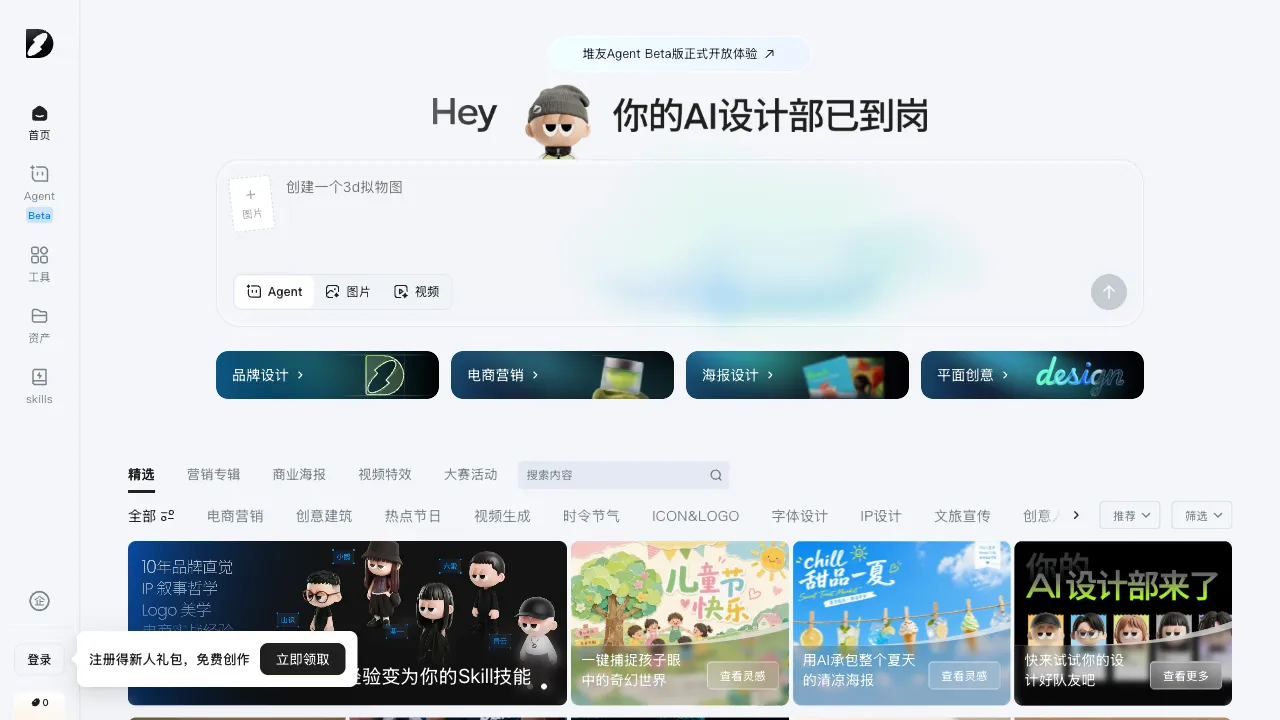
TuYou (d.design) is an AI painting and design creation platform launched by Alibaba Design, Alibaba’s design team. It targets designers, illustrators, and creative content creators. Its core capability is high-quality AI image generation, complemented by a creative community where users can share their work, explore others’ prompts, and study workflows.
TuYou’s key features include:
- High image generation quality
- Completely free (at least in the early stages)
- Backed by Alibaba’s algorithmic expertise
- A product team with professional design experience refining the user experience
Core Features
AI Text-to-Image
Generate images from text descriptions, supporting Chinese prompts. This is a clear advantage for domestic users—you don’t need to write prompts in English; describing your idea in Chinese yields good results.
Supported styles:
- Realistic characters and scenes
- Illustrations and concept art
- Commercial poster styles
- Traditional Chinese ink wash and meticulous painting (Gongbi)
- Anime and cartoon styles
- Architectural and interior renderings
- Product renderings
Resolution and dimensions: Supports various output sizes, including aspect ratios suitable for different platforms (square, portrait, landscape), as well as high-resolution outputs.
AI Reference Image Generation
Upload a reference image, and the AI generates new images while preserving the style or composition of the reference. Ideal for:
- Generating stylistic variations when you have a clear reference style
- Creating more design options based on existing drafts
- Converting photos into illustration or painting styles
AI Inpainting (Local Editing)
Make local edits to generated images—select an unsatisfactory area, describe what you want it to look like, and the AI modifies only that region while leaving the rest unchanged. This feature is highly practical for fine-tuning images; you don’t need to regenerate the entire image just because one part isn’t quite right.
Prompt Assistant
TuYou offers prompt assistance—if you’re unsure how to write a prompt, you can select style tags, scene tags, and quality tags from a prompt library to quickly construct an effective prompt. This lowers the barrier to entry for users new to AI painting.
Creative Community and Prompt Learning
TuYou has an active user creative community where members share their generated works along with the prompts used. This is an excellent resource for learning AI painting prompts: when you see a beautiful image, click through to see how it was generated and study the prompt structure and techniques.
For beginners, this “copying” approach to learning is often more effective than reading tutorials—seeing real, high-quality works, understanding their generation parameters, and then trying to adjust and imitate them yourself.
Batch Generation
Supports generating multiple images from a single prompt, allowing you to choose the best result from several options. This is particularly useful for operations staff who need large volumes of content assets; generate many at once and pick the most suitable one.
Comparison with Other Tools
vs Midjourney: Midjourney is currently recognized as having the highest image quality, with strong artistic flair and exquisite details. However, it requires using Discord (often necessitating a VPN in China) and is paid. TuYou is completely free, directly accessible within China, supports Chinese prompts well, and is a cost-effective choice for domestic designers.
vs Jimeng (ByteDance): Jimeng has stronger capabilities in video generation, though its image generation is also solid. Both are free tools from major tech companies with overlapping positioning. TuYou’s professional design background gives it targeted optimizations for design-oriented images (commercial design, illustrations).
vs Wenxin Yige (Baidu): Wenxin Yige is Baidu’s AI painting tool with good Chinese support. Users generally consider TuYou to have higher image quality and a more active community, with better reputation in the professional design circle.
vs Stable Diffusion (Local): Local SD offers the highest degree of freedom and fine-grained control but requires suitable hardware and configuration knowledge. TuYou is a cloud-based free tool requiring zero setup, ideal for users who don’t want to deal with local deployment.
vs Gaoding AI: Gaoding AI integrates deeply with design templates, making it suitable for content operations scenarios. TuYou offers higher image quality and stronger artistic creation capabilities, better suited for designers with higher demands on image quality.
Who Should Use TuYou?
Designers and Illustrators: Those needing high-quality AI-assisted image generation for concept sketches, design references, or direct asset use will find TuYou highly regarded in this group due to its image quality and professional orientation.
Content Creators: For social media illustrations, cover designs, and brand assets, TuYou’s generated images are of sufficient quality and free, making it a practical asset production tool.
UI/UX Designers: For illustration elements in interface design, style reference images, and visual materials for design proposals, TuYou’s multi-style generation capabilities cover these needs.
AI Painting Learners: The community contains numerous high-quality works paired with their prompts, serving as one of the best textbooks for learning AI painting techniques.
E-commerce Designers: For product main images, background assets, and promotional designs, TuYou offers optimizations tailored to commercial design scenarios.
Limitations
As a free tool, it may experience queueing during high-concurrency periods, making it less stable than paid alternatives.
Image generation quality depends heavily on prompt quality; new users who struggle with writing prompts may need time to learn, though the community’s prompt references can help shorten this learning curve.
For some complex scenes or highly precise control requirements, you may still need to combine TuYou with local Stable Diffusion or Midjourney.
Pricing
Duiyou is currently completely free to use, reflecting Alibaba’s strategy in the AI tools market: acquire users through a free tier first, with potential paid premium features introduced later. Refer to the official website for specifics.
Among domestic free AI image generation tools, Duiyou offers some of the highest quality. Backed by Alibaba Design’s professional pedigree, the product enjoys strong credibility within the design community. For designers and creators seeking AI image generation capabilities, Duiyou is the first domestic tool worth trying.