

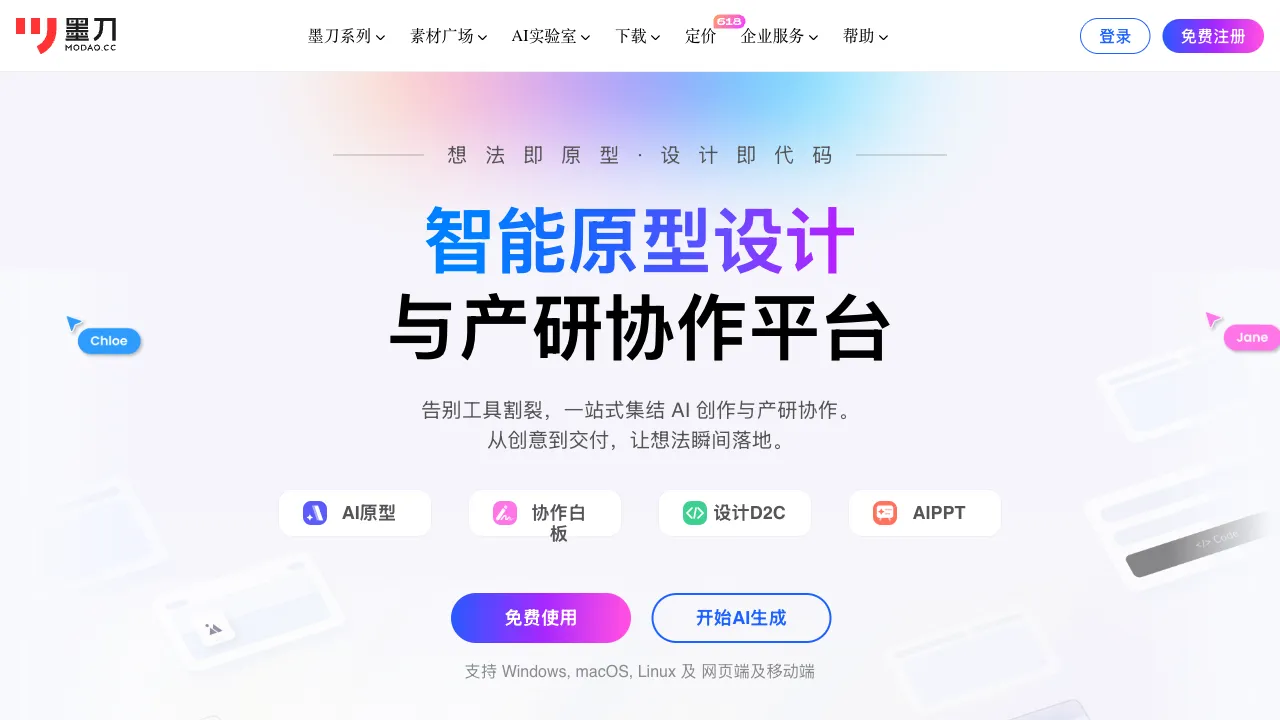
Product prototyping has long been a task with a "high barrier to entry but broad demand"—product managers need to create prototypes, designers need to produce interaction drafts, and developers need to review requirement documents. All of these workflows rely on prototyping tools. Mockingbot is one of the most widely used prototyping design tools in China. With the addition of AI features, it aims to further lower the barrier: from describing requirements to generating prototypes, it reduces the manual construction process in between.
What is Mockingbot?
Mockingbot (modao.cc) is an online prototyping and collaboration tool launched in 2014, targeting product design teams in China. Its core features include: prototype drawing, interaction effect settings, team collaboration, design annotation (for developers to view dimensions and styles), and user testing.
In the domestic prototyping tool landscape, Mockingbot is often compared with Axure and Figma as one of the three main options. Mockingbot’s positioning is "lighter, easier to get started with, and with collaboration features better suited to the workflows of domestic teams."
AI functionality has been a key upgrade direction for Mockingbot in recent years, primarily manifested through assisting in prototype structure generation via natural language descriptions, thereby reducing the workload of building from scratch.
AI Features
Generating Prototypes from Text Descriptions
This is Mockingbot AI’s core new feature: input a text description of a product feature or page, and the AI automatically generates the corresponding prototype framework, including page layout, placement of common UI components, basic navigation structure, and more.
For example: Input "A product detail page for an e-commerce app, requiring display of product image carousel, product name and price, specification selection, review summary, and add-to-cart button," and the AI will generate an initial layout containing these elements, which you can then adjust based on this framework.
The value of this feature lies in solving the "psychological barrier of starting from a blank canvas"—often, the issue isn’t not knowing what to draw, but not knowing how to start. Having the AI provide an initial structure, followed by manual adjustment, is far more efficient than dragging and dropping every element from scratch.
AI Component Recommendations
During the design process, Mockingbot AI can recommend suitable UI components based on the context of the current page. For instance, in a search page scenario, it might recommend a search bar, filter components, list layouts, etc.
Automatic Annotation and Specification Generation
After design completion, Mockingbot can automatically generate developer annotations (dimensions, spacing, color values, font specifications, etc.), reducing the workload of manual annotation by designers and minimizing instances where developers have to "guess" design intent.
Core Non-AI Features
Even without considering AI features, Mockingbot is a fully functional prototyping tool.
Prototype Interactions: Supports common interaction logic such as click-to-navigate, swiping, pop-ups, and conditional judgments. It can create high-fidelity interactive prototypes that closely mimic real app operations, suitable for user testing or demonstrations to stakeholders.
Component Library: Includes built-in basic UI component libraries covering iOS, Android, and Web, along with numerous third-party design specification components, reducing repetitive work.
Collaboration Features: Multi-user real-time collaboration, comment annotations, and version history allow product managers and designers to work within the same file, reducing communication costs.
Design Delivery: Generates shareable links, allowing developers to view designs and annotation information via the link without installing any software.
User Testing: Completed interactive prototypes can be shared with test users to collect feedback, eliminating the need for additional user testing tools.
Comparison with Other Tools
vs Figma: Figma is currently the most mainstream global design collaboration tool, with powerful features, a rich ecosystem, and rapidly developing AI capabilities (via Figma AI and numerous plugins). However, Figma’s access speed in China can sometimes be unstable, and its Chinese support and localization are not as strong as Mockingbot’s. For domestic teams that do not need to collaborate with overseas teams, Mockingbot offers a smoother user experience.
vs Axure: Axure is an established prototyping tool with powerful logic and conditional judgment features, suitable for demonstrating very complex interaction logic; however, it has a steep learning curve, an outdated interface, and weak collaboration features. Mockingbot is lighter and easier to get started with, making it suitable for the prototyping needs of most internet products.
vs Lanhu: Lanhu excels in the scenario of "delivering design drafts to developers," but it is not a prototyping tool; it is more of a design delivery platform. The two are actually complementary in the workflow—design is done in Mockingbot, and delivery uses Lanhu (or directly uses Mockingbot’s built-in delivery features).
vs JsDesign: JsDesign is another domestic alternative to Figma, leaning more towards UI design with rapidly growing community resources; Mockingbot’s prototype interaction capabilities are relatively more mature. The two have different focal points.
Who Should Use Mockingbot?
Product Managers: Mockingbot is the mainstream choice for PMs in China to create prototypes. It is easy to learn, and its collaboration workflow with developers and designers is smooth. With the addition of AI features, the conversion from requirement documents to prototype drafts is faster.
Startup Teams: In the early stages, if you don’t want to invest too much learning cost in design tools, Mockingbot’s free tier and ease of use are suitable for quickly validating product ideas.
Designers: While Figma is stronger in pure UI design, if the team is already using Mockingbot, designers can also accept it; its interaction and collaboration features are fully sufficient.
Students and Design Learners: For learning product design and prototyping, Mockingbot’s Chinese interface and abundant domestic learning resources make it faster to get started with than Axure and Figma.
Pricing
Mockingbot offers both free and paid versions. The free version has limits on the number of projects and collaborators, making it suitable for individuals or small teams. The paid version unlocks more collaborators, version history, advanced features, etc. Specifics are subject to the current pricing on the official website.
For personal learning and light usage, the free version is usually sufficient. For teams with formal product development processes, a paid subscription is necessary. Compared to international competitors, its pricing is competitive in the domestic market.
With the addition of AI features, Mockingbot has shortened the path from "describing requirements" to "generating prototypes," which is particularly valuable for product managers without a design background. The AI-generated prototypes are not final products but rather a starting point that can quickly initiate discussion and iteration; this positioning is reasonable.