

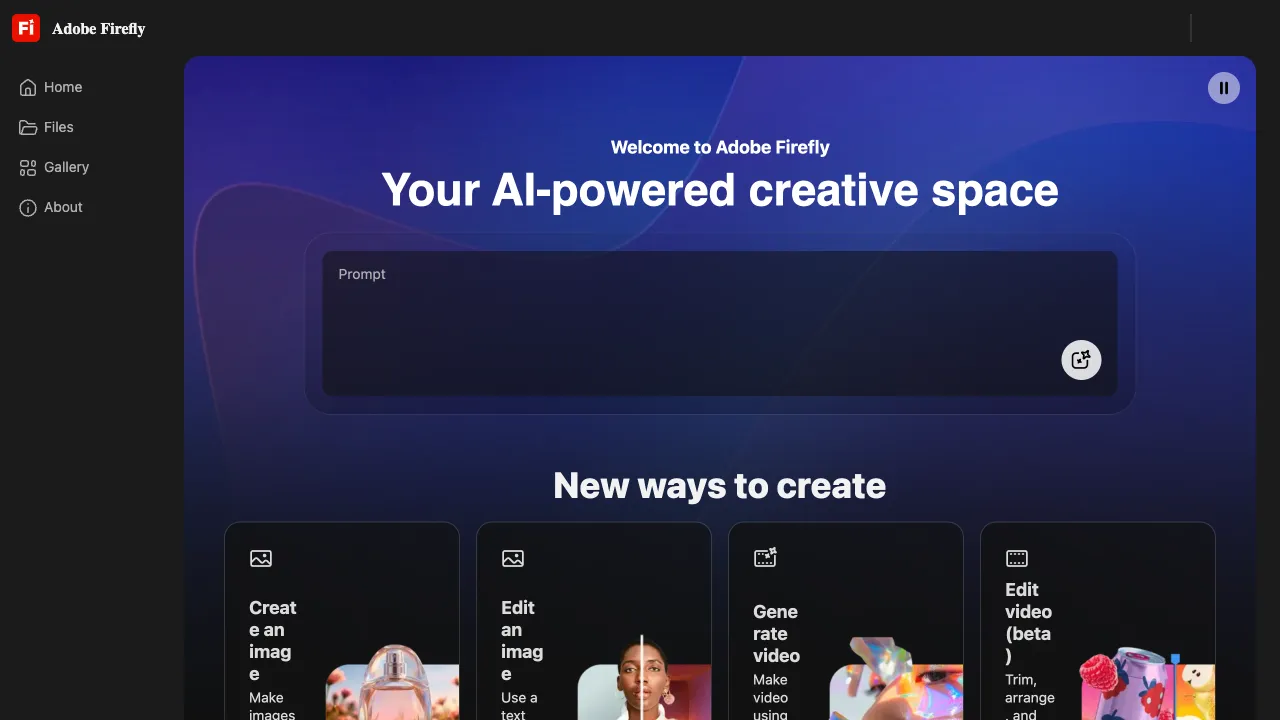
In the realm of AI image generation, Adobe Firefly holds a particularly significant place: it is the first major "commercially safe" AI image generator. Midjourney and Stable Diffusion have long been embroiled in copyright controversies due to their opaque training data sources; by contrast, Adobe Firefly announced from day one that its training data consists of licensed images from Adobe Stock, public domain content, and works under Creative Commons licenses—a critical distinction for commercial users seeking to mitigate legal risks.
What is Adobe Firefly?
Adobe Firefly is the AI creative generation technology brand within Adobe, with core capabilities centered on text-to-image (Text to Image) synthesis, alongside derivative features such as vector illustration generation and texture creation. It exists in two forms:
- A standalone Firefly web application (
firefly.adobe.com): Accessible directly via a browser without requiring software installation - Integration within Adobe products: Features like Generative Fill in Photoshop and vector generation in Illustrator are powered by the underlying Firefly technology
The latter form holds greater practical significance for most Adobe users—it is not an isolated tool, but rather AI capabilities embedded directly into the applications they already use daily.
Firefly in Photoshop: Generative Fill
This is perhaps the most successful application of Firefly technology so far. Open an image, select a region using the "Lasso Tool," type your description into the toolbar below, and click "Generate." The AI will replace or fill that area based on your prompt while maintaining consistency with the overall lighting and style of the original photo.
Here are some typical use cases:
Generative Expand: If an image isn't wide enough, use Content-Aware Fill to have the AI extend the scene by generating plausible content for the edges. A vertical photograph can be transformed into a horizontal one as the AI automatically generates reasonable extensions on both sides.
Remove Unwanted Objects: Select unwanted elements in your photo—such as passersby, power lines, or trash cans—and let the AI remove them while filling the gaps with contextually appropriate background content.
Add New Elements: Select an empty area and describe what you'd like to add (e.g., "a bouquet of roses" or "a coffee cup"). The AI will generate it seamlessly integrated into your image.
Modify Existing Content: Select an item, such as a piece of clothing, and describe the desired change in material or color. The AI will make the modification while preserving lighting effects.
These capabilities transform compositing tasks that previously took hours to complete manually into operations taking mere seconds. For photographers, designers, and content creators, this represents a substantial boost in productivity.
Firefly in Illustrator: Vector Generation
Illustrator now includes "Text-to-Vector" functionality powered by Firefly to generate vector shapes and patterns directly editable at the anchor point level within the application.
This offers a distinct advantage over Midjourney and DALL-E, which produce raster images (bitmaps) that become blurry when enlarged; in contrast, Firefly generates scalable vector paths in Illustrator that remain crisp no matter how much they are zoomed or resized, allowing for unlimited modifications. For logo design, icon creation, and any scenario requiring commercial printing, vector output is essential.
Standalone Firefly Web App
The web version of Firefly offers several key features:
Text to Image: Describe the image you want, and generate four selectable options. You can set aspect ratios (square, landscape, portrait), styles (photography, digital art, illustration, etc.), and strength parameters. The output quality is stable with clear commercial licensing terms.
Generative Fill (Web): Upload an image to perform localized AI-generated fills directly in the browser—no need to open Photoshop.
Text Effects: Apply material effects to text—including fire, water droplets, stone textures, grass, and more. Firefly transforms your text into these specified visual materials, ideal for creative treatments of headlines or poster typography.
Generative Recolor: Upload a vector graphic and describe the color scheme you want; AI will re-color it accordingly. This is perfect for quickly testing different directional palettes.
Comparison with Other AI Image Tools
vs Midjourney: Midjourney currently still leads in artistic style and visual aesthetics, producing images that look more "polished." Firefly's advantages lie in copyright safety (giving you peace of mind for commercial projects) and seamless integration into the Adobe workflow—using it directly within Photoshop or Illustrator. Both tools serve different use cases.
vs DALL-E 3 (ChatGPT): DALL-E 3 excels at understanding complex prompts and generating images with text, while Firefly completely dominates in terms of integration within the Adobe ecosystem and offers clearer copyright policies.
vs Stable Diffusion: SD is fully open-source and free, deployable locally with high customization potential. Firefly works out-of-the-box with clear commercial licensing, making it ideal for users who don't want to deal with technical setup or maintenance.
Copyright Issues: Firefly's Core Differentiator
This is arguably the most significant commercial selling point of Firefly, and it deserves to be clearly explained on its own.
Adobe guarantees that content generated by Firefly can be used for commercial purposes (within the scope of a paid Firefly plan) and assumes liability for related intellectual property infringement claims—meaning if you face copyright disputes arising from using Firefly-generated content, Adobe will handle the legal responsibility.
For industries highly sensitive to copyright issues such as advertising, branding, and publishing, this level of protection is currently unmatched by other AI tools.
Pricing
Firefly's pricing operates through a "Generative Credits" system:
- Adobe Creative Cloud subscribers: Automatically receive 25 fast-generation credits per month; additional usage slows down
- Standalone Firefly Premium ($4.99/month): Includes 100 fast-generation credits monthly
- Firefly Premium (bundled with Creative Cloud plans): Varies by plan, offering different credit allowances
For users already subscribed to Creative Cloud (Photoshop, Illustrator, etc.), core Firefly features are included at no extra cost—making the switch virtually seamless for existing Adobe customers.
Summary
Adobe Firefly's positioning is clear: it aims not to be the most visually stunning AI image generator, but rather the safest and most business-workflow-friendly AI creative tool. For designers and content creators already working within the Adobe ecosystem, Generative Fill in Photoshop remains one of the most practical AI image features available, with virtually zero learning curve as it integrates directly into existing workflows.
If your primary needs revolve around artistic creation and visual exploration, Midjourney still stands as a better choice; however, if you require using AI-generated images for commercial projects while being mindful of copyright issues, Firefly is the most secure option.