
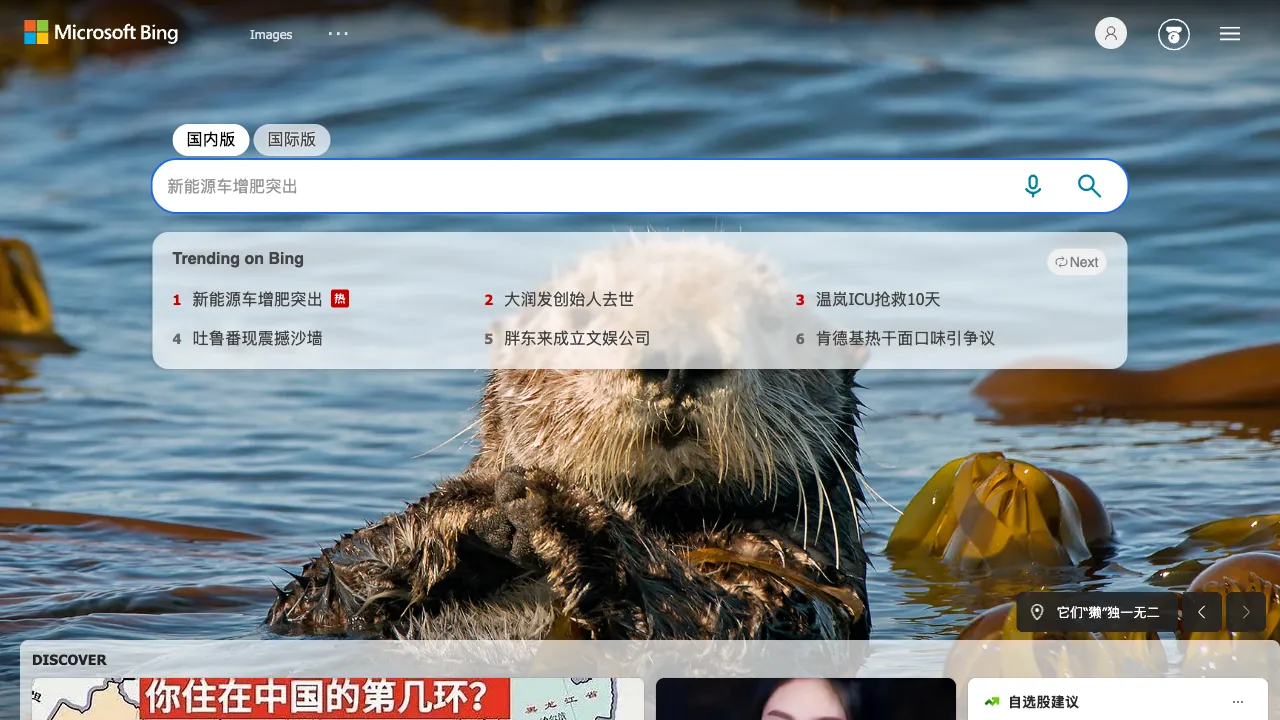
Many people know that DALL-E 3 is OpenAI's strongest image generation model, but they are unaware of its completely free access point—Bing Image Creator (now also known as the imaging component of Microsoft Designer). By visiting bing.com/images/create or using the sidebar in the Microsoft Edge browser, you can use DALL-E 3 to generate images for free without needing a ChatGPT Plus subscription.
What It Is
Bing Image Creator is an AI image generation tool launched by Microsoft, powered by OpenAI's DALL-E 3 model (Microsoft holds primary investment stakes in OpenAI and thus has integration priority). It is integrated into:
- The Bing Search page (bing.com/images/create)
- The Microsoft Edge sidebar (open the sidebar while browsing any webpage to use it directly)
- Microsoft Designer (designer.microsoft.com, a more comprehensive design tool)
- Copilot (Microsoft's AI assistant, which can generate images within conversations)
For holders of a Microsoft account, all these entry points are completely free and require no paid subscription.
Core Capabilities: The Power of DALL-E 3
The image quality from Bing Image Creator comes from DALL-E 3, a model with several standout features:
Accurate Prompt Understanding: DALL-E 3 performs well in understanding both Chinese and English prompts; whatever you describe is what it generates. Unlike Midjourney, which often "takes creative liberties" to produce content not expected by the user, this makes it better suited for scenarios with clear requirements—such as generating a close-up of a red apple on a white background in an e-commerce style—it will faithfully generate exactly that image.
Strong Text Generation: Rendering text within AI-generated images is typically a major challenge; gibberish or distorted "text" often appears easily. DALL-E 3 handles this quite well. If you need to generate images containing text (posters, slogans, logo concepts, product packaging copy), its accuracy is noticeably higher than that of Midjourney and Stable Diffusion.
Strict Content Safety Mechanisms: DALL-E 3 has relatively strict restrictions on controversial content—celebrities, copyrighted characters, and sensitive material will be rejected. This is an area where it faces more limitations compared to Midjourney in certain scenarios.
Usage Workflow
Using Bing Image Creator is very simple:
- Open bing.com/images/create or Copilot within the Microsoft Edge sidebar
- Log in with a Microsoft account (free)
- Enter your description (Chinese or English are both supported)
- Generate four images and download the ones you like best
Initially, each generation session includes an "enhanced" quota (referred to by Microsoft as such). Once this quota is exhausted, you can continue generating but at a slower speed. New accounts generally receive some initial quota, which can be replenished through various methods later on.
Comparison with Midjourney and Adobe Firefly
Quality: Bing Image Creator's overall quality sits at the DALL-E 3 level, sufficient for most practical scenarios. While it lacks the richness of artistic styles and visual impact found in Midjourney, it is often more reliable when it comes to "correctly understanding requirements and generating results."
Cost: Being completely free is Bing Image Creator's absolute advantage. Midjourney starts at $10/month, while Adobe Firefly requires a Creative Cloud subscription. If you only occasionally need to generate images, Bing is the most reasonable choice.
Commercial Copyright: Microsoft states that images generated via Bing Image Creator can be used for commercial purposes (based on the Microsoft account service agreement), but specific terms should be verified independently, as copyright disputes regarding training data remain unresolved across the entire industry.
Feature Richness: For pure image generation, Bing Image Creator is sufficient; if you need advanced features like ControlNet, LoRA, image editing, or inpainting, Stable Diffusion or Leonardo are more suitable options.
Microsoft Designer: A More Comprehensive Product
If you feel that Bing Image Creator's functionality is too limited, Microsoft Designer (designer.microsoft.com) offers a more complete version:
- Image generation (DALL-E 3)
- Background removal
- Design templates (similar to a simplified Canva)
- Image upscaling (AI super-resolution)
- Basic text and image layout tools
This tool is Microsoft's counterpart to Canva. While it has fewer features than Canva, it is free for Microsoft 365 users and suits scenarios where you wish to avoid subscribing to Canva.
Who Should Use It
Casual Users Needing Occasional Image Generation: Those who do not want to pay a subscription just to use AI image generation occasionally. Bing Image Creator offers high quality that meets daily needs at no cost.
Microsoft Edge Browser Users: The tool is accessible directly from the Edge sidebar, eliminating the need to open a separate application; usage costs are extremely low.
Scenarios Requiring Text in Images: For posters, product slogans, or logo text design concepts—DALL-E 3's accuracy in this area is an advantage.
Students and Educational Settings: Ideal for generating illustrations for presentations or reports; it is free with sufficient quality and requires no payment.
Users Unbothered by Generation Limits: If your generation needs do not involve celebrities or controversial content, Bing Image Creator's content filtering will be barely noticeable in practical scenarios.
Practical Usage Tips
Use Chinese Descriptions Directly. There is no need to force yourself into writing English; DALL-E 3 understands Chinese well. Simply inputting a description like "an orange cat sitting on the windowsill with warm evening sunlight streaming through the window" will work perfectly.
Add Style Descriptors for Better Results. Adding descriptors such as "photographic style," "watercolor illustration," "flat design," or "vintage poster" can significantly alter the generated output, yielding far better results than providing no guidance at all.
Be Specific in Your Prompts; Vague Inputs Yield Vague Outputs. A prompt like "a commercial image" produces random results. In contrast, a detailed description such as "a professional woman holding a meeting in a modern office with bright lighting and a business feel, 4K photo quality" generates outcomes that align much more closely with expectations.
Generate Multiple Times if Unsatisfied. Since each result has an element of randomness, running the same prompt multiple times allows you to select the best outcome from the batch.
Bing Image Creator is currently one of the most overlooked high-quality AI image tools—because it is free, many assume its quality must be poor, but DALL-E 3 powering it behind the scenes is a legitimate top-tier model. For everyday usage needs, it absolutely deserves to be listed as your primary choice among free tools.