

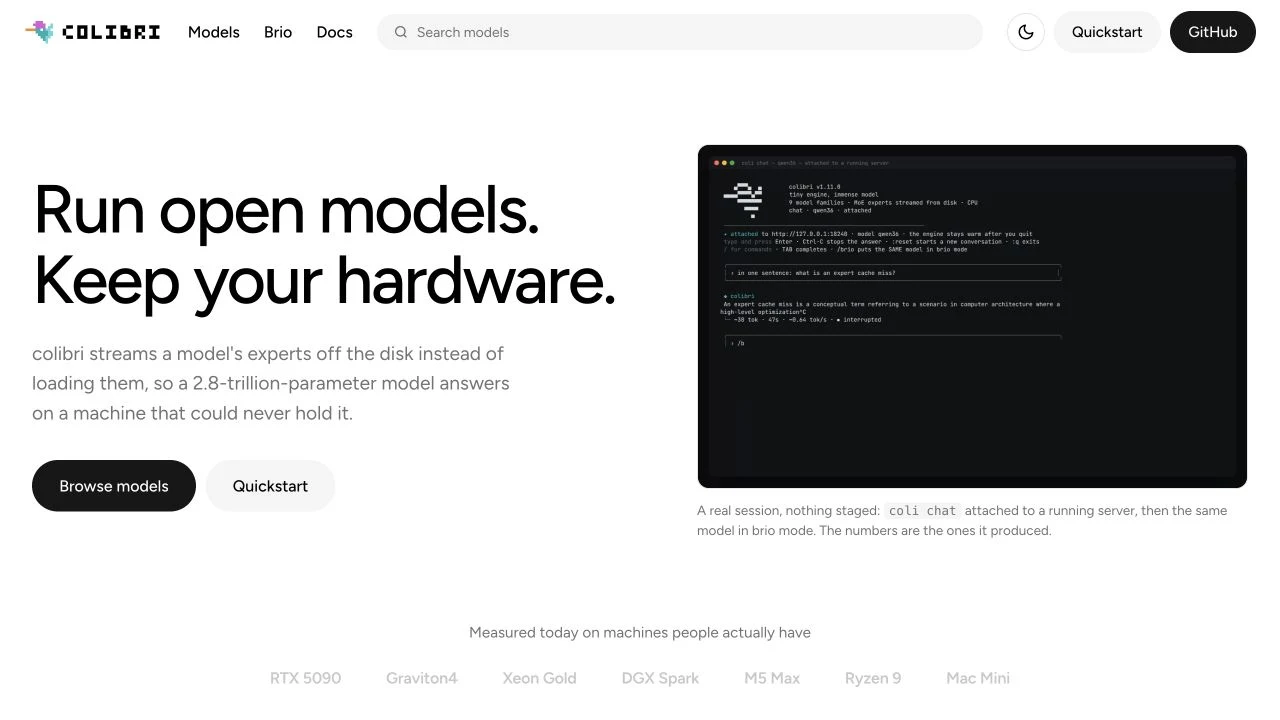
Colibri, styled Colibrì by the project, is an open-source local inference engine. Its appeal is a concrete deployment question: when a large Mixture-of-Experts model cannot fit entirely in fast memory, can selected experts be brought in from storage as they are needed? The project implements a hierarchy across SSD, RAM and VRAM.
Figure 1: Mechanism drawn from the project README; actual placement depends on the model and backend.
A large model can use a smaller fast-memory tier
MoE activates only some experts for a computation. Total parameters and active parameters per token are different quantities. Colibri places frequently used data in fast memory and keeps other experts on SSD, using caches and prefetching to reduce repeated reads. The README describes RAM, VRAM and NVMe as placement tiers for the same weights, with placement affecting speed.
Two assumptions need care. Streaming does not compress an entire model into a few gigabytes: its files still need storage. A smaller active parameter count also does not remove disk latency. Cold caches, changing expert selections and growing context affect responsiveness. For the background, see quantization and context windows.
What “pure C, zero dependencies” refers to
The inference engine is written in C, but release archives also contain a launcher and API helpers. The documented launcher workflow requires Python 3. Building from source requires a compiler and OpenMP. The engine's runtime description should not be read as a promise that installing the whole workflow requires no supporting environment.
For a first attempt, use a release archive matching your operating system. Build from source when you need backend changes or code inspection. Consult the model documentation for the version you use: an arbitrary GGUF file is not automatically compatible, and Colibri containers should not be confused with formats downloaded for other desktop tools.
Check storage before downloading
The official Quick Start uses a GLM-5.2 int4 container as an example, describing approximately 372 GB of model files and around 380 GB of free storage for that example. These are container-specific figures, not requirements for every model. Conversion files, a second copy or another model can increase storage needs.
Our recommendation is to establish the supported format, download and temporary-storage needs, and remaining SSD space first. Capacity and sustained reading performance are separate issues. If your only available drive is a small system disk, start with a model that fits in memory through LM Studio or Ollama.
Figure 2: Confirm the full model and deployment conditions before spending time downloading it.
A practical first-run sequence
- Open the repository and Releases, choose the archive for your platform, record its version, and read the matching Quick Start.
- Obtain a compatible model container. Keep its source, quantization information and checksum details, and read the model's own license.
- Confirm that the launcher can locate the engine, then provide the downloaded model path to diagnostics and resource planning.
- Run readiness checks before inference and inspect the plan for weight placement across storage tiers.
- Use fixed tasks to record startup, first-token latency, sustained generation, cache behavior and correctness before changing settings.
These commands follow the current README. Replace the example path with an already downloaded supported model directory; entry-point locations depend on the release archive:
python3 coli info
python3 coli doctor --model /path/to/model
python3 coli plan --model /path/to/model
python3 coli chat --model /path/to/model
They are instructions for readers, not a record of commands executed by AI Beyond. Change one tuning variable at a time. Changing the backend, quantization and caching together makes an apparent improvement hard to explain.
Loading is only the first acceptance check
The performance documentation includes reports from different machines and cache states. Its measurement protocol asks for hardware, commit, model, command and quality checks. These are project or community reports, not speed guarantees for your computer.
Assess four things separately: whether the model loads, how long the first response takes, whether subsequent interaction is responsive, and whether outputs satisfy the task. Tokens per second alone omit prompt processing; warm-cache figures omit cold-start waiting. Correctly answering one question does not establish reliable coding, tool use or long-document work.
Figure 3: All stages need to work for your task; this diagram contains no performance ranking.
APIs, licenses and data location
The API documentation describes OpenAI-style compatible interfaces, but capabilities differ across engines. Before integrating an agent, check model templates, tool calling, concurrency and streaming support. A familiar interface does not establish equivalent tool-use quality.
The repository uses Apache 2.0. Model weights have their own terms and need a separate check. Free software still entails storage, hardware, energy and maintenance costs. Local inference can run on your equipment, but a surrounding application may still send data through web searches, cloud planning or uploaded logs.
Who should try it
We recommend Colibri as an experimental subject if you already have useful hardware and are willing to keep logs, control variables and study the storage/compute tradeoff of large MoE models. Its usefulness must be established for your tasks and equipment.
For daily email, a few documents or occasional coding help, first try models that remain resident in existing memory. A limited budget can also justify keeping cloud models for difficult work and using local models for simpler tasks. Continue with the local-model subscription replacement guide for cost and acceptance criteria, or the hybrid AI coding guide for mixed local/cloud workflows.