

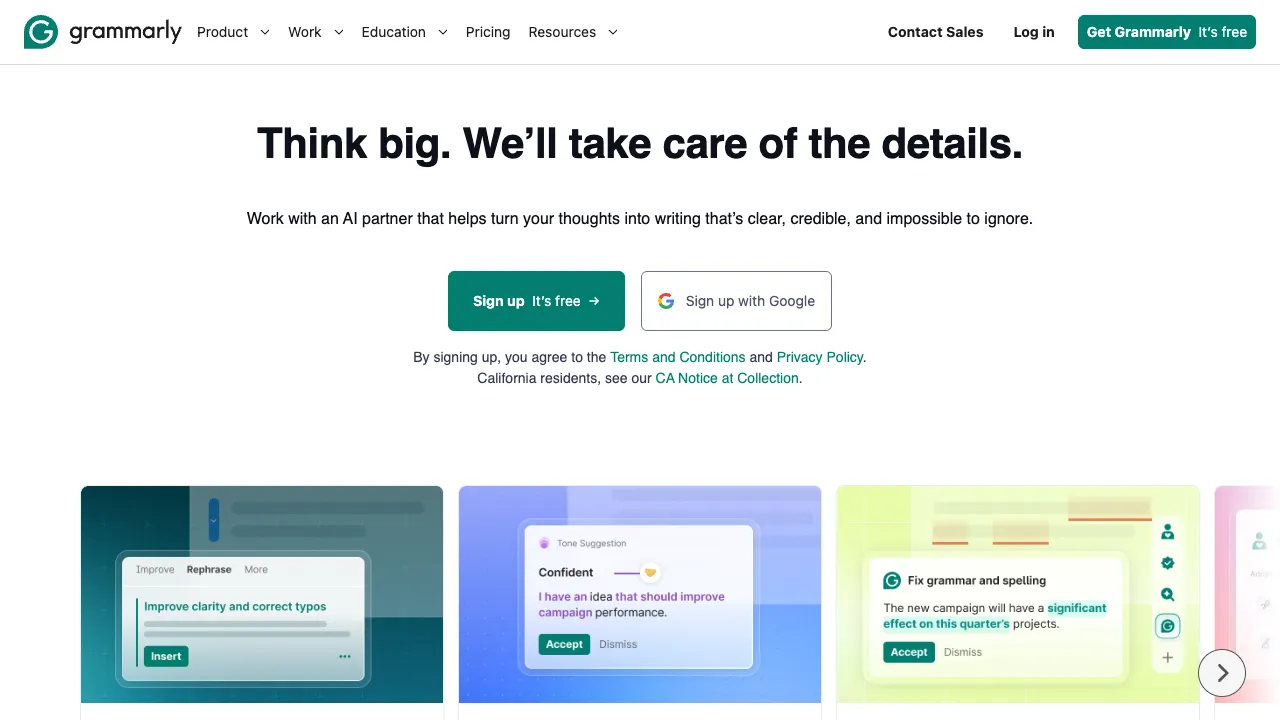
If you need to write in English—whether it’s emails, reports, social media posts, or academic papers—Grammarly is likely the best real-time writing assistant you can find. It hasn’t just recently added AI features; it has been providing writing assistance since 2009 and now boasts over 30 million daily active users, integrated into nearly all mainstream writing environments including browsers, Word, and Google Docs.
What Is Grammarly?
Grammarly is an English writing assistant whose core function is to check and improve your text in real time. While grammar, spelling, punctuation, and word choice are the basics, it now also offers suggestions for style, tone, clarity, and AI-generated content.
Its integration is extensive: Chrome/Edge extensions (covering all web input fields), Word and Outlook plugins, Google Docs integration, a native macOS keyboard extension, and an iOS keyboard. Basically, wherever you type in English, Grammarly works there.
Core Features
Real-Time Grammar and Spell Check
This is the foundational layer. Grammarly’s accuracy here is already high, capable of identifying most grammatical errors in English writing, including some subtle issues (subject-verb agreement, tense confusion, article errors, etc.), rather than just simple spelling corrections.
Style and Clarity Suggestions
This is a higher-level function than grammar checking. Grammarly doesn’t just tell you what’s wrong; it tells you what could be “better”:
- "This sentence is too long; consider splitting it into two."
- "This word feels flat here; try swapping it for something more expressive."
- "The tone here is too passive; consider using an active voice."
- "The logic in this paragraph isn’t clear enough; readers might get confused."
These suggestions are the essential difference between Grammarly and a standard spell checker, and they are the reason many professional writers are willing to pay for it.
Tone Detection
Grammarly analyzes the tone your writing conveys (friendly, formal, professional, confident, diplomatic, etc.), allowing you to confirm whether the tone is appropriate before sending an email or publishing content. This is valuable for cross-cultural writing and workplace emails where wording needs to be carefully considered.
AI Writing Assistant (Grammarly GO)
Grammarly officially launched its generative AI feature in 2023, called Grammarly GO. You can:
- Generate text from scratch
- Rewrite existing content (“Make this paragraph more formal”)
- Summarize text (“Summarize this long email into three key points”)
- Optimize specific aspects (“Make the opening of this email more engaging”)
This overlaps with ChatGPT, but the difference is that Grammarly’s AI features are embedded directly into your writing workflow. You don’t need to switch tools; you invoke them exactly where you’re writing.
Plagiarism Detection
The Pro version includes plagiarism detection, comparing your text against web content and highlighting sections that may have similarities. This is an important feature for students, journalists, and content creators.
Personalized Learning
Grammarly learns the errors you frequently make based on your writing habits. As you use it longer, its suggestions become increasingly accurate. You can also set writing goals (audience, style, intent) to adjust the direction of its suggestions.
The Core Problem It Solves
For many people, the issue with their English writing isn’t that they “don’t know how” at all, but that it’s “just short.” Grammar may be mostly correct, but there are small errors; vocabulary is sufficient, but not precise enough; logic is clear, but expression lacks fluency. Grammarly targets this “just short” gap—helping you turn “sufficient” into “professional.”
This improvement is even more pronounced for non-native speakers. People raised in a Chinese-speaking environment often have fixed error patterns when writing in English (article usage, preposition selection, sentence structure), which Grammarly can systematically identify and correct.
Who Is It For?
Professionals (in English-speaking work environments): Anyone who writes English emails, reports, and proposals daily. An email with clear grammar and professional wording directly impacts how others judge your competence. Grammarly helps you eliminate those low-level mistakes.
Students (especially international students): When writing English essays, assignments, or application materials, Grammarly provides a systematic check before submission. Academic writing has many specific grammatical and stylistic conventions, which Grammarly’s academic mode can identify.
Content Creators and Marketers: When writing English social media posts, blogs, or ad copy, Grammarly helps ensure your content is professional and consistent in tone.
Non-Native English Speakers: Regardless of profession, if you need to produce high-quality content in English, Grammarly is one of the most practical assistance tools available.
How It Differs from ChatGPT
Many people ask: “I already have ChatGPT; do I still need Grammarly?” The positioning of these two tools is different:
ChatGPT: You paste your text into it, tell it to “help me revise this email,” and it gives you a revised version. You then manually copy it back, with no real-time feedback.
Grammarly: It highlights issues in real time as you type, underlines them, shows suggestions on hover, and helps you fix things word by word—no need to switch tools or copy-paste; the workflow is seamless.
Using ChatGPT to rewrite entire paragraphs is suitable for scenarios requiring major revisions; using Grammarly for real-time checking is suitable for continuous optimization in your daily writing workflow. Many professional writers use both.
Pricing
- Free: Basic grammar checking, spelling, and punctuation; Chrome extension
- Premium (approx. $12/month with annual billing): Full style suggestions, tone detection, clarity analysis, Grammarly GO (AI writing features)
- Business (approx. $15/user/month): Team features, unified style guide, admin console, brand consistency checks
The free version is sufficient for basic needs, but full style suggestions and AI features require Premium. If your work relies heavily on English writing, the cost of Premium is well worth it compared to the time saved and errors avoided.
Usage Notes
It is primarily an English tool. Grammarly’s coverage of English is nearly comprehensive, but support for Chinese, Japanese, and other languages is limited or nonexistent. If you write primarily in Chinese, it won’t be much help.
It cannot replace your thinking. Grammarly can improve how you express yourself, but if the content itself is logically flawed or unclear in its arguments, it cannot fix that. The core of writing remains your thinking; the tool simply helps you express that thinking more clearly.
You don’t have to accept all suggestions. Especially with style suggestions, Grammarly has its own preferences (such as favoring active voice and short sentences), but some writing styles are intentionally crafted that way. Tool suggestions are for reference, not commands.
If your daily work involves substantial English writing, Grammarly is worth installing and keeping enabled—it won’t change how you write, but it will make your output more consistent and professional.