

There is a public secret among hourly-billed professionals: time tracking is surprisingly inflated—not through intentional fraud, but due to structural inaccuracy. Lawyers, designers, and consultants face a common reality: forgetting to start the timer in the morning, being too lazy to log entries individually while switching between three clients’ tasks in the afternoon, and reconstructing the entire week’s hours on Friday based on fuzzy memories. Research shows that post-hoc recall-based time logging can have an error margin of 30% to 40%. Missed time is direct revenue loss; over-reported time undermines client trust. Both sides cost money.
The root of the problem isn’t laziness, but the “manual timing” model itself, which goes against human nature: those focused on work are precisely the least likely to remember to hit the timer. Timely’s solution cuts off the source—no need for you to log anything; AI watches for you.
What is Timely?
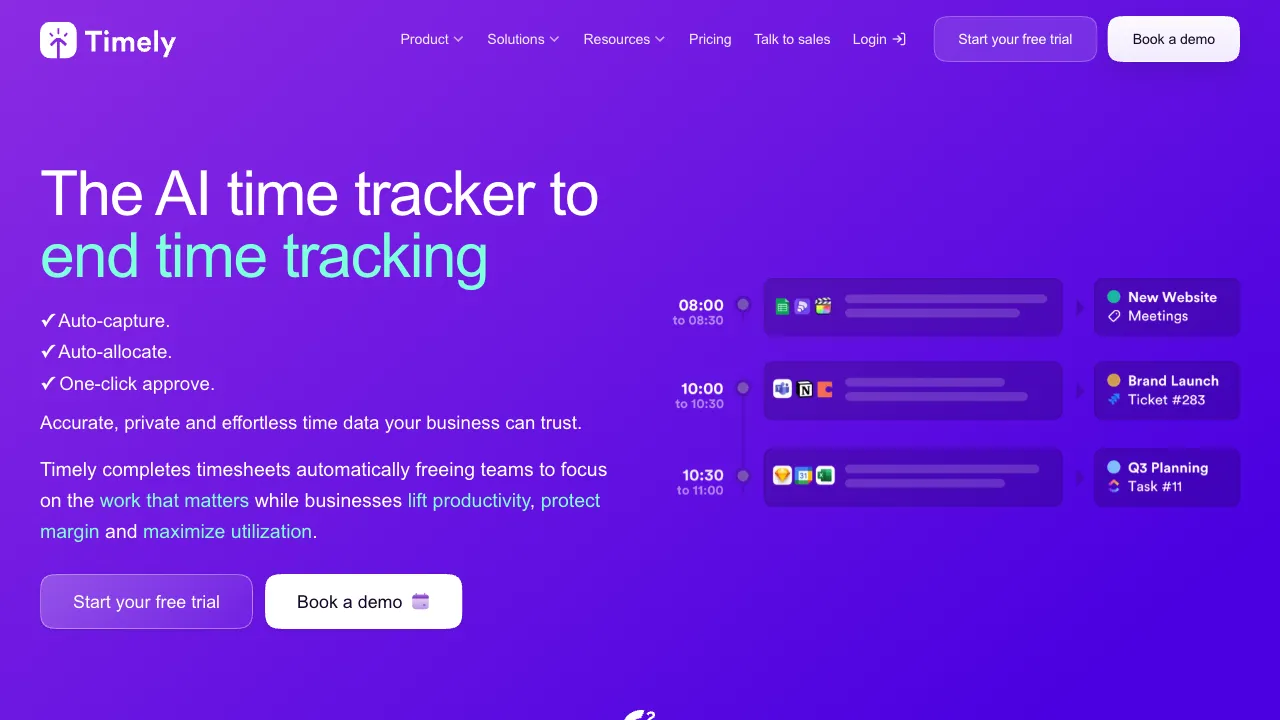
Timely (timelyapp.com) is an AI-powered automatic time-tracking tool produced by the Norwegian company Memory AS. Its core philosophy is “automatic recording first, manual confirmation later.” The desktop app silently records all your work activities in the background, and the AI categorizes these raw activities under corresponding projects and clients. All you need to do is review and confirm. Shifting from “active bookkeeping” to “passive reconciliation” solves the completeness issue of time tracking at a mechanistic level.
Core Features
Memory: Automatic Activity Recording
The foundation of the product. The desktop app continuously records: how long you spent in which application (VS Code, Figma, Word, specific websites in browsers), which files were opened, which calendar meetings were attended, and (optionally) which locations were visited.
Privacy design is the prerequisite for this model to work. Timely handles this with considerable restraint: raw activity records are visible only to you, defaulting to private. Employers and team managers cannot see your line-by-line activity logs—they can only see the aggregated time assigned to projects after your confirmation. This “boundary between personal privacy and team transparency” is what distinguishes Timely from monitoring-type time-tracking software and explains its good reputation among professionals.
AI Time Categorization
After collecting activity data, the AI automatically suggests which project each time block belongs to, based on clues such as applications, file names, URLs, and meeting topics: 2.5 hours spent in “Acme Refactoring Plan.docx” in the morning → suggested for Acme client’s consulting project; 1 hour visiting a client’s staging site in the afternoon → assigned to the corresponding development project.
You review or correct each entry line by line, and the AI continuously learns from your corrections, becoming more accurate over time. The final billed time is precise to actual activities, not reconstructed from Friday’s memory—this is its direct answer to the “time inflation” problem.
Projects, Rates, and Billing
Set hourly or fixed rates for each client and project. Confirmed hours are automatically converted into receivable amounts, and reports can directly support invoicing. Generate multi-dimensional reports by project, client, member, and time period, covering both project cost accounting and resource review.
Team Time View
Managers see project-level time aggregations and personnel workload for resource allocation and project profit/loss analysis—again, this is not member activity monitoring. This design significantly reduces resistance when rolling out the tool within a team.
Integration Ecosystem
Integrates with Google/Outlook calendars, Jira, Asana, Trello, GitHub, and other tools. Meetings and tasks automatically appear in the timeline, providing more complete context for categorization.
Comparison with Similar Tools
vs Toggl Track: The benchmark for experience among manual timing tools—lightweight, easy to use, with a generous free tier; but it cannot solve the fundamental pain point of “remembering to start the timer.” Those disciplined enough never to forget to log can use Toggl sufficiently; for those who frequently miss entries, Timely’s automatic mode is the targeted remedy.
vs Clockify: The representative for free team timing—full-featured and low-cost; also a manual model. Teams sensitive to budget with simple needs should choose it; professionals who view accuracy as money should choose Timely.
vs Harvest: Integrated timing and invoicing, a full-process solution for freelancers; timing is still manual. Timely handles the “where does time come from” part more accurately, while Harvest has a smoother invoicing ecosystem. In practice, some users combine both.
vs RescueTime: Both are automatic trackers, but with different goals—RescueTime focuses on personal productivity introspection (“where did my time go?”), while Timely focuses on professional billing (“what did I do for the client and what is it worth?”). One is a mirror; the other is a ledger.
vs monitoring-based time trackers (such as Hubstaff screenshots): Screenshot records focus on work activity; Timely’s private Memory focuses on personal time records. Establish what managers can see and how members edit or confirm records before adopting either approach.
Who Should Use Timely?
Freelancers and consultants billing by the hour: Every hour is revenue. The missed hours recovered by automatic tracking may directly cover the subscription fee—this is the easiest calculation to justify.
Law firms, accounting firms, consulting agencies: Billable hours are the core of the business model. Recording accuracy affects both revenue and client trust; Timely’s mechanistic accuracy is more reliable than relying on individual self-discipline.
Workers switching frequently between multiple projects: Jumping between five projects in a day makes the switch cost and omission rate of manual timers unacceptable. The advantage of automatic recording is maximized in this work mode.
Individuals conducting time audits: Those wanting to seriously understand their own time structure will find Memory’s objective records more honest than any subjective estimate.
Limitations
Price is the biggest barrier: no free tier (trial only), subscription prices are significantly higher than the Toggl/Clockify tier, making it poor value for light users.
AI categorization is not fully automatic: suggestions still require manual review. When work content is messy (frequent fragmented switching, serving multiple clients within a single application), the review workload is substantial, and the “automation” experience suffers.
The fact that all activities are recorded in the background creates a psychological barrier regardless of privacy design; using it on company devices also requires compliance with organizational policies.
Relies on the desktop app; coverage is incomplete for pure mobile office scenarios or those frequently switching devices.
Pricing
Subscription by user, monthly, with tiers for individual, team, and enterprise (starting roughly around $10 per user per month), with discounts for annual payments and a free trial available. Refer to the official website for specifics.
To judge whether Timely is worth it, calculate it using its own logic: compare your hourly rate × the number of hours lost monthly due to missed entries against the subscription fee. For most professionals who take hourly billing seriously, the answer to this arithmetic problem is surprisingly one-sided—provided you first honestly admit that you are indeed missing entries.