
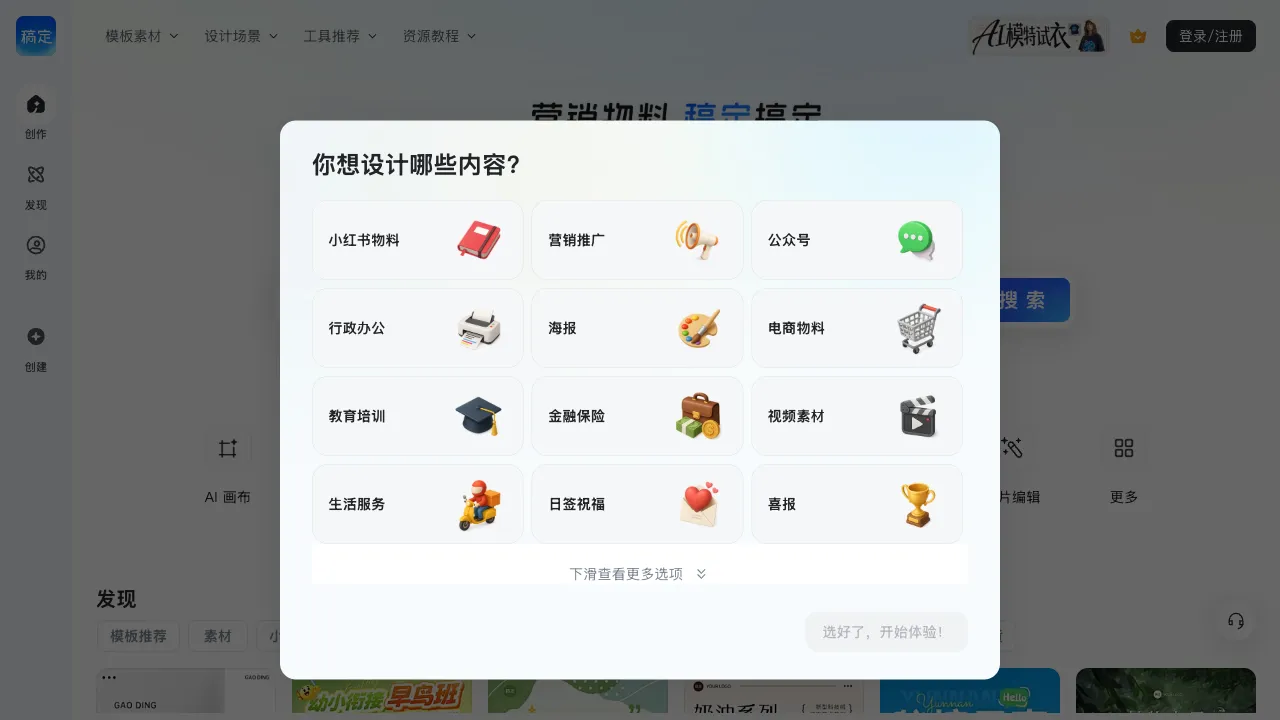
Gaoding Technology is a company that hasdeep cultivation (deeply cultivated) the domestic graphic design and visual content creation field for many years. In its early days, it was known for template-based design tools—one-click generation of posters, WeChat Official Account header images, and e-commerce main product images. With the arrival of the AI wave, Gaoding has fully integrated AI capabilities into its existing design foundation, launching Gaoding AI. This platform combines AI image generation, AI outpainting, AI background removal, and AI object removal, targeting content creators and designers.
What is Gaoding AI?
Gaoding AI (gaoding.com) is a suite of AI image creation tools launched by Gaoding Technology, covering multiple AI image processing functions such as text-to-image, image editing, and inspirational drawing. Unlike pure AI image generation tools, Gaoding combines AI capabilities with existing graphic design scenarios, allowing designers to move directly into layout production while generating images. This shortens the workflow from AI image generation to final design completion.
Core Features
AI Text-to-Image
Input a text description, and the AI generates the corresponding image. Gaoding AI’s text-to-image feature supports various styles:
Realistic Style: Photorealistic images of people, products, architecture, and natural scenes, suitable for commercial designs requiring realistic assets.
Illustration Style: Flat illustrations, hand-drawn styles, watercolor, and vector styles, suitable for brand design and content illustration.
Artistic Style: Artistic effects such as oil painting, sketching, and impressionism, suitable for creative content.
3D Style: Images with strong three-dimensional depth, suitable for technology and product designs.
Chinese Style: Ink wash paintings, Gongbi (meticulous) painting, and Guochao (national trend) styles. This is a specialized optimization direction for Gaoding as a domestic product.
AI Outpainting
Expand the content of an existing image by extending outward from the edges. The AI fills in the extended area while maintaining stylistic coherence with the original image.
Practical Scenarios:
- When the source material is smaller than the required design dimensions, use outpainting to fill the edges.
- When a poster requires vertical assets but the original image is horizontal, use outpainting to adjust the aspect ratio.
- When dissatisfied with the background, expand and enrich the background content.
AI Background Removal
The AI automatically identifies the subject in an image and removes the background with one click, generating an image with a transparent background. It supports processing:
- Portrait cutouts
- Product cutouts (commonly used in e-commerce scenarios)
- Cutouts of plants, animals, and complex edges
Gaoding’s cutout accuracy is at a high level among similar domestic tools, particularly in handling details such as hair and fur.
AI Object Removal
Select unwanted elements in an image, and the AI removes them while filling the area with background content, allowing the removed region to blend naturally.
Common Uses:
- Removing passersby or obstacles from photos
- Removing watermarks from images (only for content you have the right to process)
- Clearing unwanted objects from a scene
Image-to-AI Art
Convert ordinary photos into AI art styles—select a target style (anime, oil painting, watercolor, sketch, etc.), and the AI performs style transfer on the photo to generate an image with a specific artistic style. This is suitable for converting ordinary photos into content with an artistic feel.
AI Inspirational Drawing
A semi-interactive image creation process—sketch a rough composition or line drawing on the canvas, and the AI creates upon this basis to generate a complete image. It offers easier control over composition and element placement compared to pure text-to-image generation.
Integration with Design Templates
Gaoding’s core advantage lies in combining AI image generation with its existing design template system—AI-generated images can be dragged directly into design templates. Within Gaoding’s online design tool, you can complete layout, add text, and adjust the composition, handling the entire workflow from AI image generation to final design in one place.
For operations staff creating WeChat Official Account covers, Xiaohongshu (Little Red Book) illustrations, or e-commerce main images, this integrated workflow is significantly more efficient than “generate image—download—switch tools to edit.”
Comparison with Other Tools
vs Midjourney: Midjourney offers higher image quality and more unique artistic styles; however, it requires Discord and is relatively expensive. Gaoding AI offers free quotas, better Chinese language support, and its integration with design tools is a key advantage.
vs Jimeng (ByteDance): Jimeng has high-quality video generation capabilities. Gaoding AI integrates deeper into design scenarios, making it more suitable for users who need to use the output directly in design projects.
vs remove.bg (Specialized Cutout Tool): remove.bg offers high-quality cutouts by focusing on a single task. Gaoding’s cutout feature is part of a broader AI toolset, facilitating one-stop processing.
vs Canva AI: Canva also integrates AI features into its design tools, with similar functional positioning. Canva is an international platform with richer templates and better support for international content. Gaoding has advantages in Chinese typography and domestic usage scenarios, with more stable access speeds.
vs Adobe Firefly: Adobe Firefly offers clear commercial copyright clarity and integrates with Adobe design software; however, it is relatively expensive. Gaoding targets ordinary users, offering a lower barrier to entry.
Who Should Use Gaoding AI?
Content Operators and Self-Media Creators: Those who frequently create WeChat Official Account covers, Xiaohongshu illustrations, posters, and other content will see a significant boost in production efficiency thanks to Gaoding’s integration of AI image generation and design templates.
E-commerce Merchants: For product main images, promotional posters, and detail page illustrations, combining AI-generated assets with template layouts enables the rapid creation of usable commercial designs.
Users Without Design Skills but With Design Needs: By leveraging AI for asset generation and templates for layout completion, users without professional design skills can still produce visually acceptable content.
Users Needing Cutouts or Object Removal: Those who regularly need to process images, remove backgrounds, or eliminate unwanted elements will find all these functions within Gaoding AI’s toolset, eliminating the need to search for separate tools.
Limitations
The quality of AI-generated images lags behind top-tier tools like Midjourney, making it suitable for "good enough" scenarios but not for professional projects with extremely high image quality requirements.
Free quotas are limited; frequent usage requires payment, and some advanced features (such as high-resolution export) require a membership upgrade.
Pricing
Gaoding offers a free version that includes basic AI functions and a certain number of usage allowances. The Professional and Enterprise plans provide more features and usage counts, with both monthly and annual subscription options available. Please refer to the official website for specific details.
Gaoding AI is a highly cost-effective tool choice for content creation and operations scenarios. By integrating AI image capabilities with design templates, it reduces the need to switch between tools, making it a platform worth using regularly for domestic users with daily content production needs.