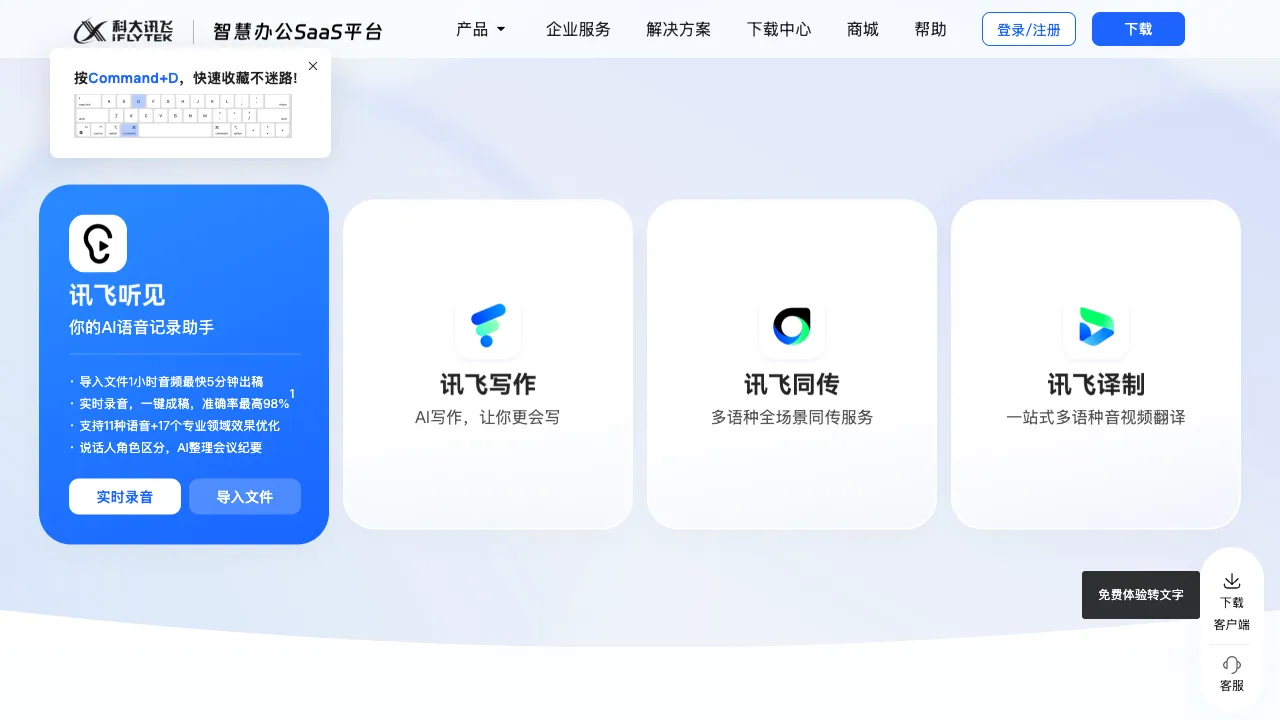
If there is a domestic leader in speech recognition, it is almost certainly iFlytek. For over twenty years, this company hasdeep cultivation (deeply cultivated) Chinese voice technology, setting the industry benchmark for Mandarin speech recognition accuracy. iFlyTek Tingjian is iFlytek’s professional product in the speech-to-text domain, packaging high-accuracy speech recognition capabilities into a practical tool for both individual and enterprise users.
What is iFlyTek Tingjian?
iFlyTek Tingjian (iflyrec.com) is an AI audio and video transcription and translation platform under iFlytek. It offers features such as real-time recording-to-text, uploading audio/video files for transcription, simultaneous interpretation, and language translation.
Unlike other products from iFlytek, Tingjian focuses specifically on "converting sound to text," with deep optimizations for accuracy, formatting, and multi-language support. It is designed for professional users who frequently handle audio and video transcription tasks.
Core Features
Real-Time Recording-to-Text
Open the microphone, and text is generated in real-time as you speak. This feature is suitable for:
- Meeting notes: Text records appear in real-time during meetings, providing a complete transcript immediately after the session ends.
- Classroom notes: Record what the teacher says in real-time during lectures, which is much faster than handwriting.
- Interview records: Journalists or researchers can have AI generate interview records in real-time during interviews.
- Diaries and memos: Speak your thoughts as they come, and they are converted to text and saved in real-time.
The latency for real-time transcription is very low, typically just 1–2 seconds. Text appears almost immediately after speaking, ensuring a smooth user experience.
Audio File-to-Text
Upload recorded audio files (MP3, WAV, M4A, etc.), and AI will perform batch transcription. This is suitable for:
- Transcribing previously recorded interviews, meetings, or courses.
- Processing content from voice recorders.
- Converting podcast content into text.
It supports long-audio processing; recordings lasting several hours can be handled without limits on file duration (though there are file size restrictions).
Video-to-Text
Upload video files (MP4, MOV, etc.), and AI will extract the speech content for transcription while generating subtitle files (SRT format). For content creators who need to add subtitles to videos, this feature saves a significant amount of time that would otherwise be spent on manual typing.
Multi-Speaker Identification
Automatically distinguishes between different speakers, labeling who said what in the transcription results (Speaker A, Speaker B, etc.). For multi-person meetings or interview recordings, speaker identification makes the transcription results clearer and facilitates subsequent organization.
Simultaneous Interpretation (AI Meeting Translation)
A feature for professional scenarios: In international conferences or cross-language exchanges, it translates speech from one language into text of another language in real-time. It supports Chinese-English mutual translation as well as some other language pairs.
This makes cross-language meetings feasible without on-site human interpreters. Although the quality of AI simultaneous interpretation is not on par with professional human interpreters, it holds practical value in informal settings or emergency situations.
Chinese-English Translation
Translates the text content after transcription, converting Chinese to English or English to Chinese. This reduces the need to switch tools within a workflow that integrates both transcription and translation.
Format Export
Transcription results support export in multiple formats:
- Plain text (TXT)
- Word documents (DOCX)
- SRT subtitle files
- Text with timestamps
Different formats are suitable for different subsequent use cases.
Comparison with Other Tools
vs Tongyi Tingwu (Alibaba): The functional positioning is highly similar, both focusing on audio/video transcription and meeting organization; Tongyi Tingwu offers AI summarization and Q&A features, making it more suitable for content comprehension scenarios; iFlyTek Tingjian has stronger professional accumulation in speech recognition accuracy, particularly for Mandarin Chinese.
vs Feishu Miaoji: Feishu Miaoji is deeply integrated into the Feishu ecosystem, offering a more complete team collaboration scenario; iFlyTek Tingjian is an independent tool that does not rely on specific office platforms, making its usage scenarios more flexible.
vs Tencent Meeting AI Minutes: Tencent Meeting AI is bound to the Tencent Meeting platform; iFlyTek Tingjian supports uploading external audio and video files, extending beyond just meeting scenarios.
vs Otter.ai: Otter is a mainstream tool for English transcription with excellent English recognition; iFlyTek Tingjian has a clear advantage in Chinese recognition, making it a professional choice for Chinese-language scenarios.
vs CapCut Subtitle Recognition: CapCut also has an automatic subtitle feature integrated into its video editing workflow; iFlyTek Tingjian focuses specifically on transcription itself, offering higher accuracy and more comprehensive format support, making it suitable for scenarios with high requirements for transcription quality.
Who is iFlyTek Tingjian For?
Journalists and Content Creators: Rapid transcription of interview recordings saves a large amount of time spent on manual typing, allowing focus to remain on content creation.
Academic Researchers: Transcription of interview data; processing field research recordings for researchers; an efficiency tool for quantitative and qualitative research.
Lawyers and Legal Professionals: Digitizing court hearing recordings and client consultation recordings to create searchable text records.
Video Creators: Automatically generating subtitles for videos, eliminating the hassle of manual typing; particularly suitable for talking-head style videos.
Professionals with Dense Meeting Schedules: Automatic organization of meeting recordings; combined with speaker identification, it quickly produces usable meeting minutes.
Teams Requiring Cross-Language Communication: Although AI simultaneous interpretation is not perfect, it is already usable in informal settings, lowering the barrier to cross-language communication.
Limitations
Recognition accuracy for dialects and non-Mandarin speech is significantly lower than for standard Mandarin. For speakers with a strong dialect accent, the error rate increases, necessitating manual proofreading.
Accuracy drops in non-quiet environments (high noise levels or multiple simultaneous speakers); for important meetings, it is best to use a high-quality microphone for recording.
The free version has monthly usage time limits; frequent users will need to pay for additional access.
There is still a gap compared to top-tier professional human interpreters in specialized simultaneous interpretation scenarios. For formal international conferences, using professional human interpretation services is still recommended.
Pricing
iFlytek Tingjian offers a free version that provides a certain amount of transcription minutes per month. Paid memberships offer more minutes and advanced features (such as multi-speaker identification and simultaneous interpretation). Please refer to the official website for specific details.
iFlytek Tingjian is one of the Chinese transcription tools with the strongest speech recognition capabilities. For users who frequently need to record and transcribe audio, its accuracy advantage is genuinely noticeable. Investing time to handle critical recording-to-text tasks is well worth it.