

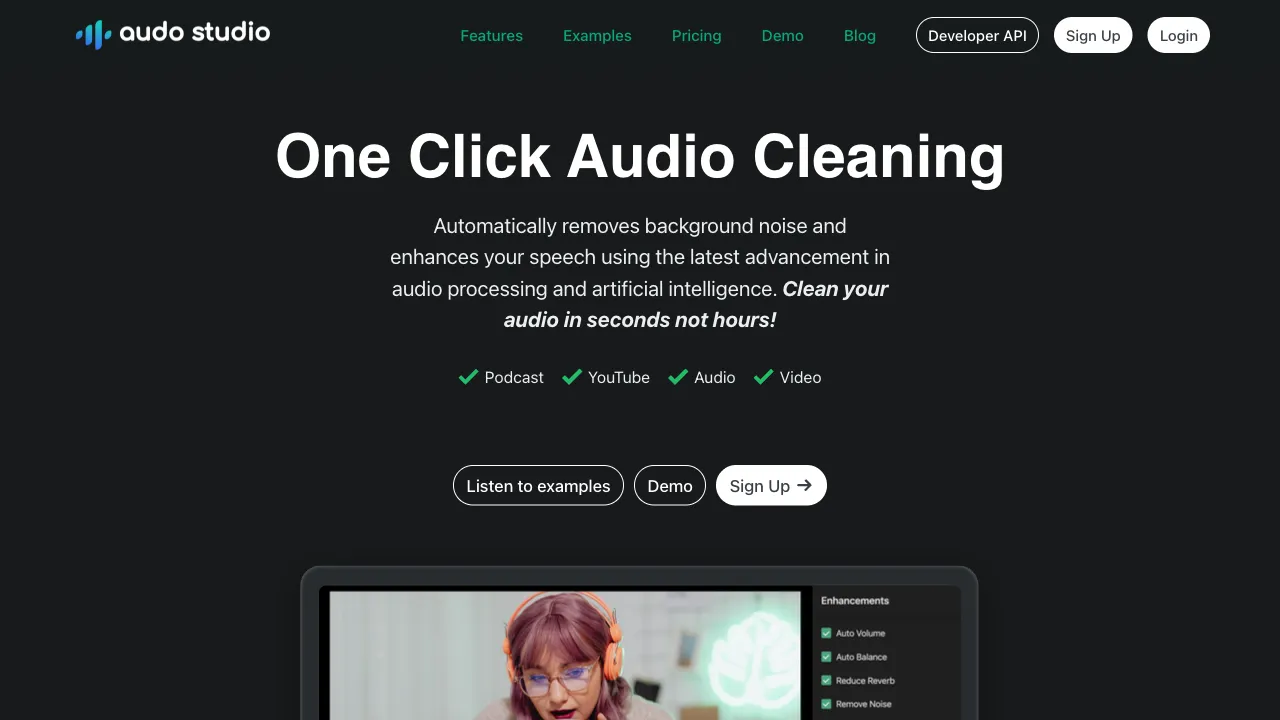
Background noise is an almost universal challenge for creators recording podcasts or video. Air conditioning hums, keyboard clatter, passing traffic outside, neighborly disturbances... if left untreated, these sounds make the final product sound amateurish. Traditional audio denoising requires working in Adobe Audition or iZotope RX and involves a certain learning curve. Audo Studio automates this process: upload your audio, let AI do its work, download the clean version—no need to understand any audio technology.
What is Audo Studio?
Audo Studio (audo.ai) is an AI-powered audio enhancement tool whose core function is automatically removing background noise from audio and improving vocal clarity. Upload a recording file, and the AI identifies and filters out background noise, outputting a clean version that retains only the primary sound.
Beyond basic denoising, Audo Studio also supports volume leveling (making voice levels more consistent), vocal enhancement (making speech clearer and fuller), and other processing options—it is an all-in-one audio optimization tool for content creators.
Core Features
AI Background Noise Removal
This is the most critical feature. The AI model has been trained on a vast array of different background noise characteristics, enabling it to identify and filter:
- Steady-state background noise: Air conditioner/fan hums, computer fan whirring, electrical hiss
- Environmental noise: Outdoor wind sounds, traffic rumble, natural ambient sounds
- Transient noises: Keyboard clicks, mouse taps, cup clinking (processing results are relatively limited for these)
In the processed audio, vocals remain intact while background noise is suppressed, resulting in a more professional overall sound. The quality of the result depends on the type and intensity of the original recording's noise—steady low-frequency background noise yields excellent results, whereas complex random noises may produce less optimal outcomes.
Volume Normalization
Inconsistent speaking volume during recording is a common issue—sometimes you speak loudly when close to the microphone, and other times your voice becomes quieter as you move. Audo Studio can automatically normalize the volume across an entire recording session for a more uniform listening experience.
Voice Enhancement
Beyond noise removal, this feature also applies targeted enhancement to vocals—improving clarity and audio quality. For recordings made with average-quality microphones, this processing helps partially compensate for hardware limitations.
Batch Processing
Supports uploading multiple files for batch processing, saving content creators (such as podcasters who need denoising per episode) from manually handling each file individually.
API Integration
Audo Studio offers an API that can be integrated into your own applications or workflows to enable automated audio processing pipelines. For development-capable teams, Audo’s processing capabilities can be embedded directly into content production workflows—files are automatically processed upon upload.
Typical Use Cases
Podcast Production: After recording a podcast episode, upload it to Audo for processing. The tool removes background noise from the recording environment, saving you manual denoising steps before publishing. For creators without access to professional studios, this tool significantly lowers production barriers.
Video Voiceovers and Narration: When recording tutorial videos, product introductions, or training content, voices processed by Audo sound more professional—no need to rent a professional studio.
Online Meeting Recordings: Recordings from meetings on platforms like Zoom or Teams often contain significant background noise. Processing them with Audo organizes the audio into recordings that sound much better when listening back.
Course and Educational Content: The quality of recorded online courses directly impacts the learning experience; Audo helps instructors without professional equipment improve their audio quality.
Interview Transcription Preparation: Interview recordings from journalists or content researchers can be processed to remove background noise, making subsequent transcription and citation more convenient.
Comparison with Other Tools
vs Adobe Audition (Adaptive Noise Reduction): Adobe Audition is a professional audio editing software offering excellent denoising effects that allow for fine-tuned parameter adjustments; however, it requires a Creative Cloud subscription and has a certain learning curve. Audo Studio operates more simply and is user-friendly for non-professionals, though it lacks the granular control of Audition.
vs iZotope RX: iZotope RX stands as a professional benchmark in audio restoration with extremely high processing results; it is used by Hollywood post-production teams and professional recording studios but comes at a steep price and learning curve. Audo Studio serves as a simplified solution tailored for general users.
vs Krisp: Krisp focuses on real-time noise reduction, filtering background noise during video calls and recordings—serving different use cases than Audo's offline processing of existing files. The two can be used together: employ Krisp to reduce noise while recording, then use Audo afterward for further optimization.
vs NVIDIA RTX Voice: Similar to Krisp in offering real-time denoising but limited to Windows users with RTX graphics cards; Audo Studio works across platforms and processes pre-recorded files, catering to different scenarios.
vs Adobe Podcast (Enhance Speech): This is a free online tool launched by Adobe that enhances podcast audio quality with one click. While its functions overlap significantly with Audo Studio, Adobe Podcast is completely free. In contrast, Audo Studio offers a more comprehensive feature set and batch processing capabilities.
vs Descript: Descript is an integrated video and audio editing tool featuring noise reduction; however, it primarily targets complete editing workflows rather than serving as a dedicated denoising solution.
Limitations
The fundamental limitation of AI-based noise reduction lies in its inability to restore sounds that were never recorded in the first place. If poor microphone quality results in inherently unclear sound, Audo Studio can remove background noise but cannot make the voice itself clearer; if background noise and human speech are mixed together such that they cannot be separated, AI processing may inadvertently affect the vocal track, resulting in artifacts described as "ghost whistling" (metallic or robotic sounds).
Additionally, AI denoising sometimes over-processes—while aggressively eliminating noise, it can also filter out high-frequency details of human voices. This makes the audio sound somewhat flat and lacking naturalness when listening back. Users must find a balance between the degree of noise reduction and vocal naturalness during usage.
Pricing
Audo Studio offers free allowances providing a certain number of minutes for processing; beyond that, charges apply based on usage volume. Paid plans support higher usage limits, batch processing, and API access. For specific details, please refer to the official website.
By drastically lowering the operational threshold for professional noise reduction, tools like Audo enable non-audio professionals to create content where "my recordings sound amateurish" is no longer an issue one must endure—often just a little bit of processing yields significant improvement.