

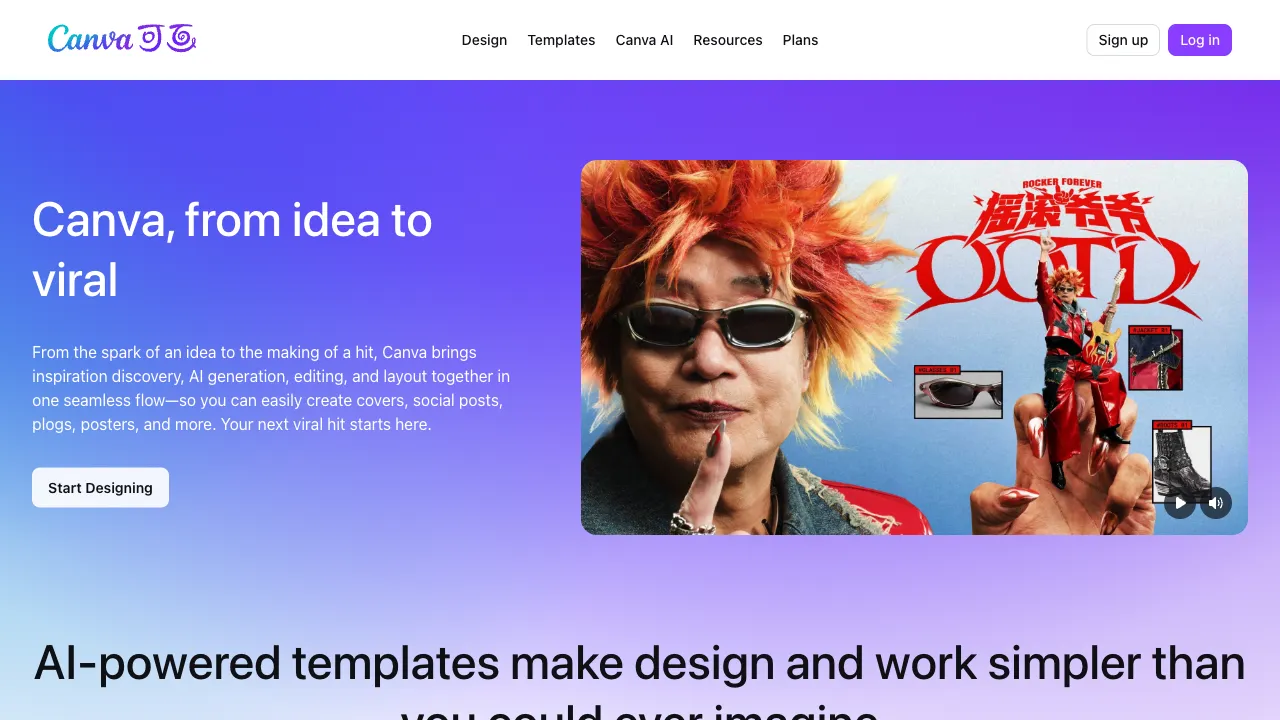
Note that this is a separate account system. canva.cn (China) and canva.com (global) run in parallel as two products, and accounts do not transfer between them — not even with the same email or phone number. The China edition supports WeChat, QQ, Weibo, Apple, Microsoft, phone and email sign-in, with localised templates, images, fonts and elements. Which version the App Store gives you depends on your Apple ID region, and there is currently no in-app switch.
Among people who "can't design," Canva is probably the most widely used tool. Founded in Australia in 2013, its original core logic was simple: strip away features from professional tools (like Photoshop) that most users never need, and use a drag-and-drop interface plus an enormous library of templates to let ordinary people create great-looking graphics. This strategy worked—today Canva boasts over 170 million monthly active users, a number larger than the total user base of many professional design tools combined.
Over the past two years, Canva has densely integrated AI features, ranging from text-to-image generation and video creation to AI-powered presentations, transforming it from a "template tool" into an AI-enabled creative platform.
What is Canva?
Canva is a browser-based online design tool whose core product logic follows these steps:
- Select the content type you need (social media posts, presentations, posters, videos, etc.)
- Choose a starting point from its vast library of professional templates
- Replace the text and images inside them
- Export in your desired format
For those without design skills, this three-step process is sufficient—templates handle layout, color schemes, and typography; you simply swap in your content. For users with a design background, it serves as a rapid prototyping tool that skips much of the time spent on basic setup.
AI Features
Over the last two years, Canva has rolled out a suite of AI features consolidated under Magic Studio:
Magic Design (AI Auto-Design)
Enter your topic or upload content (images and text), and AI will automatically generate multiple design options for you to choose from. You don't need to sift through templates one by one; the AI matches them for you.
Text to Image
Describe the image you want directly within a design, and AI will generate and insert it. Canva integrates several image generation engines (including versions of Stable Diffusion and its own proprietary models) capable of producing illustrations suitable for design. For commercial use cases, Canva clearly marks usage rights on images, making licensing more transparent for business purposes.
Magic Write (AI Writing)
Within a Canva design, you can have AI generate copy—such as presentation titles, poster slogans, or social media captions. There's no need to switch back and forth with ChatGPT; text is generated directly inside the design tool.
Magic Eraser / Magic Edit (Image Editing)
- Magic Eraser: Select an element you want removed from an image (such as a person in the background), delete it with one click, and have AI intelligently fill in the gap.
- Magic Edit: Select a specific area of an image, describe what you'd like to replace it with, and let AI modify that region accordingly.
Background Remover
Upload an image, remove its background instantly, and obtain a PNG file with transparency. This feature is available on Canva Pro; the web version offers fast processing speeds and consistent quality, making it one of the most commonly used tools for product photography and e-commerce image handling.
Presentations AI (AI Presentations)
Enter a topic, and Canva will generate a complete presentation containing both content and design. Compared to built-in AI features in PowerPoint, Canva's templates offer higher visual quality and stronger design sense, making them ideal for occasions where aesthetics matter—such as client proposals or investor pitches.
Magic Animate (Animation Generation)
Add animation effects to static designs without manually setting parameters for each element; AI automatically generates coordinated animations. This is well-suited for creating dynamic posts on social media.
Suitable Use Cases
Social Media Content: Platforms like Instagram, Xiaohongshu (Little Red Book), and WeChat Official Accounts require a high volume of images daily. Using templates plus AI for rapid generation is the most efficient approach. Canva provides standard size templates tailored to each platform's specifications, so you don't need to memorize aspect ratios yourself.
Presentations (PPT): Business proposals, reports, lectures—Canva's presentation templates are generally far more visually appealing than those built into PowerPoint, making them suitable for occasions with specific visual requirements.
Marketing and Branding Materials: Posters, flyers, business cards, email headers—these types of assets are often created by non-designers; Canva has lowered the production threshold to nearly zero.
Video Production: Simple vertical short-form videos or slideshow-style content—Canva offers basic video editing capabilities combined with AI animations, making it suitable for producing straightforward video content.
E-commerce Design: Product image processing, promotional posters, main product images—especially the background removal feature, which e-commerce operators use daily.
Limitations Compared to Professional Tools
Canva is not designed for professional designers and has several notable limitations:
Insufficient Fine Control: Details such as kerning, leading, anchors, and other advanced typesetting options are less robust in Canva than in Adobe InDesign; fine-tuned image processing, masking, and blending modes do not match Photoshop's capabilities.
Limited Font Options: While there is a large selection of built-in fonts, many specific typefaces required for professional design cannot be used (particularly those with commercial licensing restrictions).
Inconsistent Chinese Support: Localization of certain features and templates is incomplete; some AI generation functions perform less effectively with Chinese text compared to English.
Export Formats: The free version has limited export options; high-quality PDF exports and CMYK color space support for print production require the Pro subscription.
Pricing
A free tier is permanently available to individuals and teams; education is free for teachers and students, and nonprofits have a separate free membership.
For paid tiers, the official pricing page was behind verification when checked and could not be read directly. Third-party summaries give individual Pro at about ¥398/year (roughly ¥33/month) and Teams from about ¥35/user/month, billed by headcount. Those figures come from third-party sites and may be out of date — check canva.cn's pricing page before paying.
A differentiator worth noting in the China edition: a Pro subscription comes with a commercial licence declaration jointly signed by VCG, Hanyi Fonts and Canva China, along with VAT invoices and VIP support. For domestic commercial use where documentation matters, that is more practically important than any feature difference.
The China edition is operated by Beijing Kawa Information Technology.
Practical Usage Tips
Don't start from scratch; begin with templates. Canva's template library is one of its greatest assets. Filtering for a template close to your needs and swapping in content is significantly faster than building everything from zero.
Build brand kits. With the Pro plan, you can define your brand colors, fonts, and logos. Once set up, all subsequent designs will prioritize these branded elements, ensuring visual consistency across your work.
Use AI-generated drafts as a starting point for refinement. Outputs from Magic Design or AI writing tools may not be perfect immediately, but they serve as excellent foundations that greatly reduce the time spent staring at a blank canvas.
Mind commercial licensing restrictions. Some assets (images, music) available on the Free plan have limitations regarding commercial use; verify their license status before deploying them in business contexts. Assets included with Pro come with clearer commercial rights.
Canva's value proposition is clear: enabling non-designers to create functional and even visually appealing graphics. It excels at this positioning. If your daily workflow involves producing a high volume of visual content without access to a dedicated designer, Canva stands out as one of the most time-saving tools available.