

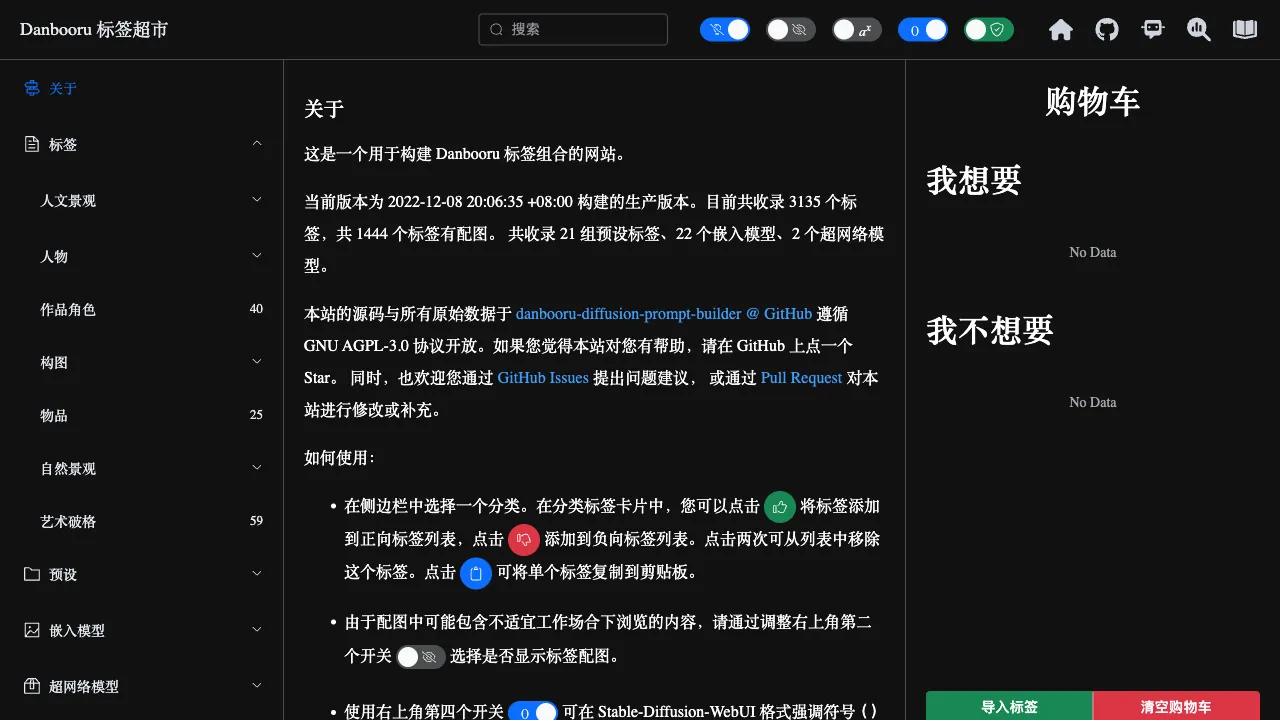
Generating anime-style images with AI requires a fundamentally different approach to prompt engineering than photorealistic styles. Instead of writing descriptive prose, you stack a series of tags. Understanding the Danbooru tag system is a foundational skill for mastering NovelAI and Stable Diffusion models tailored for anime aesthetics. This tag query tool (tags.novelai.dev) serves as a dedicated reference resource to help you find and combine these tags.
What Are Danbooru Tags?
Danbooru is a well-known English-language anime image-sharing website that has accumulated a massive library of manually annotated anime images over the years. Each image comes with detailed tag descriptions covering character names, hairstyles, clothing, poses, settings, art styles, expressions, and more. This vast dataset of human-annotated tags has become a critical foundation for training AI painting models in the anime style.
Both NovelAI and numerous Stable Diffusion anime models are trained on Danbooru data, meaning the "language" these models understand is the Danbooru tag system. Using natural English descriptions often yields unstable results, whereas using standard Danbooru tags allows the model to interpret your intent with greater accuracy.
tags.novelai.dev is a convenient tool for querying Danbooru tags, offering features such as tag search, categorized browsing, and tag definitions to help users find precise vocabulary for their desired content.
The Danbooru Tag System
Characters and People
Hairstyles: twintails (twin tails), long hair, short hair, ponytail, braid, ahoge (cowlick)…… These hairstyle tags allow for precise control over a character's appearance, offering more reliability than writing "a girl with twin tails."
Hair Color: blonde hair, silver hair, black hair, blue hair…… Hair color tags enable accurate color control.
Eyes: red eyes, blue eyes, heterochromia, closed eyes……
Expressions: smile, blush, crying, angry, surprised……
Clothing: school uniform, sailor uniform, maid outfit, kimono…… Clothing tags are extensive, covering a wide variety of common anime attire types.
Scenes and Backgrounds
outdoors, indoors, forest, school, cityscape…… Scene tags control the background environment of the image.
Composition and Perspective
1girl (single female character), 2girls, looking at viewer, from above, from below…… Composition tags influence the overall layout and perspective of the image.
Quality Tags
masterpiece, best quality, high quality, extremely detailed…… These quality tags instruct the model to generate higher-quality images and are standard inclusions in almost all positive prompts.
Negative Tags
Equally important are negative prompts—telling the model what not to generate. Common negative tags include: lowres (low resolution), bad hands, bad anatomy, watermark…… Anime models often use a universal template for negative prompts, which can significantly reduce the generation of low-quality images.
How to Use the Tag Query Tool
- Search Keywords: Enter the concept you are looking for in the search box, such as "school uniform" or Chinese keywords, to view the corresponding Danbooru tags and definitions.
- Check Tag Usage Frequency: The Danbooru tag database displays how many times each tag has been used. High-frequency tags are generally more common in the model's training data and tend to produce more stable results.
- Understand Tag Meanings: The meaning of some tags may differ from your expectations. The query tool provides definitions to help you avoid using tags that yield unexpected results.
- Discover Related Tags: When searching for a tag, related tags are usually displayed, helping you find more precise descriptive vocabulary.
Practical Usage Tips
Avoid Conflicting Stacks: Do not include mutually contradictory tags in the same prompt, such as adding both long hair and short hair.
Weight Control: In Stable Diffusion WebUI, you can adjust tag weights using parentheses. (word:1.3) increases the weight of that tag, while (word:0.8) decreases it. Increase the weight for important elements appropriately.
Sort by Importance: Generally, place the most important tags at the beginning of the prompt, as the model assigns higher weight to earlier tags.
Test and Iterate: Different models may react differently to the same tags. A prompt that works well on Anything V5 might perform differently on other models, so adjustments specific to each model are necessary.
Comparison with Other Prompt Tools
vs Midlibrary: Midlibrary focuses on style references for Midjourney,Includeding 2000+ art style keywords and visual examples. The Danbooru tag system focuses specifically on anime aesthetics; the two serve different use cases.
vs ClickPrompt: ClickPrompt is a visual prompt-building tool that helps compose and debug prompts. Danbooru tag query serves as a tag dictionary; the two can be used in conjunction.
vs Prompthero: Prompthero hosts a large collection of user-shared successful prompts with preview images. Danbooru tag query functions more like a dictionary, focusing on the tag system itself.
Who Is This For?
NovelAI and SD Anime Model Users: If you want to improve the quality of anime AI-generated images, understanding the Danbooru tag system is essential. This tool is a practical resource for beginners and daily queries.
Beginners Learning AI Painting Prompts: By using the query tool to understand the tag system, you can learn how to describe your desired content using standardized vocabulary, which is far more efficient than trial-and-error guessing.
Creators Working on Specific Styles or Scenes: If you need precise control over character appearance and scene details, Danbooru tags provide a rich selection of vocabulary.
The Danbooru tag system is the "language" of anime AI painting. Mastering its logic isn't about memorizing every tag, but knowing where to look and how to query when needed. This tag query tool is one of the best entry points for referencing this system.