

The content industry sits on a goldmine that everyone can see but few bother to mine: video-ifying existing text assets. Every corporate website hosts product pages and press releases; every WeChat Official Account backend accumulates hundreds of old articles. Meanwhile, the main traffic pool has long migrated to short videos. Theoretically, translating these text assets into videos is a highly profitable form of redistribution. In reality, however, it gets stuck at one critical step: making videos requires footage, editing, and voiceovers. A few minutes of video can eat up half an operator’s day, making batch conversion impossible.
FlexClip’s core selling point is compressing this process into a single paste action: drop in a block of text or even just a URL, and the AI directly produces a video with matched footage, subtitles, and voiceover. This product from the Chinese team PearlMountain (a veteran tool vendor with years of international operation) has built a solid user base in the global content operations community.
What is FlexClip
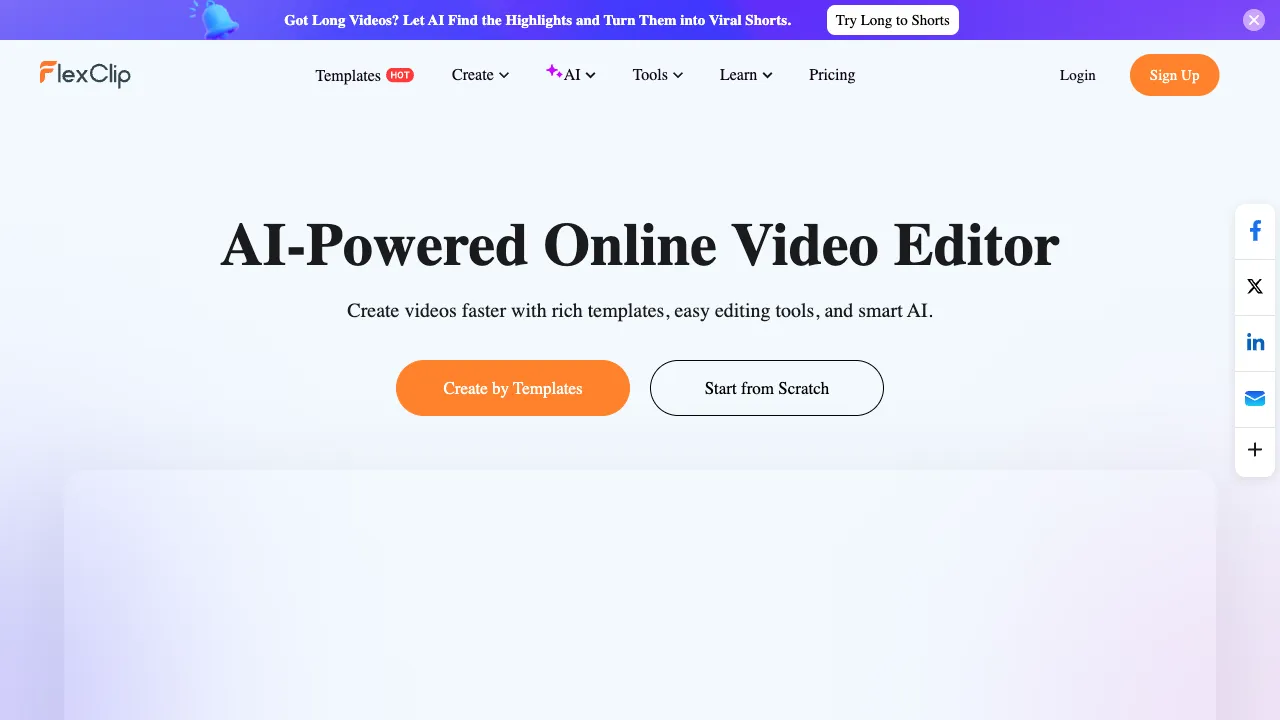
FlexClip (flexclip.com) is a web-based online video production platform featuring two layers of capabilities: a traditional template-based video editor (massive templates + copyright-licensed asset library + timeline editing), combined with a full suite of AI generation capabilities (article-to-video, URL-to-video, AI scriptwriting, AI voiceover, auto-subtitles, text-to-video clips). It offers a complete Chinese interface, requires no software installation, and runs directly in the browser.
Its positioning is clear: it serves marketing and operations professionals who need to produce videos continuously but lack professional editing skills and asset reserves.
Core Features
Article to Video (Text to Video)
This is its signature capability. Paste an article, and the AI automatically completes the entire pipeline: parsing content structure → splitting shots by paragraph → matching footage from the asset library for each segment → generating subtitles → adding AI narration and background music. Within minutes, a draft-level final video lies on the timeline; manual intervention is limited to replacing unsatisfactory assets and fine-tuning copy before export.
This pipeline targets the very goldmine mentioned at the start: turning old WeChat articles into Douyin talking-head videos or blog posts into YouTube videos. A piece of content gets a second life, with costs dropping from half a day to twenty minutes.
URL to Video
An even more aggressive entry point: paste a webpage link (product page, press release, blog post), and the AI scrapes the page content to directly generate a video. This is the sweet spot for e-commerce scenarios—turning product detail pages into promotional videos with one click, serving as an efficiency tool for batch video-izing store products.
AI Voiceover and Auto-Subtitles
Multi-language TTS voiceovers (complete Chinese and English voice options, adjustable speed and style) remove "no one wants to record" as a barrier to video production; auto speech-to-text subtitles (online Chinese recognition) with customizable subtitle styles. In the short-video era, subtitles are essential for completion rates. These two features reduce the "audio engineering" cost of videos to zero.
Templates and Copyright Asset Library
Thousands of templates categorized by scenario (social media, product promotion, holidays, education), built-in massive copyright-safe video/image/music assets. For users without their own assets, this library is the "rice for cooking without rice," and the exportable commercial-use license removes copyright anxiety.
Online Editor
Standard timeline editing: trim and splice, transition effects, picture-in-picture, speed control. While not as deep as professional software, it is more than sufficient for refining AI drafts. This is why its "AI generation + manual finishing" workflow can close the loop.
Comparison with Similar Tools
vs CapCut: The unavoidable reference for domestic creators—CapCut’s AI capabilities (text-to-video, smart subtitles) are equally powerful, with unmatched mobile experience and domestic ecosystem integration (direct posting to Douyin), plus generous free tiers. FlexClip’s relative advantages lie in its web-based PC workflow, international assets, and multi-language support. For cross-border content creators accustomed to computer-based office work, choose FlexClip; for creation within the domestic short-video ecosystem, use CapCut directly. The division is clear.
vs Pictory/Fliki: Article-to-video tools in the same track, excelling at English content. FlexClip’s Chinese support (interface, voiceover, subtitle recognition) is far more user-friendly for Chinese speakers, making it a balanced choice for bilingual content teams.
vs Canva Video: Canva’s design DNA gives its templates slightly better aesthetics, but the "article/URL-to-video" automated pipeline is FlexClip’s unique depth. For light needs within the Canva ecosystem, use Canva; for batch article-to-video needs, stick with FlexClip.
vs InVideo: A similar online video marketing tool with high functional overlap. Template styles and AI workflows have their own feel—try a free-tier video on each to see which feels more intuitive.
vs Professional Editing (Premiere/DaVinci): They are not in the same category. Professional software is a creation tool; FlexClip is a content production line. The former makes "works"; the latter makes "volume." In marketing scenarios, the latter is often the correct tool.
Who Should Use FlexClip
Content Marketing and New Media Operations: Video-ifying existing text/image assets for redistribution, weekly social media video output—the article-to-video feature is almost custom-made for this role, making it the core audience.
Cross-border E-commerce and Global Teams: Product page-to-promotional video, multi-language voiceovers, international asset library. This trio directly addresses the needs of cross-border content.
SMEs’ "Part-time Video Staff": For scenarios where there is no dedicated editor, and admin or marketing staff casually make corporate promotional videos, templates + AI lower the threshold for "passable" final products to zero basics.
Education and Knowledge Content Creators: Turning lecture slides into video courses, transforming knowledge-based text/images into talking-head videos. A tool for migrating the form of knowledge.
Usage Tips
AI-matched assets are "semantically related" rather than "precisely on topic." The key to final quality lies in manual replacement: swap out obviously incongruous shots, and the draft upgrades to a finished product. Don’t skimp on this ten minutes.
URL-to-video is sensitive to page structure; parsing results degrade for cluttered pages. For important projects, organize the text first and use the article-to-video entry point instead.
For cross-border content, pay attention to matching voice tones with target markets; try several voices. Before exporting, confirm that the asset license covers your commercial scenario (the platform ensures copyright safety, but reviewing the terms is worthwhile).
Pricing
The free version allows basic functions but exports with watermarks and length limits—essentially a trial tier. Paid subscriptions (monthly/annual) remove watermarks, unlock longer exports, more AI quotas, and asset permissions. Prices are mid-range among similar tools. Check the official website for specifics.
Whether FlexClip deserves a spot in your toolkit can be tested with one experiment: drop your best-performing article from your archive into its article-to-video feature. After twenty minutes, look at that draft—if it makes you think, "All these old articles could be processed like this," then the goldmine has been successfully mined for you.