

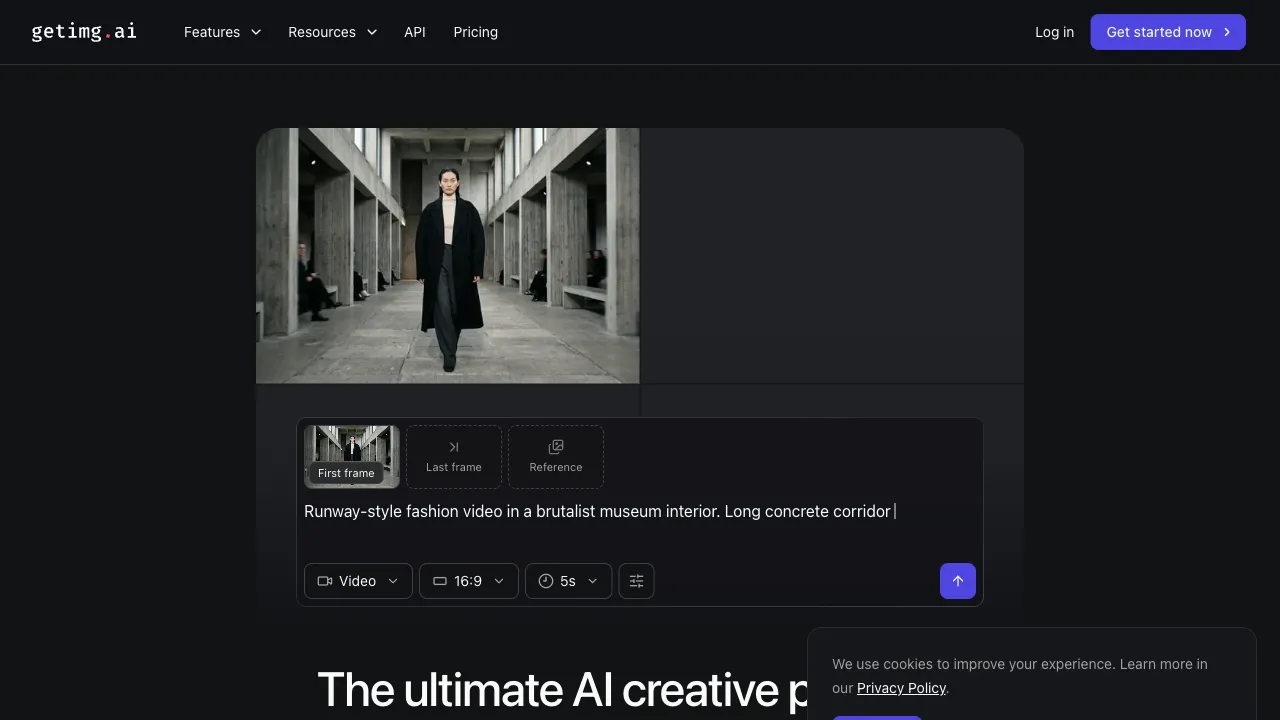
Stable Diffusion is currently one of the most capable open-source image generation models. However, deploying it on your own machine requires technical expertise, a suitable GPU, and the configuration of various dependencies, making the barrier to entry relatively high. Getimg.ai cloudifies this process: you can access the full capabilities of Stable Diffusion directly in your web browser without installing anything. It also integrates a vast array of community-trained models and styles, making it a highly comprehensive online AI image platform.
What is Getimg.ai?
Getimg.ai is a cloud-based AI image generation and editing platform. Its core relies on the Stable Diffusion model series, while integrating numerous community fine-tuned models (LoRA, Checkpoints) from platforms like Civitai. It offers multiple functional modes: text-to-image, image-to-image, image editing, face restoration, background removal, and more, covering almost all major scenarios for AI-assisted image creation.
Registering for a free account grants you 100 free generation credits per month. No software installation is required; simply open your browser to start using it.
Core Features
Text to Image
Input a text description to generate an image—the foundational feature of all AI image tools. Getimg.ai’s advantage in this area lies in its model selection.
It integrates a large number of specialized models from the Stable Diffusion community:
- Photorealistic styles: Models like DreamShaper and Realistic Vision, which generate images with a texture close to real photographs.
- Illustration and Anime styles: Models specifically optimized for Anime and digital illustration.
- Concept art: Models designed for game concept art, sci-fi scenes, and fantasy settings.
- Product photography: Ideal for generating images suitable for e-commerce product displays.
Using specialized models for different scenarios yields significantly higher quality than using a general-purpose model. A user familiar with the characteristics of these models can generate highly precise stylistic images on Getimg.ai.
Image to Image
Upload a reference image and combine it with a text description to generate a new image that varies based on the reference. You can control the "reference degree" (Denoising Strength): low denoising strength results in an image that differs significantly from the original, while high denoising strength largely preserves the original composition and color tone.
This feature has many practical use cases:
- Turning sketches into detailed illustrations.
- Changing the style of an image (e.g., turning a photo into a watercolor painting).
- Generating multiple variations based on a single reference image.
ControlNet
Getimg.ai supports ControlNet, which provides structural guidance for Stable Diffusion, such as:
- Edge Control (Canny): Extracts edge information from an image to generate new images that maintain the same contours.
- Depth Control: Generates new images based on the spatial depth relationships of a reference image.
- Pose Control (OpenPose): Controls the pose and actions of characters.
- Lineart Control: Colors in line art to create complete images.
These control tools give you precise command over the generation results, allowing you to control key elements (composition, pose, structure) rather than relying solely on randomness while letting the AI fill in the details.
AI Image Editing (Inpainting)
Local image modification: Upload an image, select the area you wish to modify, input a description, and the AI will only alter that specific region while leaving the rest unchanged.
For example: In a product photo with clutter in the background, use Inpainting to mask out the clutter, allowing the AI to fill it with a clean background. Or, in a portrait where you want to change the clothing color, select the clothing area with Inpainting and describe "white cashmere sweater"; the AI will generate new clothing to replace the original.
Image Expansion (Outpainting)
Extend an image beyond its edges to expand the canvas. For instance, if you have a vertical portrait photo but need a horizontal background image, use Outpainting to extend the sides. The AI generates an extended background that matches the style of the original image.
This feature is particularly useful for converting image formats (e.g., vertical to horizontal, square to panoramic), avoiding the loss of the main subject caused by cropping.
Face Restoration
AI-generated images sometimes lack natural facial details, a common issue with Stable Diffusion-based tools. Getimg.ai integrates face restoration models like GFPGAN to specifically repair and enhance faces within generated images, improving the quality of eyes, mouths, and skin details.
Batch Generation and API
Supports batch generation, allowing you to submit multiple tasks at once. It also provides an API, enabling you to integrate Getimg.ai’s generation capabilities into your own applications or workflows. For users or developers with automation needs, the API is a crucial feature.
Comparison with Other Tools
vs Midjourney: Midjourney currently offers the highest quality for artistic style image generation with a simple interface. However, it lacks precise control over image structure (no ControlNet) and has low customizability. Getimg.ai’s ControlNet and Inpainting features offer more control, though its overall artistic feel may not match Midjourney’s.
vs DALL-E 3 (ChatGPT): DALL-E 3 excels in text understanding, generating images that align closely with descriptions. However, its styles are somewhat uniform and customizable options are limited. Getimg.ai offers a richer selection of models, allowing for more diverse stylistic outputs.
vs Leonardo.ai: Leonardo is another comprehensive online Stable Diffusion platform. Their features overlap significantly, both offering ControlNet, Inpainting, etc. The differences lie in focus: Leonardo has greater community influence in game art and digital illustration, while Getimg.ai’s API and automation features are relatively more mature.
vs Running AUTOMATIC1111 Locally: If you have your own GPU, running AUTOMATIC1111 locally is the most flexible solution, with no credit limits and unrestricted model installation. Getimg.ai’s advantage is that it requires no personal hardware or technical configuration, making it ideal for users without a GPU or those who prefer not to tinker with local environments.
Who Should Use Getimg.ai?
Digital Art Creators: Those who need to switch between different style models and use ControlNet for precise structural control will find Getimg.ai’s toolset comprehensive.
Game and Film Concept Designers: Utilizing specialized concept art models and ControlNet allows for the rapid generation of scene and character reference images that meet specific requirements.
Content Creators: Those needing illustrations but lacking professional design skills can quickly generate original artwork in various styles without worrying about copyright issues.
E-commerce and Product Visuals: For product background replacement and scene synthesis, Inpainting and Image-to-Image features offer practical value.
Developers and Automation Users: Those needing to integrate AI image generation into products or workflows will find the API an essential interface.
Tech Enthusiasts Who Want to Avoid Local SD Setup: If you want to leverage Stable Diffusion’s capabilities without configuring a complex local environment, Getimg.ai is one of the lowest-barrier entry points.
Pricing
- Free plan: 100 generations per month with full feature access, suitable for light usage.
- Paid plans ($12–$99/month): Increased generation limits, higher priority processing, and more concurrent jobs.
- API pay-per-use: Developers are charged based on the number of API calls.
The free plan’s monthly quota of 100 generations is sufficient for exploration and low-frequency use. For high-frequency creation, an upgrade to a paid plan is required.
Practical Advice
Familiarize yourself with a few key models: You don’t need to understand every available model. Finding 3–5 models that suit your preferred styles and mastering them will yield better results than casually switching between many different models.
Learn the basics of prompt engineering: Stable Diffusion prompts have their own conventions (quality tags, style descriptors, negative prompts). Understanding these can significantly improve generation quality; there are abundant tutorials and prompt resources available online.
Control structure with ControlNet: Modes such as Canny, Depth and OpenPose provide edge, depth or pose guidance. Try the mode relevant to your task and compare the results with and without it.
Generate in batches and select the best: The quality of any single generation is random. Generating multiple images and picking the best one is more efficient than repeatedly tweaking parameters while waiting for a perfect result.
Getimg.ai is one of the most comprehensive online AI image platforms available. For users who want Stable Diffusion capabilities without the hassle of setting up a local environment, it remains one of the lowest-barrier, most feature-complete options on the market today.