

Open the website or app of any modern SaaS product, and you’ll notice a highly unified visual language: clean flat illustrations, simplified character designs, and harmonious, restrained color palettes—a little person looking lost on an empty state page, a few characters collaborating on an onboarding screen, or a confused animal on a 404 page. This type of commercial illustration has become standard in digital product design, with massive demand.
Commercial illustrations often need clear shapes, space around the subject and a style that fits the UI. General image generators may produce busy lighting or heavy textures, requiring changes to prompts, models or the result. Compare tools against those specific requirements.
Illostration AI is a vertical tool built specifically to fill this gap.
Availability note (checked 2026-09-06): www.illostration.com returned an empty or parked page on two separate attempts, with no product content at all. No official shutdown notice was found, so this is recorded as temporarily unavailable — verify before relying on it.
What Is Illostration AI?
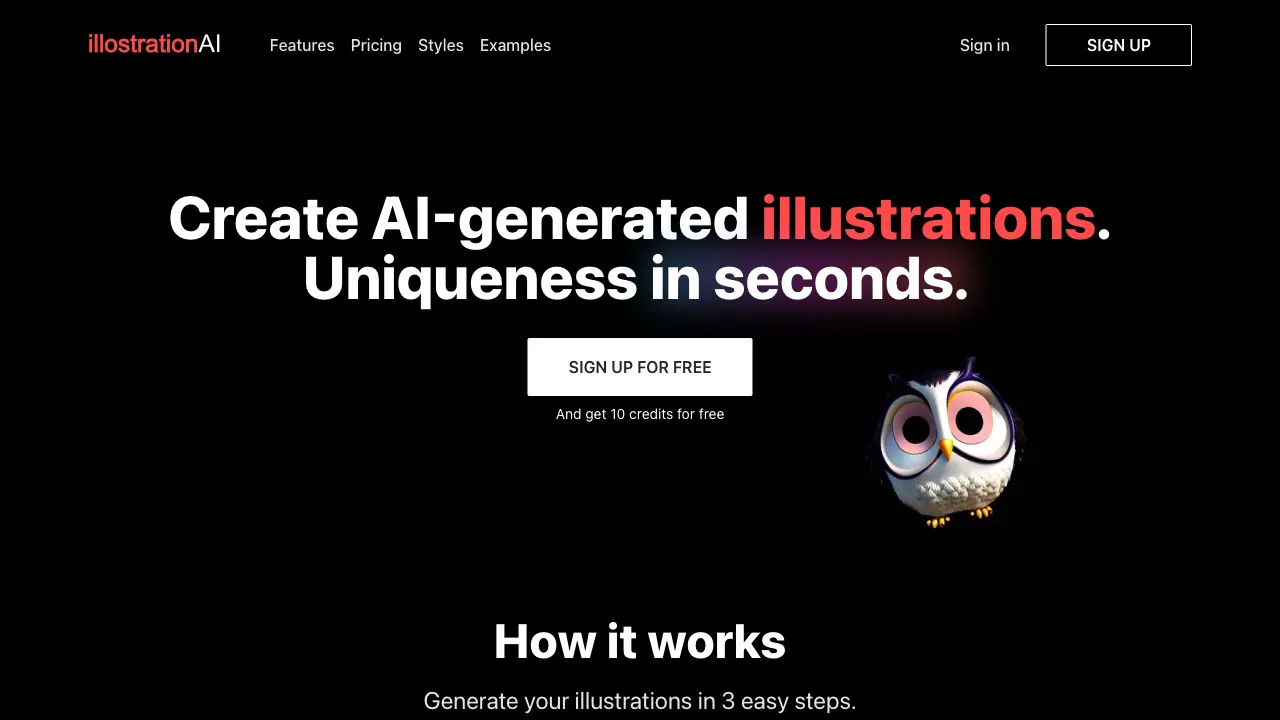
Illostration AI (illostration.com) is an AI generation tool focused on vector-style commercial illustrations. It doesn’t pursue photorealism or complex artistic effects; its goal is to output clean illustrations ready for direct use in websites, apps, PPTs, and marketing materials: simple lines, unified colors, clear compositions, and simple or transparent backgrounds.
The name is a variant spelling of “Illustration,” making its positioning obvious at a glance.
Core Features
Text-to-Illustration
Enter a description (e.g., “a girl sitting at a desk working on a laptop, with a cup of coffee and a potted plant nearby”), choose a style and color direction, and the AI generates the corresponding illustration. The output features typical characteristics of commercial illustrations:
- Simplified forms without the complex details and textures of photography
- Unified and restrained color schemes, usually three to five main colors
- Stylized character proportions (common in commercial illustrations: long legs, small head-to-body ratio, or rounded cartoon proportions)
- White or minimalist backgrounds that highlight the subject
This is exactly why they don’t feel “out of place” when placed in product interfaces—it’s not generating a painting, but a design element.
Multiple Illustration Styles
There are different stylistic schools within commercial illustration, and the platform covers the main directions:
- Flat: Solid color blocks, no gradients or shadows; the most classic modern UI illustration language
- Line Art: Monochrome or two-color line drawings; minimalist and intellectual, suitable for high-end brands and editorial content
- Flat with Gradient: Soft gradients added to flat designs; the mainstream style for SaaS websites in recent years
- Cartoon: Rounder and more lively, suitable for consumer-facing, relaxed products
- Isometric: Geometric illustrations in a 2.5D perspective; commonly used for technology and data themes
Sticking to one style within a single project allows you to generate a visually unified series of illustrations—this is often more important than the quality of individual images in commercial use.
Coverage of Common Themes and Scenarios
The platform has targeted optimizations for high-frequency commercial illustration themes: office collaboration, remote work, data analysis, online learning, shopping and payment, customer service communication, travel and lifestyle, etc. These happen to be the most common scenarios in product design and marketing content; using these theme keywords in your prompts will yield higher usability rates.
Transparent Background Export
Generated results can be exported as PNGs with transparent backgrounds, ready to be dragged directly into Figma, PPT, or web pages, saving you the step of removing backgrounds. This seemingly small feature is crucial for actual workflows—commercial illustrations almost always require transparent backgrounds.
Comparison with Alternatives
vs Midjourney: MJ’s upper limit for image quality far exceeds any vertical tool, but its aesthetic DNA is artistic and cinematic. Generating “clean flat commercial illustrations” requires carefully crafted prompts and yields unstable results, making it hard to maintain series consistency. The two are not competitors—use MJ for posters and concept art; use vertical tools for product illustrations to save effort.
vs unDraw: unDraw is a free, open-source commercial illustration library with an extremely unified style and customizable theme colors; it’s a long-standing choice among developers. However, it’s a fixed asset library where you can only pick from existing illustrations and cannot customize content—if you need an illustration of “a person feeding a cat” and the library doesn’t have it, you’re stuck. Illostration AI’s generation capability fills this gap for “custom content.”
vs Canva / Freepik Asset Libraries: These platforms have massive illustration resources; you search and download to use. The problem is the same: you can only use what already exists, and popular assets carry a high risk of “clashing” with competitors—your competitor’s website might be using the same illustration. AI-generated content is unique.
vs Adobe Illustrator + Firefly: Adobe’s vector AI generation (Text to Vector) outputs truly editable vector files with the highest professional ceiling; but it requires an Adobe subscription and proficiency in Illustrator. Illostration AI targets users who lack these exact conditions.
vs Hiring an Illustrator: Custom illustrations from human artists are irreplaceable in terms of unique style and quality ceiling, making them suitable for core brand visual assets. However, single pieces cost hundreds to thousands of dollars and take days to complete. For daily product illustration iterations and low-cost marketing A/B testing, AI generation offers a magnitude advantage in cost and speed.
Who Is Illostration AI For?
UI/UX and Product Designers: Empty states, onboarding screens, feature explanation graphics, and operational pop-up illustrations are high-frequency,trivial (trivial) needs. Using AI generation as a first draft or final asset saves time for more core design work.
Front-end Developers and Indie Hackers Without Design Support: Building your own product but lacking the budget for a designer? This is the most typical beneficiary group for AI commercial illustrations—previously, your only choices were unDraw and asset sites; now you have custom generation.
Marketing and Content Teams: Blog headers, email hero images, social media graphics, and landing page illustrations. A unified series of illustrations significantly boosts the professional feel of content, and AI generation makes the cost of “original illustrations for every post” acceptable.
Instructors and Knowledge Workers: Course covers, PPT illustrations, and document graphics are less hassle than searching search engines for “free commercial-use illustrations.”
Usage Tips
Be specific when describing the “scene + character action + object details,” and leave the “style + color scheme” to the style options. Clear division of labor leads to more stable results. For example, specify in the content prompt “two people discussing in front of a whiteboard with charts on it,” and select Flat style + blue-purple color scheme in the style options. This works better than cramming all requirements into one sentence.
When creating a series of illustrations, fix the style options and color descriptions, changing only the scene content. This is the basic method for maintaining series consistency.
Before commercial use, confirm the platform’s licensing terms for generated content—commercial usage rights for AI-generated content vary across platforms and subscription tiers. This is a universal consideration for all AI generation tools.
Limitations
Vertical tools’ model scale and iteration speed lag behind top-tier tech giants. Generation quality drops for complex compositions and multi-character interaction scenes, and classic pain points like hands remain difficult.
The output is raster (PNG), not true vector files (SVG). Scenarios requiring infinite scaling or secondary editing of vector source files cannot be met—this is the fundamental gap compared to Adobe’s vector generation.
No matter how many style options there are, they are within preset ranges. If a brand has a strong, unique illustration style mandate, AI struggles to fully align with it; core brand assets are still best custom-ordered from illustrators.
Pricing
Illostration AI offers a free tier for trial purposes. Paid subscriptions unlock more generation credits, high-resolution downloads, and commercial licenses. Refer to the official website for specific pricing.
For teams and individuals stuck by “needing illustrations for products but lacking resources,” this vertical tool solves a very specific problem, and does so with less effort than general AI image generators. Use the free tier to generate a few images and place them in your actual interface to test the effect—whether it fits or not will be clear within five minutes.