

Most AI PPT tools follow a "generation" route: you describe a topic, and the AI generates a complete PPT for you, handling everything from the outline to the color scheme. This approach is useful when you have no materials at all and need to start from scratch. But in reality, many PPT scenarios aren't like that: you already have content, or you have an old PPT, or it's a messy collaboration among multiple people—the problem isn't a lack of content, but rather chaotic visuals, inconsistent formatting, and not knowing how to make it look professional.
iSlide originally started by solving exactly these kinds of problems. It doesn't generate content for you; instead, it makes your PPTs look better. Later, it added AI generation features, evolving into a comprehensive tool that combines both generation and beautification.
What is iSlide?
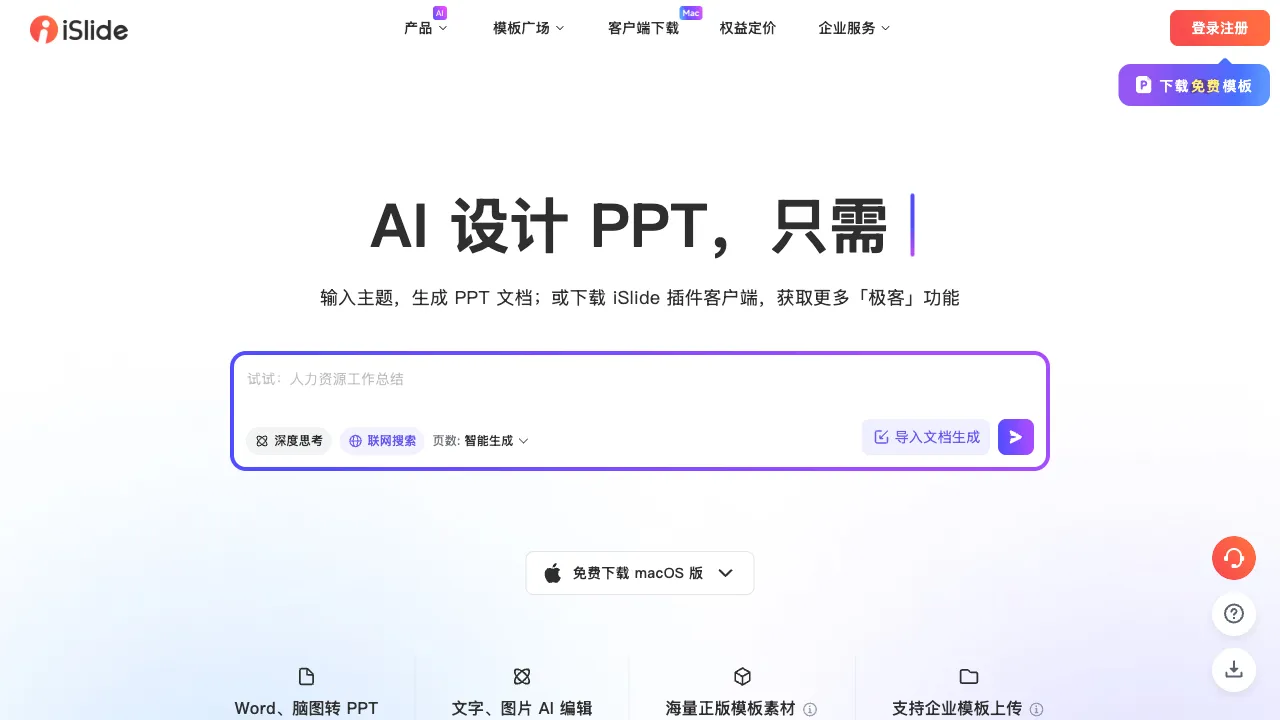
iSlide (islide.cc) is a PPT design assistant tool, primarily available as a PowerPoint plugin (with a web version also available). It has built up a strong reputation over the years among heavy PPT users. Its functions are divided into two main categories: one is AI-powered one-click generation of presentations, quickly producing a basic PPT from scratch; the other is intelligent beautification of existing PPTs—unifying theme styles, generating diagrams, standardizing layouts, and inserting professional assets.
iSlide appears frequently in discussions about PPT on Zhihu and Bilibili, and is a tool long recommended by many PPT tutorial bloggers and workplace efficiency experts.
Detailed Breakdown of Key Features
AI-Powered PPT Generation
Input a presentation topic or text outline, and the AI automatically generates a complete presentation. The generated content includes:
- Logical chapter structure (no need to draft the outline yourself)
- Text content for each slide
- Color schemes and visual styles
The generated PPT can be imported into PowerPoint for further editing; it is not locked within the iSlide platform, so your workflow and habits remain unaffected.
For scenarios requiring quick drafts—such as impromptu reports, initial proposals, or course outlines—AI generation can provide a starting point that you can modify in just a few minutes, saving time on structuring and layout.
One-Click Theme Unification
This is one of iSlide's highest-rated features, addressing a very common workplace pain point that no one else specifically solves: inconsistent PPT styles.
When PPT content from different sources is merged together—parts made by different people, content pieced together from various templates, or a mix of old and new versions—the fonts, color schemes, and backgrounds differ, making the entire file look chaotic.
iSlide's "Unify Theme" feature:
- Unifies the fonts for the entire PPT with one click (main title font, subtitle font, body text font)
- Unifies the color scheme (background color, text color, accent color)
- Unifies the background style
- Allows you to choose from built-in professional themes or customize theme settings
The effect is obvious: after one click, a chaotic PPT gains significant cohesion. Even if the content remains unchanged, the visual quality jumps up a notch.
Intelligent Diagram Generation
Pairing text content with diagrams is one of the most effective ways to improve PPT quality, but many people get stuck on "not knowing what diagram to use" or "finding it too troublesome to create diagrams." iSlide's diagram feature:
- Identifies the structure of the text content (lists, processes, comparisons, relationships, hierarchies)
- Automatically recommends matching diagram types
- Generates and inserts editable diagrams with one click
Common diagram types are all covered:
- Timelines: Chronological order, historical evolution, project phases
- Flowcharts: Steps, processes, operational instructions
- Matrix charts: Quadrant analysis, two-dimensional comparison
- Pyramid charts: Hierarchies, importance ranking
- Cycle diagrams: Cycles, lifecycles, closed-loop processes
- Relationship diagrams: Cause and effect, associations, combined relationships
Converting text into diagrams reduces information density but increases comprehension speed; this is a core practice in most professional presentations. iSlide automates this process significantly.
Professional Asset Library
iSlide comes with built-in, high-quality design assets that can be searched and called directly within PowerPoint:
Icon Library: Tens of thousands of professional icons, including linear, filled, and colorful icons, categorized by theme. Adding a corresponding icon to each key point in a reporting PPT immediately boosts visual appeal and professionalism. Obtaining icons of this quality externally usually requires registering for various websites or paying fees; iSlide integrates them directly into PowerPoint.
Illustration Assets: Editable vector illustrations, primarily in a flat style, suitable for business and consulting presentations.
Image Assets: High-quality royalty-free images; search by keyword to call them up directly, without needing to go to external stock photo sites.
PPT Templates: Stylized full PPT theme templates corresponding to different use cases (business reports, academic presentations, creative showcases).
Standardization Toolkit
These functions may seem unremarkable, but they are the most frequently used by PPT veterans:
One-Click Standardization: Automatically checks and fixes common layout issues—such as inconsistent paragraph spacing, chaotic line height, and non-standard font sizing hierarchies.
Alignment and Distribution: Batch-select multiple elements to center-align, left-align, or distribute them evenly with one click; this is faster than PowerPoint's native alignment functions.
Size Calibration: Quickly adjust the PPT to standard business dimensions (16:9 widescreen, 4:3 standard) or custom sizes, automatically adapting all slides.
PPT Slimming: Compress the PPT file size by reducing the space occupied by images, making the file easier to send.
Slide Splitting and Merging
Merge multiple PPTs into one, or split a single PPT into multiple parts by chapter—this is very practical when multiple people collaborate on a large presentation. iSlide simplifies this operation.
Comparison with Competitors
Vs. Tencent Docs / WPS AI: These are comprehensive office platforms where PPT functionality is just one part; Tencent Docs and WPS's AI PPT generation features are continuously improving, offering advantages in office suite integration. iSlide's core difference lies in its deeper beautification and standardization capabilities, along with a higher-quality asset library, making it suitable for users with higher demands for PPT quality.
Vs. Gamma / Beautiful.ai: These online tools suit creating and sharing presentations on their platforms. If you must deliver a .pptx file and continue editing in PowerPoint, check exports carefully; iSlide works directly inside PowerPoint.
Vs. AiPPT / iFlytek Zhiwen and other AI generation tools: These tools focus on AI-generated PPTs, creating presentations from text or articles with one click; they each have their own strengths in pure generation. iSlide's differentiation lies in its more complete features beyond generation, such as beautification, standardization, and asset libraries.
Vs. PowerPoint Designer (built into Microsoft 365): Microsoft has built a Designer feature into the subscription version of PowerPoint, which can intelligently suggest layout options and provide visual optimization suggestions for the current slide. The functionality is relatively simple and requires a Microsoft 365 subscription; iSlide offers more comprehensive coverage and a richer asset library, making it suitable for users needing deeper PPT optimization features.
Who Should Use It?
People combining reports from several contributors: Use iSlide’s theme and formatting tools to align layouts, then check charts, fonts and information hierarchy manually.
Consultants and Financial Analysts: Their work requires high-quality diagrams, precise data charts, and professional icons; iSlide's asset library directly meets these needs without requiring you to search elsewhere each time.
Teachers and Training Instructors: Courseware production requires visual consistency and clear logic; AI diagram generation and one-click theme unification can significantly improve courseware quality.
Project Managers and Product Managers: They frequently need to create project reports, product proposals, and requirement specifications; iSlide's flowchart and relationship diagram generation is highly targeted for this type of content.
Those who need to organize collaboratively created PPTs: Unifying the style of a merged PPT with chaotic aesthetics in one click is one of iSlide's most practical solutions to real pain points.
Usage Recommendations
iSlide's value lies not in replacing PowerPoint, but in making PowerPoint work more efficiently. It is recommended to use it as an extension of PowerPoint's capabilities, rather than a replacement tool:
When you need to generate from scratch, use iSlide's AI generation to create the basic structure, then refine the content in PowerPoint; when you need beautification, use theme unification and diagram generation to quickly improve visuals; when you need assets, search within iSlide's asset library, which is faster than searching externally.
Pricing
iSlide offers a free version that includes basic standardization tools and a limited number of AI generation credits. Access to the full asset library and additional AI features requires a paid subscription, available in individual and team plans. Pricing is subject to change; refer to the official website for current rates.
For occasional users, the free version’s capabilities are generally sufficient. For power users who rely on the complete asset library daily, the return on investment for a paid plan is typically very quick.
iSlide is one of the few Chinese products with long-standing accumulation within the PowerPoint ecosystem, earning its reputation through validation in real-world work scenarios. If you create more than one presentation per week, taking the time to familiarize yourself with iSlide will almost certainly boost your efficiency.