

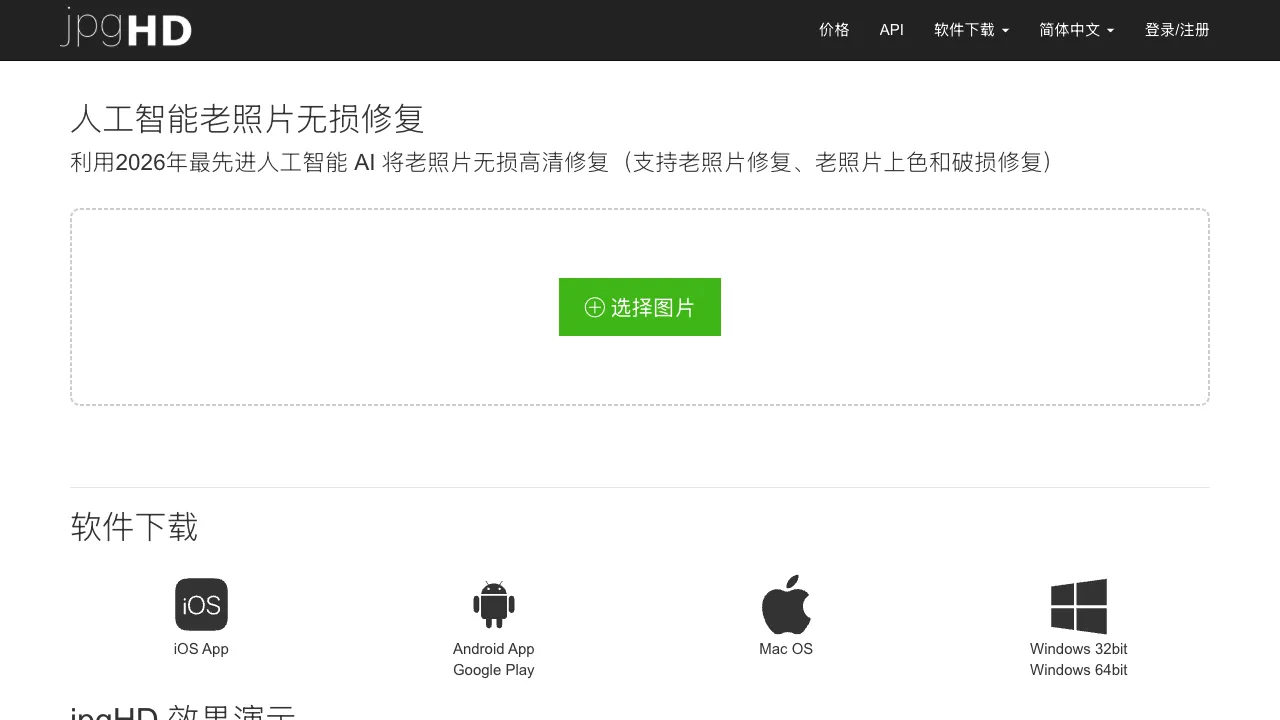
Old photos dug up from home are often faded, blurry, scratched, or even black and white. These images carry memories, but time has left them mottled. jpgHD is an AI tool focused on restoring old photos. It can fix quality issues with one click and colorize black-and-white photos, giving pictures from decades ago a new level of clarity.
What is jpgHD?
jpgHD is an AI photo restoration and enhancement tool with a Chinese interface (jpghd.com/zh), specifically optimized for old photo restoration scenarios. It offers the following core features: old photo refurbishment, super-resolution upscaling, intelligent black-and-white colorization, and face restoration/enhancement.
Designed for ordinary users who want to restore precious old photos, it is extremely simple to use. Just upload an image to process it; no image processing skills are required.
Core Features
AI Old Photo Restoration
This is jpgHD’s flagship feature. Upload an old photo (a scan or a photo of a physical print), and the AI automatically identifies and processes:
- Scratch Repair: Fills in scratches and damage caused by improper storage.
- Fading Repair: Restores color fading due to age, making colors saturated again.
- Noise Removal: Removes graininess and noise from photos taken of old prints.
- Blur Improvement: Clarifies blurry photos to a certain extent.
The restoration effect depends on the degree of damage to the original photo. Photos with slight damage restore very well, while severely damaged photos see significant improvement (though they cannot be perfectly restored to their original state).
Super-Resolution Upscaling (AI Upscaling)
Upscaling low-resolution images usually results in blurriness. AI super-resolution technology intelligently generates details while upscaling, keeping the enlarged image sharp. It supports 2x, 4x, and even higher magnification ratios.
For photos scanned from small old prints (which inherently have limited pixels), this upscaling feature allows digitized photos to be printed at larger sizes.
Intelligent Black-and-White Colorization
Automatically adds color to black-and-white photos. The AI determines what colors "should" be in each area (skin, grass, sky, clothing) based on the image content, generating a colored version. This feature brings back the warmth of color to black-and-white images from decades ago.
The colorized result may not be precise (the AI doesn’t know the actual color of the clothes in that photo), but the overall visual effect is usually natural. It is meaningful for restoring family portraits or historical archive photos.
Face Restoration and Enhancement
Specialized enhancement processing for facial areas, repairing blurry or low-clarity face parts to make facial details clearer. For people in old photos, this feature can make the faces of deceased relatives more distinct.
One-Click Comprehensive Restoration
There is no need to select each function separately. After uploading a photo, you can enable comprehensive restoration with one click. The AI automatically determines which treatments are needed and applies them all.
Comparison with Other Tools
vs MyHeritage Photo Enhancer: MyHeritage’s (the genealogy website) AI photo restoration feature also focuses on old photos and includes a "Deep Nostalgia" function that makes people in the photos move slightly. Both are optimized for old photos; MyHeritage’s additional animation feature has unique value, but registration and usage are slightly more complex.
vs Remini: Remini is a mobile app with strong AI photo restoration capabilities, particularly outstanding face enhancement effects. It is one of the most popular photo restoration apps by user count. Remini focuses on mobile devices, while jpgHD is web-based; their use cases differ slightly, but their functions overlap significantly.
vs Topaz Photo AI: Topaz is professional-grade image processing software. Its photo noise reduction, sharpening, and upscaling quality are very high, making it a professional tool for photographers. However, it requires purchasing desktop software. jpgHD is an online tool that is free to use, suitable for occasional needs of ordinary users.
vs Photoshop Neural Filters: Adobe Photoshop’s AI filter features (including photo restoration) are of high quality and offer the best experience when integrated into Photoshop, but they require a Creative Cloud subscription. jpgHD is completely online, free, and has zero barriers to entry.
vs Canva Photo Restoration: Canva also has some basic photo enhancement features, but its professionalism does not match jpgHD’s specialized old photo restoration.
Who Should Use jpgHD?
Users wanting to restore family photos: If you have dug up old photos from your parents’ or grandparents’ era and want them to be clearer and better-looking, jpgHD is the simplest tool.
People working on genealogy and historical archives: Those organizing family photos or historical archives need to upgrade low-quality images to a usable level.
Those needing refurbished old photos as gifts: Printing and framing restored old photos as gifts for elders carries strong emotional value.
Digitization projects scanning old photos: In home photo digitization and preservation projects, jpgHD can help improve the clarity of scanned copies.
Pricing
jpgHD offers a free usage quota; basic functions and low-resolution outputs are free. Downloading high-resolution images and processing more times requires payment. For individual users processing a few old photos, the free version is usually sufficient; bulk processing requires a subscription.
Limitations
Severely damaged photos have limits: AI restoration technology is about "completing and enhancing." For photos that are severely damaged (large areas missing, completely blurry and unrecognizable), the restoration effect is limited; it cannot restore them from nothing.
Black-and-white colorization may not be accurate: The AI does not know the true colors in the photo. The generated colors are the "most likely colors" based on training data and may differ from reality.
Face restoration may alter appearance: When restoring blurry faces, the AI may generate facial features that differ slightly from the actual appearance. Caution is needed for archive photos requiring precise restoration.
jpgHD addresses a need with genuine emotional value—making precious old photos clear again. For ordinary users wanting to restore family old photos, it is the simplest and most direct choice.