

Video has become the primary carrier of knowledge, bringing a trouble that didn’t exist in the text era: you can’t “skim” a video. With an article, you can glance at the title and subheadings for ten seconds to know if it’s worth reading; with a one-hour lecture video, you have to invest real time just to find out if there’s any substance—and the reality is that most knowledge videos have pitifully low information density: pleasantries, fluff, ads, and repetitive rambling, while the actual key points are often condensed into just ten or fifteen minutes. The “unreadability” of video is forcing serious learners to pay for content bloat.
NoteGPT gives video the ability to be “skimmed”: drop a link in, and AI reduces an hour-long video into a structured summary that can be read in thirty seconds—check the summary first to see if it’s worth watching and where the key points are before making a decision.
What is NoteGPT
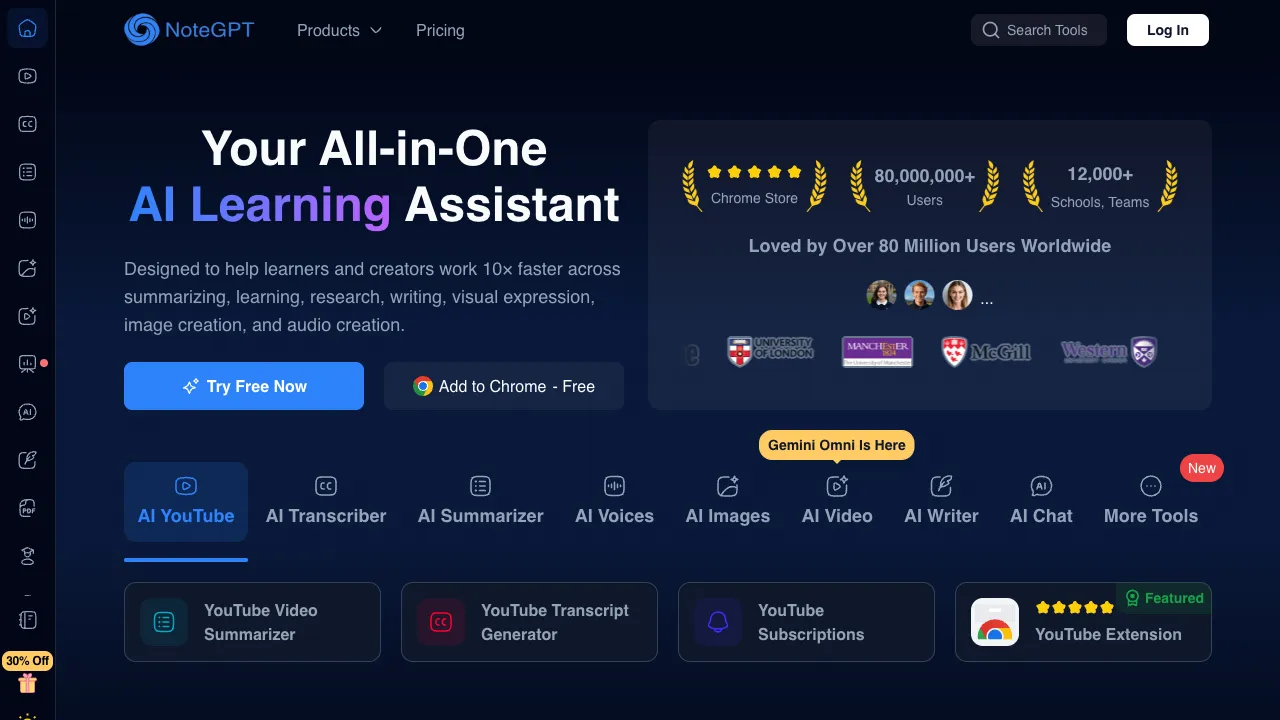
NoteGPT (notegpt.io) is an AI video summarization and study note tool: it supports mainstream platforms like YouTube and Bilibili; input a video link, and it automatically extracts subtitles (or transcribes audio), generates summaries, key point lists, and chapter divisions, and supports AI Q&A based on the video content. The accompanying Chrome plugin allows summaries to appear directly in the sidebar while watching videos, along with a management space that consolidates all summaries into a personal note library.
Positioning in one sentence: A fast reader for the video era—it doesn’t learn for you; it filters and navigates for you.
Core Features
Automatic Video Summarization
The core process completes in seconds, producing a three-layer structure:
- Core Summary: A few paragraphs explaining what the video is about and its conclusions
- Key Points List: Lists key information points one by one, with much higher density than the original video
- Chapter Timeline: Divides time segments according to content logic and labels themes, serving as a “table of contents” for long videos
The essence of practical use lies in “pre-decision”: spend one minute reading the summary first, then decide whether to watch the full video in detail, skip to specific chapters, or just scroll past—eliminating the sunk cost of “watching half an hour only to find it’s fluff” before you even start. For learners subscribed to numerous channels, this is like installing a quality control checkpoint for their information feed.
Video Content Q&A
An advanced capability beyond summarization: ask questions directly to the video—“What were the three cases mentioned?” or “What was the guest’s logic in refuting X?”—with AI answering based on the full transcript.
This turns video from a “linear stream” into a “searchable database”: retrieving a specific data point from an hour-long interview no longer requires dragging the progress bar like an archaeologist; a single question gets you there directly. The efficiency of researchers and writers extracting evidence from video material has been rewritten by this feature.
Timestamped Subtitles and Jump-to-Point
Sentence-by-sentence subtitles with timestamps allow you to click and jump to the corresponding part of the video—the summary is responsible for “finding what’s important,” and the jump-to-point is responsible for “getting there immediately.” Together, they form a complete video navigation experience.
Note Library and Multi-Platform Support
All summaries and Q&A sessions can be saved as notes for unified management; over time, this becomes a private “video knowledge base.” Platform coverage includes YouTube, Bilibili, podcasts, and other mainstream Chinese and English sources—support for Bilibili is its practical advantage relative to many English-centric similar tools, catering to the main content source for Chinese learners.
Browser Plugin
The Chrome plugin displays summaries directly in the sidebar of the YouTube playback page, enabling zero-switching between watching and reading—a key experience component for high-frequency users.
Comparison with Alternatives
vs Various YouTube Summarization Plugins (e.g., Glarity): Lightweight plugins win on being free and simple, but platform coverage (especially Bilibili), Q&A depth, and note consolidation are the deep advantages of complete products like NoteGPT; a plugin is sufficient for light needs, while serious learners deserve the full version.
vs Official AI Summaries from Bilibili/YouTube: Platform-native features are zero-cost, but quality and structural consistency vary, and there is no cross-platform note management; use native features if they suffice, then upgrade to professional tools if not—a reasonable sequence.
vs Self-Built Pipelines with Whisper + ChatGPT: The DIY route for tech enthusiasts offers good results and flexibility, at the cost of manually running the process for each video; NoteGPT is the productized encapsulation of this pipeline, a classic choice of trading time for money.
vs Feeding Subtitles Directly to Kimi/ChatGPT: A viable manual alternative, but the friction of extracting subtitles, pasting text, and saving results accumulates significantly in high-frequency scenarios; use manual methods occasionally, but rely on the product daily.
vs Just Watching Videos Honestly: The boundary that must be acknowledged honestly—summaries are maps, not journeys. For content requiring deep understanding (complex arguments, practical demonstrations, emotional expression), text summaries will lose key information. The correct role of a summary is as a filter and review index, not a substitute for learning itself.
Who Should Use NoteGPT
Heavy Video Learning Users: Students and self-learners who can’t keep up with courses, lectures, and tech shares; pre-filtering via summaries + chapter jumping directly doubles the utilization of study time—the core audience.
Researchers and Content Creators: People sourcing material from numerous interviews and lecture videos; the Q&A retrieval feature is an efficiency revolution for material mining.
Investment and Industry Analysts: Rapid extraction of key points from earnings calls, CEO interviews, and industry summit videos—information timeliness is value.
Information Gluttons with Knowledge Anxiety: People with hundreds of “Watch Later” items in their bookmarks—summaries can at least help you judge which ones are worth digging out of the graveyard.
Usage Reminders
Summary quality is constrained by subtitle quality: for videos without subtitles or with high error rates in machine-generated subtitles, output will be compromised; verify important conclusions by rewatching the corresponding segments of the original video, as distortion in AI paraphrasing is inevitable.
Visual information in practical content (tutorials, cooking, fitness) cannot be captured by text summaries; for such videos, watch directly—the tool takes no blame.
Pricing
The free version provides a certain monthly quota of summaries, sufficient for light use; paid subscriptions unlock more sessions, long-video support, and advanced features, subject to the official website.
NoteGPT responds to a generational problem: when knowledge is packed into increasingly longer videos, serious learners need a weapon to combat content bloat. Reading the summary before deciding to watch—a simple habit change—might be the most cost-effective efficiency upgrade in the video era. Try dropping that “one-hour video I’ve always wanted to watch” from your bookmarks into it; in one minute, you’ll know if this tool is worth keeping.