

A popular lifestyle among heavy AI users is that of the "API faction": instead of subscribing to ChatGPT Plus, they apply for an API Key and pay by usage. The benefits are paying only for what you need (light users might spend just a few dollars a month), the freedom to switch models (mixing GPT, Claude, and domestic Chinese models), and keeping your data and history in your own hands. However, the API faction has a rigid requirement: a good client. The official web interfaces are fragmented and disjointed, making third-party tools that "connect all models through one client" the essential infrastructure for this group.
OpenCat is one of the representative works in this category within the Apple ecosystem—created by independent developer Baye (the author of the well-known RSS app Pin). With craftsmanship that adheres to "native Apple standards," it has built a solid reputation among Mac and iPhone users.
What is OpenCat
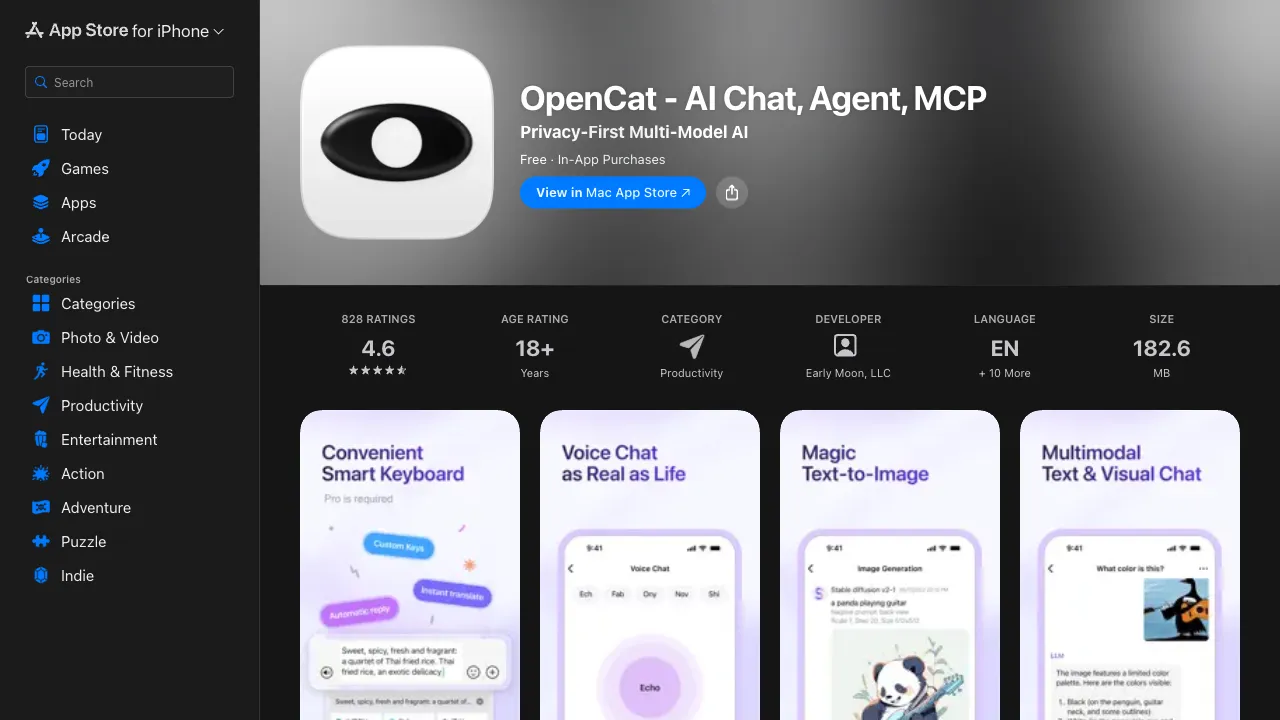
OpenCat (opencat.app) is a native AI chat client for macOS, iOS, and visionOS: enter your own API Key, and you can use OpenAI (GPT series), Anthropic (Claude series), Google Gemini, and any model compatible with the OpenAI interface (including domestic Chinese models and locally deployed open-source models) within a single app.
Its product philosophy is "native": built with SwiftUI, following Apple’s design guidelines, with deep adaptation of shortcuts and system integration—it feels less like a wrapped web page and more like a system-level tool that should have appeared on Mac from the start.
Core Features
One-Stop Model Switching
GPT, Claude, Gemini, Azure deployments, Ollama local models, any OpenAI-compatible interface—all gathered into one interface, switching models per conversation. In practice, this is exactly the daily routine for the API faction: handing writing tasks to Claude, using cheap small models for quick Q&A, and turning to GPT for code; adjusting troops by task to optimize both cost and effect.
Custom AI Assistants (System Prompt Management)
Pre-set "assistants" for different scenarios: a translation assistant (fixed translation style), a writing coach (fixed polishing requirements), a code advisor (fixed output format)—each assistant binds its own system prompt, default model, and parameters for one-click switching.
This solves a high-frequency pain point of conversational AI: having to re-paste good prompts every time. In OpenCat, fine-tuned prompts areprecipitate (precipitated/accumulated) into permanent tools, which is workflow asset that the web version cannot provide.
Global Shortcut Invocation
A set of global shortcuts invokes a dialog box from any app; ask and leave—combined with "selected text + shortcut" processing (translating, explaining, rewriting selected content), AI transforms from an "app you have to switch to" into a "system capability at your fingertips." For those calling on AI dozens of times a day, this interaction difference accumulates into something massive.
Localized Data and History
Conversation history stored locally with iCloud sync, searchable and organized—data stays on your own device, privacy is controllable, which together with direct API connection (content passes only through model providers, not third-party servers) forms its privacy narrative.
Native Details
Full Markdown rendering and code highlighting, text-to-speech, iOS widgets, cross-device sync—the attention to detail in craftsmanship is exactly what allows it to stand out among a crowd of wrapped clients.
Comparison with Alternatives
vs ChatGPT Official App: The official app is free, requires no Key, and has complete features (web search, image generation, voice); but it only supports OpenAI’s own models and offers weak customization. For non-technical general users, the official app is sufficient; only players needing multi-model support and deep customization require OpenCat.
vs ChatWise/Chatbox and other similar clients: This category has many contenders; ChatWise is known for performance, while Chatbox covers cross-platform broadly (including Windows); OpenCat’s relative strength lies in the purity and maturity of its native Apple ecosystem integration. Windows users should look directly at Chatbox; pure Apple users choose between OpenCat and ChatWise based on feel.
vs Raycast AI: Raycast is a launcher + AI combination with excellent quick-invocation experience, but its AI runs on a subscription model and offers shallow conversation management; OpenCat has stronger depth in conversation management. The two are often used together: Raycast handles quick questions, while OpenCat handles long chats.
vs web clients like BetterChatGPT: Free and open-source with similar features; the gap lies in system integration (global shortcuts, native performance, offline data)—the parts that web apps cannot do are precisely where paid clients add value.
vs directly subscribing to ChatGPT Plus: Different cost structures—Plus is a fixed $20/month, while API is pay-by-usage; for light-to-moderate users, the API route is usually cheaper, while heavy users (especially those using top-tier models extensively) might see costs surpass that of Plus. OpenCat’s usage statistics can help you see your true consumption clearly.
Who Should Use OpenCat
Heavy AI users in the Apple ecosystem: Mac + iPhone workflow, calling on AI frequently every day; the value of native experience and global shortcuts scales linearly with usage frequency—the core audience.
Pragmatists mixing multiple models: Not taking sides with any single model provider, choosing the most suitable one by task; a one-stop client is a rigid requirement.
API faction and cost-sensitive users: Those who already have an API Key and want to precisely control expenses; OpenCat is the mature carrier for this playstyle on the Apple platform.
Those concerned with privacy: Localized conversation records, content not passing through third-party intermediaries, making its data path cleaner than most cloud services.
Players running local models: Using OpenCat as a unified frontend for open-source models deployed locally via Ollama, etc., offers an experience far superior to the command line.
Thresholds and Limitations
Requires providing your own API Key—registering on overseas platforms, binding cards, understanding token billing; this threshold keeps pure beginners out; domestic users face additional network and payment friction in obtaining official Keys (domestic models with compatible interfaces serve as alternative entry points).
Feature boundaries: Proprietary features of the official app like web search and advanced voice may not be equivalently available in API clients; it is a strong contender for "conversation experience," not a replacement for all official full features.
Limited to Apple platforms; Windows/Android users are out of luck.
Pricing
The app itself uses a one-time purchase model (basic functions can be tried for free, the full version is paid once, priced in the tens of RMB range, subject to the App Store); model usage fees are paid separately to each model provider by token. The combination of one-time purchase + pay-by-usage model usually results in lower total cost for long-term users compared to mindless subscriptions.
OpenCat can be judged in one sentence: If you are an Apple user, use AI frequently, and are willing to spend half an hour setting up your API Key—the workflow upgrade it brings will likely make you unable to return to the web version; if any of the above conditions do not hold, the official app remains the more worry-free answer.