

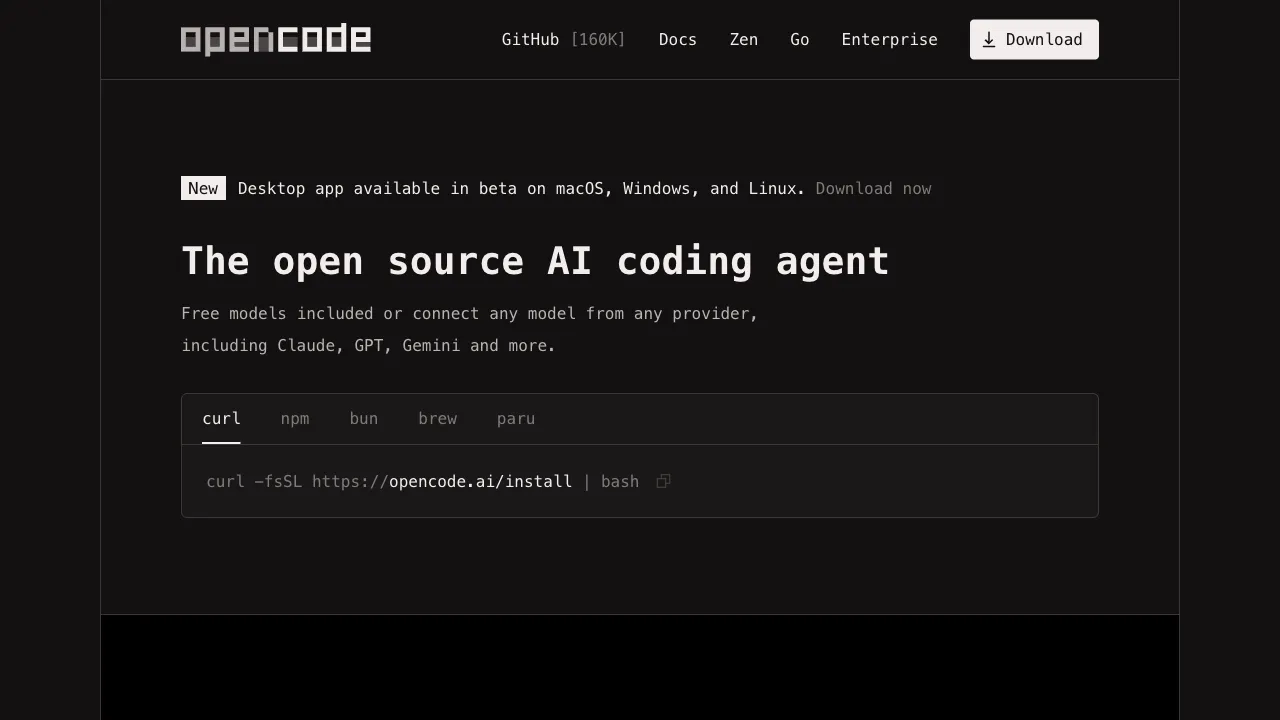
The market for command-line AI coding tools suddenly heated up in 2025: Anthropic’s Claude Code, Google’s Gemini CLI, and OpenAI’s Codex CLI. Major AI companies are all vying for this entry point. OpenCode is an interesting outlier in this race—it is not an official product of any AI company, but a community-driven open-source project aimed at building a universal command-line coding agent that does not bind to any single AI model.
What Is OpenCode?
OpenCode is an open-source terminal AI coding agent released under the MIT license, available for free use and modification. Its positioning is model-agnostic: you can connect Anthropic Claude, OpenAI GPT, Google Gemini, locally running Ollama models, and any model compatible with the OpenAI API format, choosing the most suitable model for each task within the same tool.
In terms of interface, OpenCode provides a TUI (Text User Interface) that runs in the terminal. It is not just a simple command-line Q&A; it offers a structured interface with session management, file browsing, and history, providing a more complete experience than a basic CLI.
Core Features
Multi-Model Support and Flexible Switching
OpenCode’s most prominent feature is its support for multiple AI models. In practice, different models have their own strengths in different tasks: Claude Sonnet excels at code understanding and multi-step reasoning; GPT-4o has mature tool-use capabilities; Gemini offers ultra-long context windows; DeepSeek offers low costs without sacrificing coding ability; and Ollama allows for fully private local execution.
OpenCode lets you access all these models within a single tool, eliminating the need to switch between different tools for different tasks or lock yourself into a single AI vendor. This flexibility is a genuine advantage for developers who prioritize cost control or have data privacy requirements.
Terminal TUI Interface
Unlike pure command-line Q&A modes, OpenCode implements a full text-based interface within the terminal:
- The left side displays the conversation history of the current session
- The right side displays the file system and code content
- The bottom is the input area
This interface design makes the interaction experience closer to an AI assistant in an IDE rather than a chatbot in a command line. For developers who work in the terminal for extended periods, a more structured interface reduces the risk of "losing context"—you can always see the conversation history and related files.
Agent Capabilities: File Operations and Command Execution
OpenCode supports full agent operations:
- File Read/Write: Read the content of any file, modify code, and create new files
- Shell Command Execution: Run tests, build tools, and Git commands to view output results
- Directory Traversal: Understand project structure and analyze relationships between multiple files
- Multi-Step Tasks: Plan and execute tasks that require multiple steps to complete
For every file operation or command execution, OpenCode displays the diff or output content for your confirmation, ensuring visibility and controllability of operations.
Local Model Support (Ollama)
By integrating with Ollama, OpenCode can use open-source models running on your local machine (such as Llama, Mistral, Qwen, etc.). This is highly valuable for scenarios with data privacy requirements—code content never leaves your machine, and no data is sent to third parties.
Of course, there is a gap in capability between local models and cloud-based large models. However, for sensitive projects, intranet environments, or situations where you simply do not want to send code to external services, this is an option that other commercial tools cannot provide.
Open Source and Customizable
Being fully open source means:
- You can review the code to understand how data is handled and build trust
- You can fork and modify it to adapt to your team’s specific needs
- Active community contributions mean feature iteration is driven by user needs, not a single company’s business decisions
For developers or teams with a preference for open-source tools, this factor outweighs pure functional comparisons.
Suitable Use Cases
Multi-model workflows: Developers who need to switch between different AI models based on the task—using Claude for complex refactoring, cheaper models for simple tasks, and local models for sensitive code—can accomplish all of this within a single tool using OpenCode.
Heavy terminal users: Those who complete all work in the terminal and do not want to install an IDE plugin or open a browser tab just to use AI. OpenCode’s TUI interface offers a more comfortable experience in the terminal environment compared to pure CLI tools.
Data privacy-sensitive scenarios: By connecting local models via Ollama, code content does not leave the local environment, making it suitable for handling code that cannot be uploaded to external services.
Developers who do not want to be locked into a single AI vendor: OpenCode’s model agnosticism allows you to flexibly respond to price changes and capability shifts in AI products, switching to better options at any time.
Comparison with Other Tools
vs Claude Code: Claude Code is tied to Anthropic’s Claude models and is highly integrated with Claude’s tool design. OpenCode supports multiple models (including Claude) but lacks the deep, Claude-specific optimizations found in Claude Code. If you are certain you will only use Claude, Claude Code may offer a better experience; if you want to retain flexibility in model selection, OpenCode is more suitable.
vs Gemini CLI: Gemini CLI is tied to Google’s Gemini models, whereas OpenCode is model-agnostic. Gemini CLI’s free tier is an advantage, while OpenCode’s model flexibility is its advantage.
vs Aider: Aider is another mature open-source command-line AI coding tool that also supports multiple models, focusing on Git integration and code modification workflows. The two have similar positioning; Aider is more mature (with a longer iteration history and larger community), while OpenCode invests more in interface design (TUI vs. pure command line).
vs Cursor: Cursor is a complete AI IDE with a richer experience, but it requires you to switch editors. OpenCode stays within the terminal and does not change your editor workflow. The two target different user preferences and are not direct competitors.
Installation and Configuration
OpenCode is installed via package managers (npm, brew, etc.; refer to the GitHub repository for specifics).
After installation, you need to configure the API Key for the AI model you wish to use (e.g., Anthropic API Key for Claude, OpenAI API Key for GPT-4) or install Ollama to use local models.
Once configured, run opencode in your project directory to start and enter the TUI interface to begin using it.
Limitations
Relatively new, ecosystem still under construction: As a community project, its documentation, tutorials, and third-party integrations are not as mature as commercial tools. You may need to search GitHub Issues or read the source code yourself when encountering problems.
Interface is less polished than commercial products: The gap in experience between a TUI interface and an IDE plugin is objective; users with high demands for interface experience may find it unaccustomed.
Requires self-management of API Keys and costs: The trade-off for multi-model support is that you need to configure and manage multiple API Keys and their corresponding API fees. This adds complexity for users accustomed to a single tool handling unified billing.
Community support is not as robust as commercial products: There is no official support if you encounter issues; you rely on community responses, making it unsuitable for enterprise scenarios requiring stable technical support.
Practical Advice
Start with the model you know best: For your initial setup, connect a model for which you already have an API key (such as OpenAI or Anthropic). Get comfortable using the tools first, and only then consider integrating other models.
Choose different models for different tasks: Establish your own usage patterns—use Claude for complex, multi-file tasks; use cheaper models for quick code explanations; and use local Ollama for sensitive code. Leverage OpenCode’s multi-model capabilities.
Check the latest documentation on GitHub: As an active open-source project, its features are evolving rapidly. The README in the GitHub repository is the most accurate source of usage instructions.
OpenCode is a noteworthy option among open-source AI coding tools, particularly for developers who prioritize model flexibility, data privacy, or have a strong commitment to open source. It may not be the best choice for everyone, but in the scenarios it excels at, it provides value that commercial tools cannot replicate.
Pricing
OpenCode is MIT-licensed and free. There is no subscription — you bring your own API key and pay only for model tokens.
- Connects to 75+ providers including Anthropic, OpenAI, Google, AWS Bedrock, Azure, Groq and OpenRouter
- Runs local models through Ollama, which drops the marginal cost to electricity
- The team also offers OpenCode Zen, a hand-picked set of models tested and benchmarked specifically for coding agents
The upside of this model is that the bill stays yours: a price cut reaches you immediately, and a model that stops working for you is a config change away. The cost is that you manage keys and quotas yourself, with none of the certainty of a flat monthly fee.
On privacy: the project states it does not store your code or context data, and session history lives in local SQLite.