

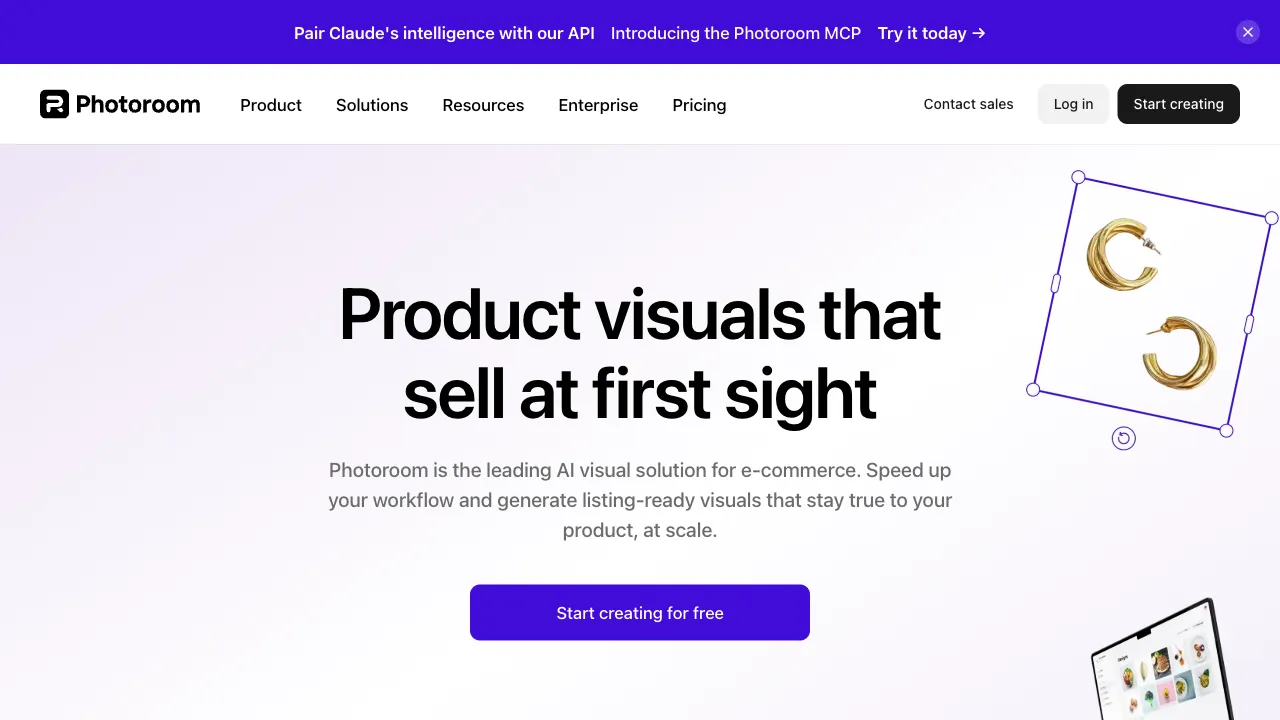
In the e-commerce image tool niche, PhotoRoom is widely recognized as the "category king." This Paris-based startup (founded by Matthieu Rouif, a former GoPro employee) has perfected the single use case of "product photo editing," accumulating hundreds of millions of app downloads globally and consistently ranking at the top of photography categories in app stores worldwide. Valued as a unicorn, it has been propelled to its current position by small sellers around the world—from vintage clothing resellers on Instagram to sneaker vendors on eBay and handmade goods creators on Etsy—who have voted with their feet. Its success formula can be summed up in one sentence: turning a smartphone into a product photography studio.
What is PhotoRoom?
PhotoRoom (photoroom.com, primarily an app but also available as a web version) is an AI editing tool designed for commercial images. Its core workflow is: AI background removal → background replacement (templates/AI generation) → adding shadows and lighting effects → applying platform specifications → final output. It takes a casual product photo and turns it into a professional main image ready for listing in just seconds. Its depth in e-commerce scenarios—batch processing, platform-specific templates, and API access—is what distinguishes it from general-purpose photo editing tools.
Core Features
AI Automatic Background Removal
The foundational capability, ranking in the industry’s top tier: subject recognition for products, portraits, and objects is precise, with delicate edge processing (including difficult areas like hair), and speeds measured in seconds. The batch mode processes piles of SKU images at once—the production switch for e-commerce operations.
Background Replacement and Template System
What happens after background removal is the soul of PhotoRoom:
- Solid Colors: White or gray backgrounds with one click, directly meeting the main image standards of various e-commerce platforms.
- Scene Templates: Marble countertops, wooden tables, lifestyle scenes—massive libraries of professional set templates that turn casual snapshots into "studio-quality" shots instantly.
- Platform-Specific Presets: Size and style templates for Amazon, Shopify, Instagram, and Etsy, ensuring compliance right out of the box.
The essence of this template system is pre-making the "aesthetic decisions of commercial photography." Small sellers don’t need to understand composition or lighting; choosing a template is like hiring an art director.
AI Background Generation (Instant Backgrounds)
An infinite shelf beyond templates: describe a scene in text ("light wooden table in morning light, blurred green plants in the background"), and AI generates a custom background that blends naturally with the product, automatically handling lighting coordination. The cost of real-world set design is compressed into a single description—this is its most rapidly growing feature in recent years and one of the most solid implementations of generative AI in e-commerce.
Shadows, Lighting Effects, and Marketing Elements
Automatic projection keeps products grounded rather than floating (a key detail for natural compositing), unifies lighting styles, and allows overlaying text/price tags/promotional stickers—extending from "image processing" to "marketing asset creation," with final images ready to publish directly.
API and Enterprise Capabilities
An interface for scaled players: integrating background removal and processing APIs into proprietary systems, providing automated image pipeline solutions for marketplaces and large sellers—the B2B revenue engine of PhotoRoom.
Comparison with Similar Tools
vs remove.bg: A veteran expert in single-task background removal, excellent in precision and API ecosystem, but "only does removal." PhotoRoom is the contractor for the entire chain after removal—choose remove.bg for assets, choose PhotoRoom for finished images. The gap in positioning is greater than the gap in quality.
vs Pixelcut: Its closest rival, with a highly mirrored feature matrix; Pixelcut offers lower prices and better mobile reviews, while PhotoRoom excels in AI scene generation quality, template ecosystem, and brand maturity. Try both free versions and decide based on feel and budget.
vs Zuant/Gaoding (Domestic Chinese Tools): Domestic tools have advantages in local platform specifications, RMB pricing, and domestic access, making them smoother for Taobao-focused sellers; PhotoRoom’s international platform templates and global ecosystem are the right fit for cross-border sellers—domestic trade uses domestic tools, cross-border uses PhotoRoom, divided by market.
vs Photoshop: The eternal reference point for high-end retouching limits; PhotoRoom exists to ensure that millions of small sellers don’t need to learn PS—between a thirty-second workflow and a three-year learning curve, the market has already cast its vote.
Who Should Use PhotoRoom?
Cross-border E-commerce Small Sellers: The rigid demand for white-background images on Amazon/Etsy/eBay + international platform templates + batch processing; this product is born for this demographic—the core base.
Independent Brands and Handmade Shop Owners: Small brands without photography budgets can achieve a professional visual storefront with "phone shooting + PhotoRoom editing," gaining the "dignity of small business."
Second-hand and Social E-commerce Players: Quick image output for idle item resales or Instagram shops; users who benefit most from the mobile experience.
E-commerce Operations Teams: Stores with large SKU volumes can leverage batch processing and API scaling; rapid iteration of feed ad assets is also a high-frequency scenario.
Usage Tips
Clear contrast, even lighting and sharp focus generally make product-image editing easier. Check the original photograph first, then inspect the cutout edges and product details at full size.
When using AI-generated backgrounds, generate several versions to choose the one with the most natural blend; pay special attention to the connection between product edges and shadows. Stick to one or two background styles for the same store; visual consistency is the invisible asset of store quality.
The free version includes watermarks as a trial nature; serious store owners will likely need to upgrade to a paid tier—compare the subscription fee to the price of outsourcing retouching once, and the math is clear.
Pricing
Five tiers: Free, Pro, Max, Ultra and Enterprise. The pricing page loads with "Yearly" preselected, so the first prices you see are annual — monthly is roughly 50–70% higher.
Annual rates (third-party trackers differ slightly, likely regional or promotional variation):
| Plan | Annual rate | Monthly rate |
|---|---|---|
| Pro | about $7.50/mo (roughly $90/yr) | about $12.99/mo |
| Max | about $20.99/mo | about $34.99/mo |
| Ultra | about $82.50/mo | about $99/mo |
Annual billing saves about a third against monthly.
Two meters: every tier limits both exports and AI credits. Every saved image counts as one export; AI credits power generative tools like the Video Generator, Virtual Model and AI Backgrounds Studio.
The part actually worth paying for is what is unlimited: Background Remover, Retouch, AI Product Fixer, preset AI Shadows, AI Fill, AI Expand/Resize and Image Enhancer are unlimited on every paid plan, subject to fair use.
Credit burn rates vary wildly. One video generation costs 500 credits — the same as 500 basic backgrounds — so on Max, video drains a month faster than anything else. On Pro, the same 8,000 credits are worth up to 8,000 basic backgrounds but only about 400 "Product & Listing AI" generations.
Where the tier lines fall: Max and above unlock better AI models, the Video Generator and Shopify sync; Ultra adds 4K export, since everything below caps exports at 2K.
Free exports carry a Photoroom watermark, and reports disagree on the free export allowance (250 per month versus 100 per month) — check the site.
Teams and API: paid plans include up to 50 team seats at no per-seat fee, plus an API/MCP credit wallet worth the plan's price. API pricing is separate: API Basic at $20/month plus $0.02 per image for Remove Background; API Plus at $100/month plus $0.10 per image for the Image Editing API; and an API Partner tier for apps processing 100,000+ images monthly at $0.01 per image, with a $1,000/month minimum and a Photoroom logo requirement. Enterprise requires an annual commitment and a 200,000-image minimum.
Check the official pricing page.