

There is an unspoken awkwardness in the UX design industry: textbooks say you must create user personas, map user journeys, and hold HMW (How Might We) workshops before starting to design. The methodology itself isn’t wrong; the problem is the real-world timeline. Clients want proposals by Friday, bosses need reviews next week, and a proper journey mapping workshop consumes half a day of the team’s time, requiring everyone’s calendar to be synced first. Consequently, the reality for many projects is: skip it. Early-stage research becomes a luxury item—“we know we should do it, but we don’t have time.” Designers start running without aligning on user perspectives, laying the groundwork for rework debt early on.
QoQo addresses this “not enough time” problem: using AI to compress the production time of UX pre-design documents from “half-day workshops” to “a few minutes for a first draft,” making these essential tasks feasible even in rushed projects.
What is QoQo?
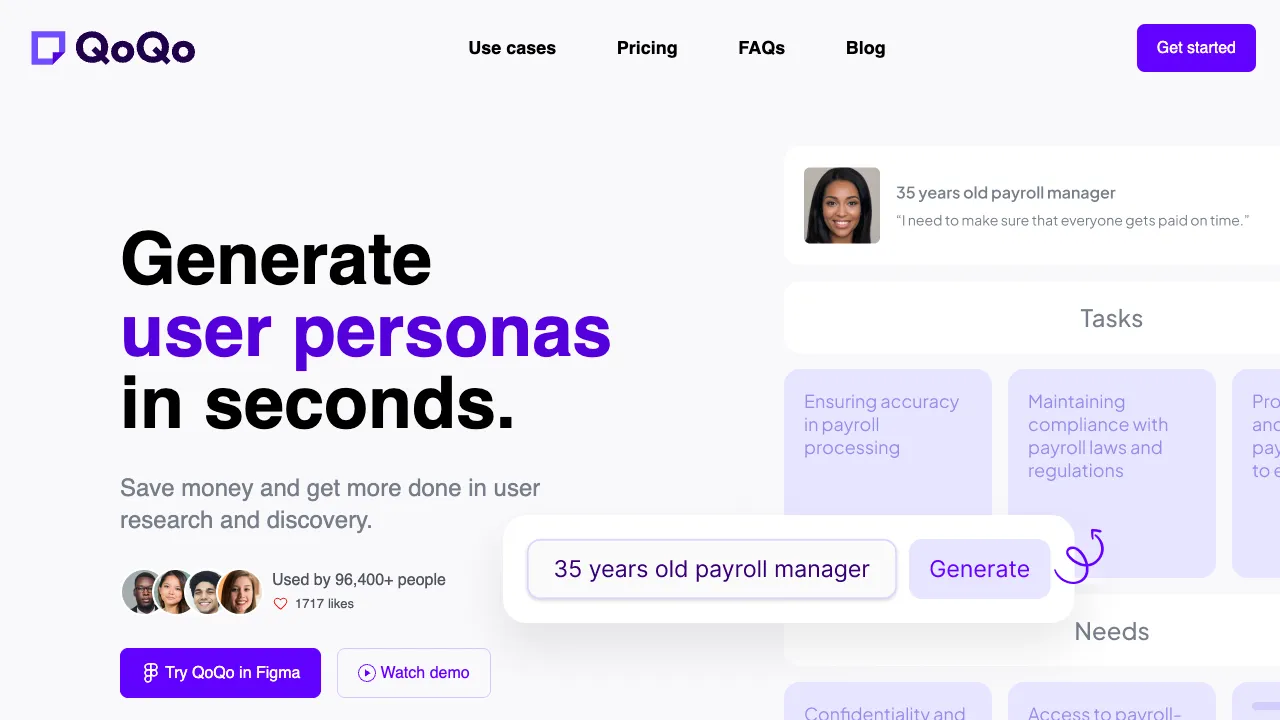
QoQo (qoqo.ai) is an AI document generation tool for UX designers and product managers, focusing on the “structural deliverables” of the early UX process: user journey maps, personas, HMW questions, competitive analysis frameworks, and more. Its usage is minimal: input a text description of your product or feature, select the document type, and let AI generate a structurally complete first draft for you to refine.
Another factor in QoQo’s popularity within the designer community is its channel strategy: QoQo offers Figma/FigJam plugins, allowing generated personas and journey maps to land directly on designers’ primary canvas without cross-tool data transfer. This integration is as significant to actual workflows as the generation capability itself.
Key Features
AI-Generated User Journey Maps
The flagship feature. Describe your product and target users, and AI outputs a structurally complete journey map: stage divisions (Awareness → Consideration → Usage → Retention), user behaviors, thoughts, emotional curves, pain points, and opportunities at each stage.
The contrast between traditional methods and AI is intuitive: a workshop produces one version in half a day (quality depending on participants’ states), while AI produces one in three minutes. However, the essential difference must be clarified: workshops produce team consensus and genuine insights, while AI produces structurally sound hypotheses. The correct use of the AI version is as “pre-filled material” for workshops: bringing an 80% complete draft into the meeting allows the team to spend their time correcting and supplementing real insights, shrinking a half-day session into one hour. This is the right way to improve efficiency.
Persona Generation
Generates hypothetical personas based on product descriptions: demographics, motivations, goals, pain points, and technical proficiency. In early-stage projects lacking research data, AI-generated personas serve as “placeholder hypotheses” to quickly align team understanding—the key word being “placeholder.” It provides a concrete anchor for discussion, which can later be iterated and corrected with real research.
HMW (How Might We) Question Generation
Translating pain points into design questions like “How might we…” is a classic step in design thinking. AI batch-generates HMW candidates based on pain points from the journey map, providing a starting line for creative divergence—humans select and focus, while AI handles volume generation, a typical human-AI division of labor.
Competitive Analysis and Other Frameworks
Generates frameworks for peripheral documents such as competitive analysis structures and user stories, covering the main categories of early-stage UX desk research.
Comparison with Alternatives
vs Miro/FigJam Templates + Manual Entry: Whiteboard templates solve the “format” problem, but content still requires manual entry cell by cell; QoQo includes the content draft as well. They are actually upstream and downstream: QoQo generates, and collaboration/refinement happens on the whiteboard.
vs Direct ChatGPT Generation: Large models can fully generate text content for journey maps and are free and flexible; the gap lies in productization—QoQo’s output is structured, visualized, and importable into Figma, saving the manual labor of “formatting a wall of text into a map.” For frequent users, this productization justifies the cost; for occasional use, ChatGPT plus manual formatting works fine.
vs Other AI Plugins in the Figma Ecosystem: Most design-focused AI plugins compete on visual generation (UI drafts, icons); QoQo positions itself upstream at the research document layer. It occupies a different niche within the same ecosystem, with complementarity outweighing competition.
vs Real User Research: A comparison that must bePinned (top priority)—everything QoQo generates is “AI’s reasonable speculation,” not the voice of users. It replaces the “cold start cost” of a blank canvas but never replaces interviews, usability testing, and data analysis. Using AI hypotheses as real insights is the most dangerous misuse of such tools.
Who Should Use QoQo?
UX Designers with Tight Timelines: For those who produce journey maps and personas weekly, changing “drawing from scratch” to “editing a draft” makes the hours saved each week clearly calculable—the core audience.
Product Managers: Quickly producing user-perspective materials before requirement reviews; AI drafts make it easy to meet the baseline of “something is better than nothing” for user scenarios in PRDs.
Startup Teams Without Dedicated UX Researchers: A pragmatic choice under resource constraints—AI hypotheses are inferior to real research but far superior to designing purely by intuition.
Design Students and Career Changers: Learning the structural logic of journey maps and personas; AI-generated standard examples serve as free, living textbooks.
Usage Mindset
The more specific your input, the more useful the output: “A fresh food e-commerce app, targeting dual-income families in tier-1 cities, with the core scenario of ordering during the commute home for same-night delivery”—the draft resulting from such a description is of an entirely different quality tier than one generated from “an e-commerce app.”
Generate multiple versions for comparison: Describe the same product from different angles and generate several versions. Cross-referencing the pain points and touchpoints AI provides often reveals blind spots in your own thinking—AI’s value as a “checklist inspector” is sometimes greater than its value as a “document drafter.”
Always label assumptions: Noting which content in team documents are AI hypotheses versus what has been verified through real research is professional ethics when using such tools—don’t let convenience turn into misleading information.
Pricing
Offers a free tier for trial; subscriptions unlock more generation counts and full features, subject to the official website. Calculated against the hours it replaces, this subscription fee hardly constitutes a decision burden for frequent users.
QoQo represents a pragmatic path for AI entering the design field: not stealing designers’ creative work, but targeting structural labor that is “important but no one wants to spend time on.” Making essential pre-design tasks feasible and timely—this is genuine liberation for designers constantly running against deadlines.