

There are two main pains of making PowerPoint presentations: one is not knowing how to design, resulting in ugly color schemes and chaotic layouts; the other is having design skills but no time, spending three hours meticulously polishing every slide. Slidesgo solves the first problem by providing a large library of pre-designed, high-quality templates, along with AI that generates content directly based on your topic, making "creating a good-looking presentation" less of a hassle.
What is Slidesgo
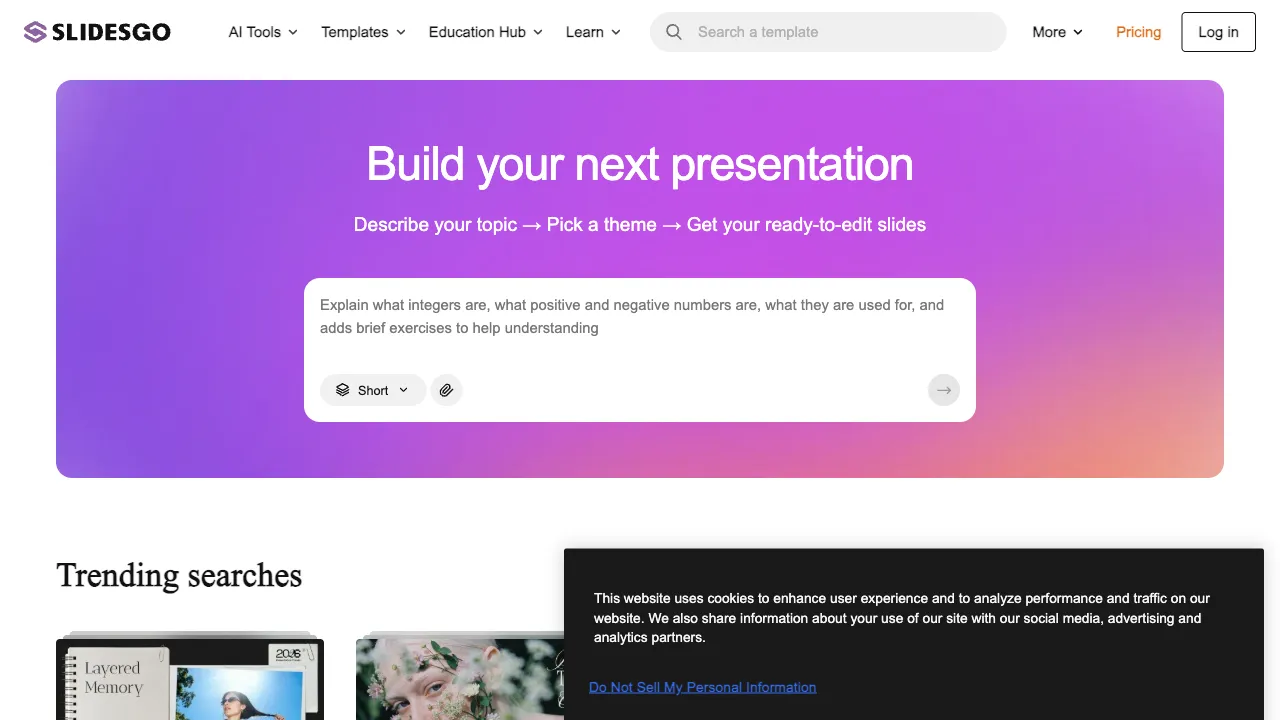
Slidesgo (slidesgo.com) is a slide template platform and AI briefing generator. It has two core product lines: one is a vast library of professionally designed slide templates (both free and paid), and the other is an AI tool that takes your topic and requirements to generate complete slide content, including text and images.
Behind Slidesgo is the Spanish company Freepik, which has significant accumulation in the design resource field (free images, vector assets). Slidesgo is its extension into the presentation space.
Template Library
This is Slidesgo's foundation. The platform has thousands of templates covering various use cases:
- Business Presentations: Annual reports, project proposals, market analysis, investment pitches
- Education: Courseware, academic reports, thesis defenses
- Marketing: Brand introductions, product launches, event planning
- Creative: Portfolios, creative proposals, event summaries
The overall design quality of the templates is good, with modern visual styles and professional color schemes, far surpassing what you get from default PowerPoint themes. Templates support both Google Slides and PowerPoint formats; after downloading, you can modify the content in your familiar software.
AI Features
AI Brief Generator
Input your presentation topic, select the number of slides and style, and the AI generates a complete slide outline and content—each slide has a title, bullet points, and accompanying images. This turns "making a PPT from scratch" into "modifying an AI draft," significantly speeding up the start-up process.
The quality of generated content varies; the framework and structure are usually good, but specific text often needs to be replaced with your own data and arguments. Images are either AI-generated or matched from the Freepik library and may not perfectly align with the content. It is suitable as a first draft, but direct use in formal settings requires careful checking and modification.
AI Image Generation
You can use AI-generated images within slides to complement the content without searching stock libraries. Describe the style and content you need, and the AI generates and inserts them directly into the slide, reducing time spent switching between platforms to find images.
How to Use
There are two main usage paths for Slidesgo:
Template Path: Browse or search for templates, find a suitable style, download, and replace the content in Google Slides or PowerPoint. This path is the fastest—once you find a good template, you only need to change the text; the design work is already done.
AI Generation Path: Input your topic, select parameters, let the AI generate complete slides, then adjust them in Slidesgo's online editor or export to other software for further editing.
Comparison with Other Tools
vs Canva: Canva combines an online design editor with templates for several uses; Slidesgo concentrates on slides. Compare editing controls for online revision, or topics and layouts when you mainly need a presentation template.
vs Beautiful.ai: Beautiful.ai is characterized by auto-alignment and smart layouts that automatically adjust formatting when content changes; it is better suited for users who frequently modify content, though its template styles are relatively uniform. Slidesgo offers more diverse template styles.
vs Gamma: Gamma is a representative product for AI-generated presentations, creating publishable decks directly from topics with a unique card-based layout; Slidesgo uses a more traditional PPT format with better compatibility with the PowerPoint/Google Slides ecosystem.
vs Tencent Docs/Lark Slide Templates: The built-in templates of domestic collaboration tools are more tailored to Chinese content and business styles, offering a more user-friendly experience for domestic users; Slidesgo's design style is more international with more English content.
vs Microsoft Designer (PPT Companion): Microsoft has integrated AI design assistance into PowerPoint, which can automatically suggest layouts; however, this feature requires a Microsoft 365 subscription and has limited depth.
Who Should Use Slidesgo
Professionals who need to quickly create good-looking PPTs: Those who don't know how to design from scratch but understand that finding a good template and replacing the content is sufficient. Slidesgo's template quality ensures a baseline visual standard.
Students making course presentations or thesis defenses: No need to spend time on design; find suitable academic or educational templates, fill in the content, and it will look much better than doing it yourself.
Educators creating courseware: There is a wealth of educational templates with rich content covering various subjects and age groups.
Marketing and Sales Teams: Those who frequently create proposals, product introductions, and client demos can use ready-made professional templates directly, just changing the content.
Limitations
The free version has template limitations—some templates are marked as Premium and require payment to download the full version. The AI generation feature also has usage limits in the free version. If you need frequent use, you may need to consider a paid plan.
Downloaded template files need to be opened and edited in Google Slides or PowerPoint; it is not fully operated within the Slidesgo platform, which may still present a threshold for users completely unfamiliar with these two software programs.
The quality of AI-generated content currently cannot be used directly for important formal presentations and requires significant manual modification; it is more suitable as a first-draft reference rather than a final version.
Pricing
Slidesgo offers a free version that includes some templates and limited AI usage. Premium subscriptions unlock all templates, unlimited AI generation, and more advanced features. Specific pricing is subject to the official website.
For users who need good templates occasionally, the free version is usually sufficient; for high-frequency users or those needing Premium templates, a subscription is more cost-effective than one-time payments.
Slidesgo's core value is clear: it helps you save time spent on PPT design so you can focus on the content itself. If you feel that creating presentations always takes a lot of time adjusting styles, it is worth checking out Slidesgo's template library.