

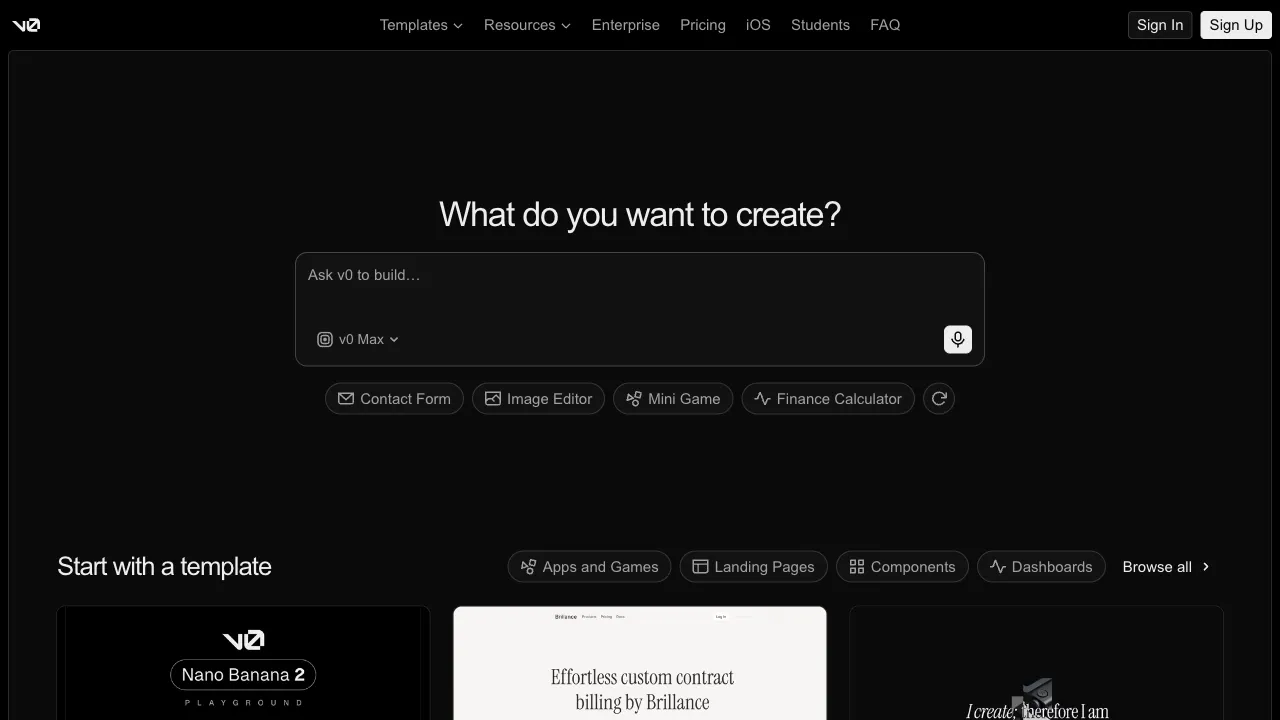
Vercel is the world’s most prominent frontend deployment platform and the primary maintainer of Next.js, with a massive daily user base among frontend developers. When Vercel launched v0 in 2023, its positioning was clear: an AI UI generation tool built specifically for frontend developers. You describe the interface you want, and v0 generates clean React + Tailwind CSS code.
What is v0?
v0 (pronounced "v zero") is Vercel’s AI code generation tool, focused on generating React components and UI interfaces. Input a text description, and it produces component code ready to be used directly in your project, leveraging the most mainstream tech stack in frontend development today: React + Tailwind CSS + shadcn/ui.
The difference between v0 and Lovable or Bolt.new is that v0 does not generate complete applications; instead, it generates component code that can be copied into existing projects. This makes it more of a "component library generator" than an "application generator," making it better suited for developers with coding experience who need to quickly build UIs within existing projects.
Core Features
Text-to-UI Generation
Enter a description in v0’s interface:
"A modern pricing plan card, three-column layout, including Free, Pro, and Enterprise tiers, each with a feature list and CTA button, with borders, and the Pro tier highlighted"
v0 generates component code while simultaneously previewing the UI effect in real-time on the right. You can see the actual interface it produces; if you’re satisfied, simply copy the code.
Code Quality
This is where v0 earns the most recognition from frontend developers: the generated code is clean and standardized, using the shadcn/ui component library (the most popular UI library in the Tailwind ecosystem). The code structure aligns with modern React project best practices.
This differs from the experience of asking ChatGPT to generate React code—ChatGPT might give you code using various CSS approaches or outdated patterns, requiring manual adjustments. v0’s output is almost ready to use immediately, with a code style that perfectly matches modern Next.js/React projects.
Iterative Refinement
If you’re not satisfied with the generated UI, you can continue describing the changes you want:
- "Change the button color to green"
- "Add a subtitle below the heading"
- "Increase the spacing between cards"
- "Make this responsive for mobile"
v0 modifies the existing code rather than regenerating it from scratch, maintaining code consistency.
Multiple Component Versions
For the same request, v0 generates several different versions for you to choose from. Each version has slightly different design styles or layouts, allowing you to pick the one closest to your needs and start iterating.
shadcn/ui Integration
v0 uses shadcn/ui components by default. If your project uses them too, generated code is easier to align with the existing interface, though dependencies, styles and interactions still need checking.
Tech Stack
The code generated by v0 defaults to:
- React (functional components, Hooks)
- Tailwind CSS (styling)
- shadcn/ui (UI component library)
- TypeScript (type safety)
- Next.js Compatible (can be used directly in Next.js projects)
This tech stack choice is deliberate—for developers using Next.js for full-stack development, v0’s output is almost ready to use out of the box.
Differences from Bolt.new / Lovable
These three tools are often compared, but their positioning differs significantly:
v0:
- Generates components, not complete applications
- Target users are frontend developers with coding experience
- Highest code quality, closest to production-ready
- Requires copying code into your own project
Bolt.new:
- Generates fully functional applications
- Supports full-stack (with Node.js backend)
- Can run and deploy directly in the browser
- Better suited for starting a new project from scratch
Lovable:
- Generates complete applications
- Focuses on React frontend + Supabase backend
- Simplest interface, best for non-technical users
- Smoothest conversational iterative refinement
Who is v0 For?
React/Next.js Developers: This is v0’s core user base. Need to quickly build a form, dashboard, data table, or card component? Get a draft in minutes, much faster than hunting through shadcn/ui documentation to piece together components one by one.
Designers (with basic frontend skills): Converting designs to code has always been an efficiency bottleneck. v0 can turn Figma screenshots or design descriptions into React code, shortening the distance from design to implementation.
Full-Stack Developers (where frontend is not a strength): Strong in backend but slow at frontend? Use v0 to quickly generate UI components and spend more time on backend logic where you excel.
Product Managers/Entrepreneurs Wanting Rapid Prototypes (with basic technical background): Know basic React and want to quickly build a demonstrable interface? v0 is much faster than writing from scratch.
Pricing
v0 runs on credits, spent per generation according to complexity and token usage. After the 2026 restructure:
- Free $0: $5 of monthly credits, 7 messages per day
- Plus $30/user/mo: $30 of monthly credits plus $2 of daily login credits
- Business $100/user/mo
- Enterprise: custom
Team and Business plans can buy extra credits once the monthly allowance is gone. The easy thing to misread: Plus and Business include the same credit allowance. The $100 tier buys collaboration, higher limits and team billing — not more generation. If credits are your bottleneck, you still buy overage on top.
Hosting is a separate line item: Vercel's Hobby tier is free, but production sites usually need Vercel Pro at $20/month.
Tier names and prices shifted during 2026 — older reviews still show a $20 Premium and a separate Team tier — so check the publication date when comparing third-party guides, and confirm on Vercel's own pricing page.
Practical Usage Tips
Be specific in your descriptions, including layout and interaction details. "A login form" is too vague; a prompt like "a login form, vertically centered, white card, with email and password input fields, a 'Remember me' checkbox, a login button, a 'Forgot password' link below, and a close button in the top-right corner" will yield directly usable results.
Upload reference screenshots. v0 supports uploading images as references. Upload screenshots from Figma, competitor apps, or any interface you want to emulate, then ask it to "implement this." The fidelity of the result will be quite high.
Use v0 first, then refine with Cursor. A common workflow among developers is to use v0 to quickly generate a draft, copy it into the project, and then perform fine-tuning and feature implementation in Cursor.
Understand the generated code. While the code produced by v0 is of high quality, don’t just copy it blindly. Take the time to understand what each component does; this is particularly important if you’re unfamiliar with shadcn/ui. Investing time to comprehend the code offers greater long-term value than simply using it as-is.
v0 excels in the niche scenario of "rapidly generating high-quality frontend code." For developers building projects with Next.js, it is one of the most valuable AI-assisted tools to add to your toolkit.