

There is a peculiar fossil in the software world: the terminal. Over the past forty years, editors have evolved from vi to VS Code, and browsers from Mosaic to Chrome, yet the terminal—the tool developers spend their days immersed in—has seen its interaction paradigm largely frozen since the last century: single-line input, unstructured text streams, and the careful avoidance of copying prompt characters along with output. When errors occur, you’re left to archaeologically dig through Stack Overflow yourself. It’s not that no one finds this frustrating; it’s that everyone has simply accepted “this is just how terminals work.”
Warp is a direct challenge to this default: a terminal rewritten from scratch in Rust, welding together the interactions of modern editors, the design principles of collaboration software, and AI assistants. Since its release in 2022, it has rapidly become a phenomenon among developers. Its funding lineup (including Sequoia) and community buzz confirm one thing: people have been tolerating the terminal for far too long.
What is Warp?
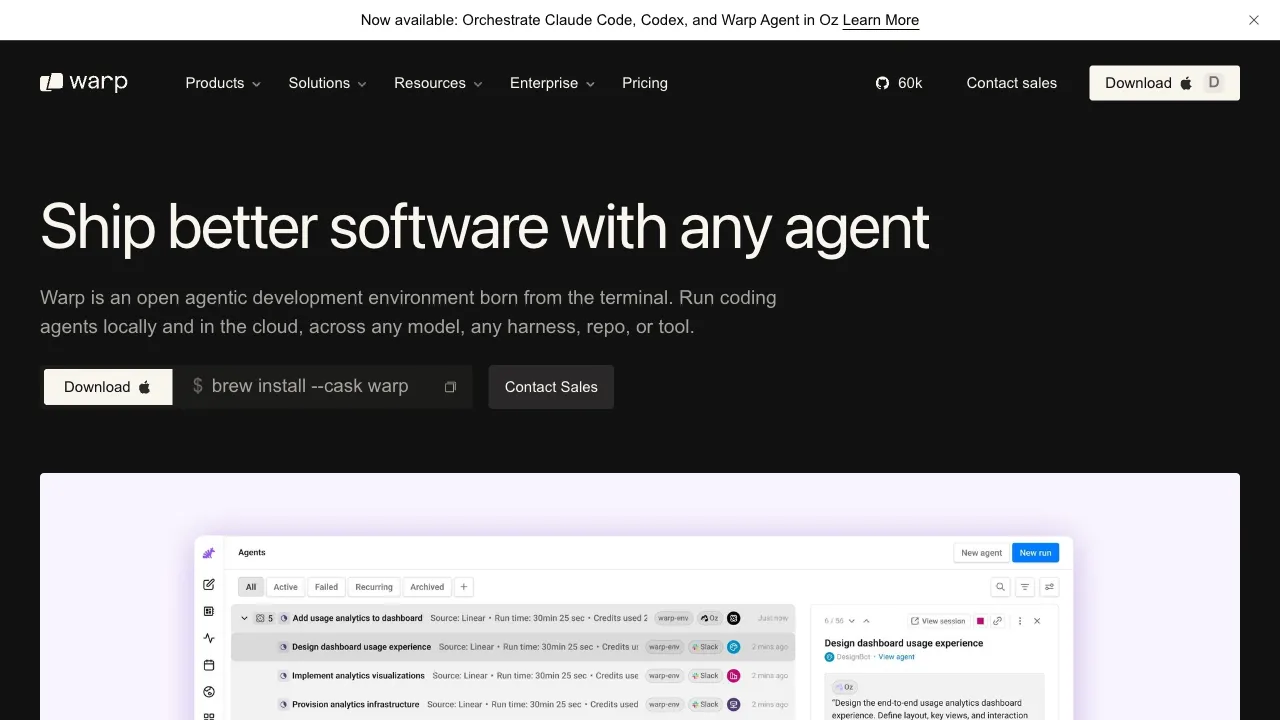
Warp (warp.dev) is an AI-native modern terminal, written in Rust with GPU rendering, supporting macOS, Linux, and Windows (full platform support is gradually rolling out). Its three pillars are: block-based interaction (structuring commands and output), a modern editing experience (the input area functions like a real editor), and deeply integrated AI (generating commands via natural language, explaining errors, and eventually handling tasks in Agent mode).
Its ambition is written all over it: this isn’t about being “a better iTerm,” but rather “the next generation of the terminal species.”
Core Features
AI Command Generation
Its signature capability: forget command syntax; just speak naturally. Input “find files larger than 100MB in the current directory and sort them by size,” and the AI instantly provides the corresponding find | sort combination. Type “undo the last git commit but keep the changes,” and that eternally hard-to-remember git reset --soft HEAD~1 appears automatically.
The biggest tax on terminal usage has always been the “memory tax”: hundreds of commands, thousands of parameters—no one can remember them all. AI generation waives this tax entirely. For commands like advanced Git operations, ffmpeg, or awk—those you have to look up every time—the experience is revolutionary.
AI Error Explanation and Agent Mode
When a command fails, let the AI explain the cause and provide a fix right there. The three-step process of “copy error → search → read answers” is compressed into a single click.
The further-evolved Agent mode represents Warp’s direction: describe a task in natural language (“upgrade this project’s dependencies and run the tests”), and the AI plans and executes multiple commands sequentially, with you confirming key steps. The terminal shifts from a “command executor” to a “task collaborator.” This is also the confidence behind Warp’s later self-positioning as an AI development environment.
Block Interaction
Each command and its output are packaged into an independent “block”: copy individually (clean pure output), bookmark, collapse, or even generate a link to share with colleagues. When debugging, searching for output from thirty minutes ago shifts from “infinite scroll archaeology” to “block-based retrieval.” This seemingly simple structured design delivers the greatest daily improvement in user experience.
Modern Editing Input Area
Free cursor movement, multi-line editing, selection highlighting, and Vim keybindings—writing complex commands finally feels like coding in an editor, rather than shuffling backspace keys in a blind spot on a single line.
Workflows and Team Capabilities
Save common command sequences as Workflows for one-click invocation and share them with your team; search command history across sessions. For operations and platform teams, “solidifying deployment mantras into shared team workflows” is a genuine collaborative upgrade.
Comparison with Alternatives
vs iTerm2: The long-reigning king of macOS terminal alternatives, known for stability, customizability, and a deep plugin ecosystem; but its paradigm remains traditional, leaving no room for AI or block interaction. Choose iTerm2 for conservative stability; choose Warp for a new experience. This is the most common migration path in the community.
vs System Default Terminal: No comparison needed; Warp leads with a generational gap. The system terminal’s only advantage is zero installation and zero account requirements.
vs Oh My Zsh Ecosystem: OMZ enhances the shell layer (completion, themes), while Warp rebuilds the terminal application layer—they don’t conflict. You can still run your Zsh configuration inside Warp; using them together is the standard approach.
vs Next-Gen Terminals like Ghostty/Alacritty: Also modern rewrites, but with diverging paths—these prioritize minimalism and extreme performance, deliberately avoiding AI and account systems. Warp takes a “all-in-one + cloud service” route. This divide reflects a split in user values: tool purists vs. experience maximizers.
vs GitHub Copilot CLI: A plugin-based solution for command-line AI, with features overlapping Warp’s AI; but the gap between add-ons and native integration is significant. If you’re already using Warp, there’s no need to install it separately.
Who Should Use Warp?
Developers who live in the terminal: In high-frequency usage scenarios, the experience dividends of block interaction + AI compound daily. The migration cost is about an hour; the benefits are long-term—the core audience.
Engineers less comfortable with the command line: “Light terminal users” in frontend, data, and algorithm roles find that AI-generated commands erase memory barriers, freeing them from fear of the black window.
Beginners: With AI instantly explaining errors and writing commands, the steepest part of the command-line learning curve is flattened.
DevOps and Operations: High-frequency complex commands and team collaboration are essential; Workflow sharing and block sharing are precisely their use cases.
Controversies to Face: Privacy and Accounts
Warp requires logging in with an account, which is unusual for terminal tools and a focal point of repeated debate on Hacker News. The official stance: command content is not uploaded by default; only relevant context is sent when AI features are invoked; telemetry can be disabled. However, the mere fact that “the terminal vendor has my account system” is an unacceptable premise for some developers.
Pragmatic advice: Weigh the trade-offs for personal development. In corporate environments (especially for classified projects), you must review security compliance before use, ensuring AI data flows align with policy. For purists allergic to accounts, Ghostty and others are waiting next door.
Pricing
- Free $0: 150 AI credits a month for the first two months, then 75
- Build $20/month: 1,500 credits, with bring-your-own-key for OpenAI, Anthropic or Google, plus cheaper prepaid Reload Credits
- Max $200/month: 18,000 credits
- Business $50/user/month: adds SSO, mandatory Zero Data Retention and a shared credit pool for up to 50 members
Some sources report $18 and $180, which appears to reflect annual versus monthly billing — check warp.dev.
The structural change on April 28, 2026: the Warp client is now open source under a dual AGPL-3.0/MIT licence, with OpenAI as the GitHub repository's founding sponsor and more than 60,000 stars within months. Note the boundary — the terminal client is open, while Oz, the cloud agent orchestration platform, remains proprietary.
On predictability: after the 2026 shift to credits, heavy agentic use is harder to forecast than a flat subscription, so check credit consumption before running long chains.