

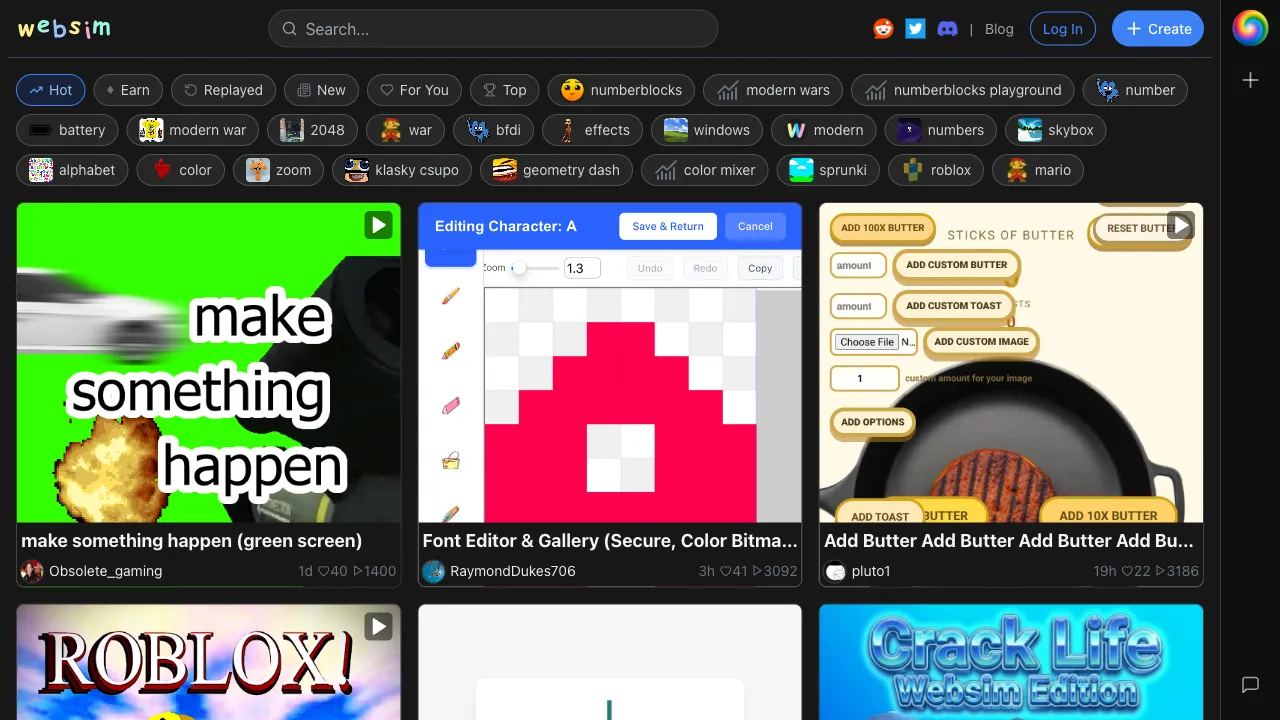
WebSim is a tool that defies easy categorization. It’s not just a code generator, nor merely a web design tool; it’s more like an “AI-simulated internet.” You input a URL or a description, and WebSim generates a fully realistic, interactive webpage. Clicking links navigates to new AI-generated pages, creating an infinitely extending virtual network.
What is WebSim?
WebSim (websim.ai) is an AI-powered web page generation tool with a core concept: treating the address bar as the starting point for creation. Enter any URL you can imagine into the address bar—regardless of whether the site actually exists—and WebSim will instantly generate a corresponding webpage. You can also use natural language descriptions, and WebSim will generate the corresponding interactive interface.
What it generates is not a static image, but real, interactive HTML/CSS/JavaScript pages. You can click buttons, fill out forms, and browse menus on the generated page. Each interaction may trigger new content generation, allowing you to roam through an infinite virtual internet.
The product’s positioning is akin to an “AI sandbox” or “virtual internet,” suitable for both rapid prototyping and serving purely as a creative playground.
Core Features
URL-to-Page Generation
Enter any URL into the address bar, and WebSim generates the corresponding page. For example:
apple.com/products/flying-car→ Generates an Apple-style product page for flying carsnasa.gov/moonbase-alpha-livestream→ Generates a NASA-style livestream page for a moon base1990s-geocities-style-homepage.com→ Generates a 90s GeoCities-style personal homepage
These websites may not exist, but WebSim generates pages that match expectations based on the semantics of the URL. This is fascinating for creative exploration, design inspiration, and teaching demonstrations.
Natural Language App Creation
No coding required; simply tell WebSim what you want using descriptive language:
- "Create a Pomodoro timer"
- "Make a simple to-do app"
- "Generate a pixel-art style mini-game"
WebSim generates interactive web applications with full functionality, making it very convenient for rapidly validating product ideas or creating demo prototypes.
Hyperlink Navigation Generation
Links within the generated pages are “clickable.” Clicking them prompts WebSim to generate the next logically existing page, creating a coherent navigation experience. This allows WebSim to be used for complete website prototype demonstrations rather than just single-page displays.
Code Viewing and Export
The underlying HTML/CSS/JavaScript code for every generated page can be viewed. For developers, this code can be directly reused as a starting point for projects or used for learning reference.
Typical Use Cases
Rapid Prototype Validation: Product managers or entrepreneurs with website ideas can use WebSim to generate interactive prototypes in seconds. There’s no need to wait for development resources to intuitively experience the user interface.
Design Inspiration Exploration: Designers input different URLs or descriptions, letting WebSim generate interfaces in various styles to quickly find a design direction.
Teaching Demonstrations: Educators can use WebSim to generate demo websites, showcasing web styles from different eras, various interaction patterns, and more.
Gaming and Entertainment: Simply treat WebSim as a creative playground; input absurd URLs and watch how the AI “completes” them, offering a certain level of entertainment value.
Learning Front-End Development: Reviewing the code generated by WebSim serves as reference material for learning HTML/CSS/JS, providing a sense of working on real projects.
Comparison with Other Tools
vs. v0 (Vercel): v0 is Vercel’s AI UI generation tool, focused on generating React components with high quality suitable for production. It targets front-end developers and requires coding skills to use effectively. WebSim leans more toward creative and prototype exploration, requiring no development background.
vs. Bolt.new: Bolt can generate complete full-stack applications with higher code quality and supports direct deployment. WebSim’s advantage lies in its instant generation and virtual network browsing experience, offering stronger potential for creative exploration.
vs. Framer AI: Framer’s AI features focus on generating polished landing pages and marketing sites with high design quality. WebSim is more free-form, capable of generating anything, but lacks the design refinement of Framer.
vs. ChatGPT/Claude Code Generation: While asking AI to write HTML code directly can also generate webpages, you must run it yourself. WebSim offers instant visualization and interactive generation, providing a significantly different experience.
Who Should Use WebSim?
Creative Professionals and Concept Validators: Those with product ideas or website concepts can quickly generate clickable prototypes for self-validation or presentation to others.
Front-End Development Beginners: By generating code via WebSim and learning how different UI patterns are implemented, beginners gain a more tangible sense of development than through tutorials alone.
Product Designers: Quickly explore multiple interface options without relying on development resources, accelerating design decision-making.
Tech Enthusiasts: WebSim has strong exploratory and entertainment value; “exploring the non-existent internet” is an interesting experience in itself.
Limitations
The code quality generated by WebSim is not production-grade and cannot be directly deployed as a formal product; it typically requires developers to clean up and optimize it further.
For complex applications (database interactions, user authentication, real-time communication, etc.), WebSim can only generate front-end interface simulations, not actual back-end functionality.
The free version has daily generation limits; frequent use requires payment or upgrading.
Pricing
WebSim offers a free version with basic web page generation features. Paid plans unlock more generations and advanced features. Specific pricing is subject to the official website.
WebSim is an interesting and unique tool. The experience of “generating interactive webpages simply by describing them in natural language” is worth trying. Even if you are not a professional developer, spending ten minutes exploring WebSim will give you an intuitive sense of AI’s capabilities in front-end code generation.