

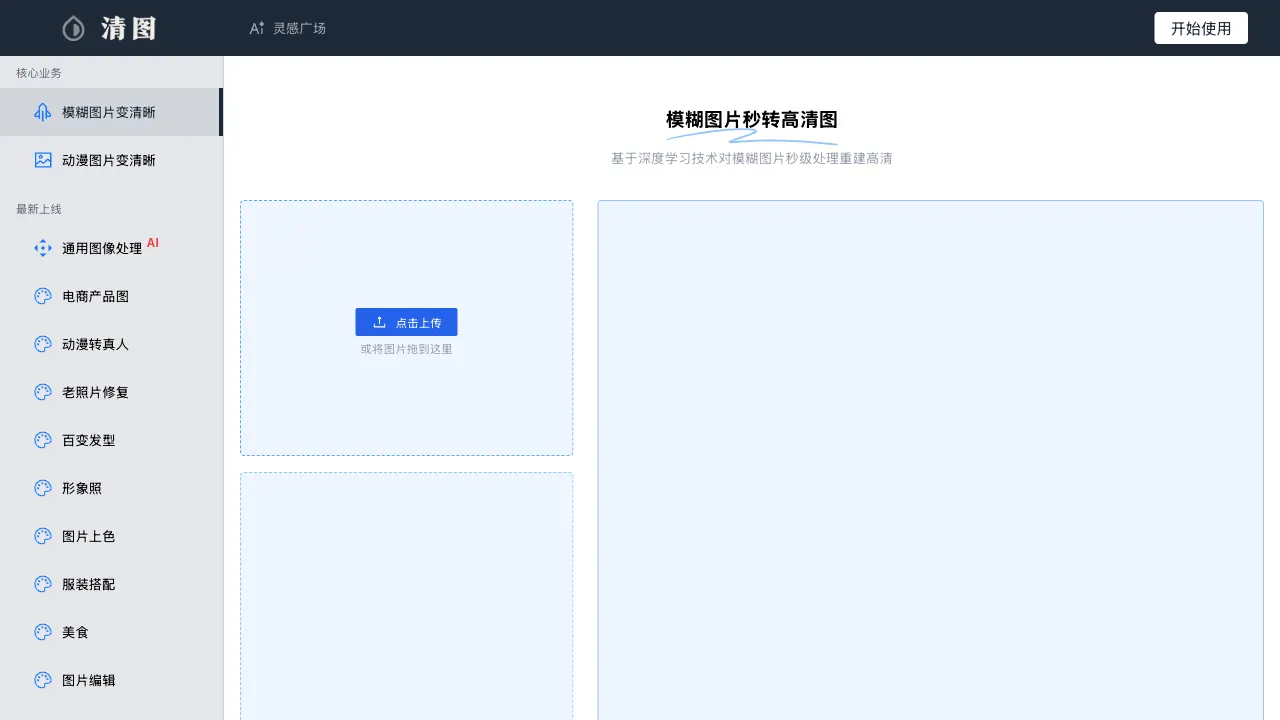
Occasionally, photos taken with a smartphone turn out blurry; scanned old photos have scratches; product images need cluttered backgrounds removed. These minor image processing needs arise frequently in daily life and work, but using Photoshop for them carries a high learning curve for many people. Clear Image (Qingtu) is a domestic online AI image processing tool that packages common image restoration and editing features into simple, easy-to-use web tools, accessible directly via any browser.
What Is Clear Image?
Clear Image (qingtu.cn) is an online image processing platform based on AI technology, offering a variety of image processing functions, including quality restoration, ultra-high-definition upscaling, colorization of old photos, portrait optimization, and background removal. The entire tool is web-based, requiring no software installation, and supports direct use on both mobile and desktop browsers.
Its primary scenario targets ordinary users who don’t know Photoshop but need to process images; Clear Image provides an AI processing solution with an extremely low barrier to entry.
Key Features
AI Image Quality Restoration
Performs AI restoration on blurry, noisy, or low-clarity images to enhance overall sharpness. This feature is particularly useful for:
- Blurry photos taken with older smartphone models
- Low-resolution images downloaded from the internet
- Images that become blurry when enlarged from screenshots
- Photos of distant scenes where details are unclear
The principle behind AI restoration is super-resolution technology, which fills in missing image details to increase actual resolution. The effect is typically good for content with regular features, such as faces and architecture.
Old Photo Restoration
A restoration function specifically optimized for old photos, addressing issues unique to them:
- Removal of scratches and creases from scanned copies
- Color restoration for yellowed or faded images
- Processing of graininess and noise caused by photo aging
- Repair of locally damaged content
Old photo restoration is valuable for users who want to digitize family history photos; there’s no need to send them to professional restoration agencies, as online processing can yield good results.
Black-and-White Photo Colorization
Converts black-and-white photos into color versions. The AI automatically infers colors based on image content and semantic information, generating realistic color effects. Elements with regular features, such as skin tones, skies, and plants, usually colorize naturally. This is interesting for users who want to see what their old photos would look like in color.
AI Cutout (Background Removal)
Removes the image background with one click, preserving the subject (people, products, animals, etc.). It generates PNG files with transparent backgrounds that can be directly overlaid onto other background images or used for design purposes.
Common use cases include white-background processing for e-commerce product images, background replacement for social media avatars, and using cutout figures without backgrounds in PPT presentations.
Image Upscaling (Super-Resolution)
Enlarges small images to 2x, 4x, or even larger sizes while maintaining (or even improving) clarity. For situations where you only have small-sized images but need large prints or displays, super-resolution can be a lifesaver.
Portrait Beautification
Specialized optimization for faces, including skin smoothing, whitening, and subtle adjustments to facial features. Suitable for processing ID photos, avatars, and portraits that require beautification.
Comparison with Other Image Processing Tools
vs remove.bg: remove.bg is a tool focused specifically on background removal. Its single function is highly precise, handling complex edges (hair, fur) well; Clear Image’s cutout is just one of its features. For users who only need background removal, remove.bg may yield better results, but Clear Image covers more functions, making it more convenient as an all-in-one solution.
vs Remini (Mobile App): Remini is a well-known foreign photo restoration app that excels in old photo restoration and face enhancement but requires downloading a mobile app; Clear Image is web-based, requiring no installation, which is more convenient on PC. The downside is that its restoration quality may be slightly inferior to specialized apps.
vs Photoshop: Photoshop’s processing capabilities are unparalleled and can handle any image processing task, but it requires learning and purchasing a subscription; Clear Image offers zero-barrier AI processing, suitable for ordinary users who don’t need professional-grade precision.
vs Meitu Xiuxiu: Meitu Xiuxiu has numerous features on mobile, leaning more toward entertainment and social media scenarios; Clear Image is more focused on restoration and quality improvement, making it better suited for seriously processing old photos and enhancing image quality.
vs PicWish (picwish.com): PicWish is also a domestic AI image processing platform with highly similar functional directions. Both are domestic tools with good Chinese support; specific quality differences require actual comparison. It is recommended to try both when there is a need.
Who Is Clear Image For?
Ordinary users wanting to restore old photos: If you want to digitally preserve old family photos while hoping to improve their quality, Clear Image’s old photo restoration feature provides an extremely low-barrier solution.
E-commerce operators: Product images often need background changes, removal of cluttered elements, and clarity enhancement; Clear Image’s batch processing can save a significant amount of time.
Social media operators for Xiaohongshu, WeChat, etc.: Image quality is crucial for content dissemination; using Clear Image to quickly improve the quality of smartphone-taken images eliminates the need for professional photography equipment.
Ordinary users who don’t know PS: For occasional image processing needs without wanting to learn complex tools, Clear Image provides a sufficiently good “good enough” solution.
Pricing
Clear Image offers a free quota, with a certain number of free processing attempts per day or after registration. More processing attempts, higher-resolution output, batch processing, and other features require payment. Specifics are subject to the official website’s pricing.
Limitations
Limited processing precision: The edge precision of AI processing (especially for cutouts involving hair and complex textures) is not as good as that of professional tools, making it insufficient for design work requiring high precision.
Limited effectiveness in complex repairs: The repair effect on severely damaged photos (with large areas of loss) is limited; the AI’s completion of missing content is sometimes unnatural.
Free tier usage limits: The free version has a limited number of daily processing requests, and large-scale batch processing requires a paid plan.
Qingtu represents the direction of "democratizing" AI image processing tools—turning technically complex image manipulation into simple operations that anyone can perform on a phone or computer. For users whose daily image processing needs are not highly specialized, such tools serve as a practical alternative to Photoshop.