

There is a well-known "grueling process" in the video industry: subtitling. Listen to a line, type it out, sync it to the timeline, and playback to verify—the industry experience suggests that manually adding subtitles to one hour of video takes three to five hours. Anyone who has done it knows that soul-crushing feeling. Yet subtitles are indispensable: platform data repeatedly proves that many users watch videos in silent environments, and lacking subtitles is tantamount to cutting your own completion rate; if you aim for global expansion or multi-language versions, the subtitle workload doubles with each language.
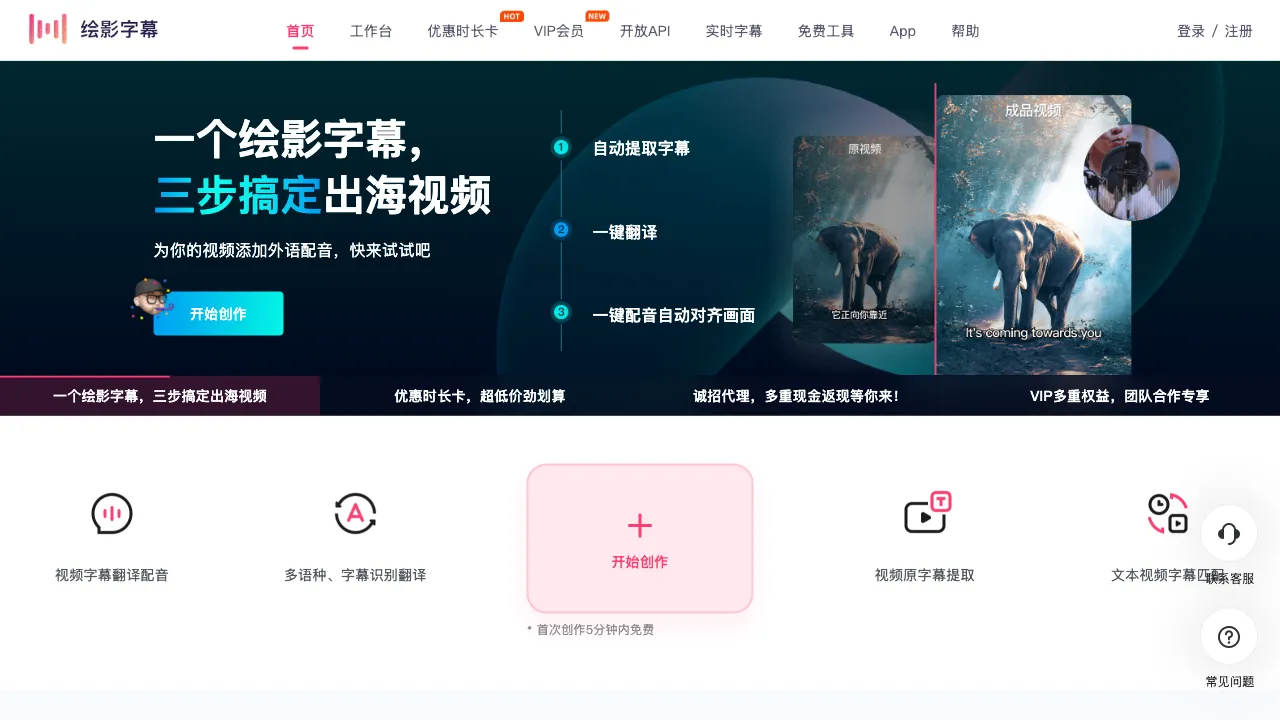
CapCut Captions (Huiying Zimu) is a tool designed specifically for this process: AI automatically recognizes speech to generate subtitles, translates them into multiple languages with one click, and adds AI voiceovers—reducing subtitling from a "half-day of manual labor" to a "ten-minute review task."
What Is CapCut Captions?
CapCut Captions (huiyingzimu.com) is a domestic AI subtitle processing tool featuring three core components: Speech-to-Subtitle (automatic recognition + timeline alignment), Subtitle Translation (one-click generation of multi-language versions), and AI Voiceover (subtitle-to-speech). With an accompanying online subtitle editor and batch processing capabilities, it is web-based and aimed at video creators, educational institutions, and cross-border content teams.
Its difference from all-in-one editing tools like Jianying (CapCut) lies in its focus: it does not pursue a broad, comprehensive editing suite but instead deepens the "subtitle workflow"—from recognition and proofreading to translation, burning, and export, providing end-to-end service. For users with high subtitle volumes, vertical tools often offer greater process efficiency than the subsidiary features found in comprehensive tools.
Key Features
AI Speech-to-Subtitle
Upload video or audio, and it automatically outputs timed subtitles. For standard Mandarin content, recognition accuracy has reached a level where "a quick scan for verification" suffices—note the weight of this phrasing: shifting from "line-by-line dictation" to "reading-through proofreading" changes the nature of the work entirely, which is precisely the core value of AI subtitle tools.
Recognition rates drop for materials with heavy accents, noisy environments, or overlapping speech; this is a common boundary across the industry. Outputs support standard subtitle formats like SRT and ASS (compatible with any editing software) and can also be burned directly into the final video.
Subtitle Translation
After subtitles are generated, translate them into the target language with one click, covering major language pairs such as Chinese-English, Japanese, and Korean, with timelines automatically inherited—turning the multi-language subtitle workload from "doubling again and again" into "a few clicks."
The standard approach for cross-border content: proofread and finalize the Chinese subtitles before translating; only when the source is accurate is the translation accurate. Remember to manually review professional terminology and meme-style expressions, as machine translation's classic pitfalls are tool-agnostic.
AI Voiceover
Convert subtitle text into synthesized speech: add narration to silent videos, provide Chinese audio tracks for foreign-language videos, or create multi-language dubbed versions. Choose from multiple voice styles and adjust speed and emotion—combined with subtitle translation, the "foreign version" of a video (dubbed subtitles + dubbed audio) can be produced in a closed loop within the platform, democratizing studio-level dubbing workflows.
Subtitle Editor
The refinement station after AI generation: correct typos, adjust timelines, split or merge subtitle lines, and set font styles, with synchronized video preview for comparison—a key link in the "AI does the rough work, humans do quality control" workflow loop. The smoothness of the editing experience directly determines overall efficiency.
Batch Processing
Upload and transcribe multiple videos in batch; process course videos into a library or subtitle content for account matrices—the production capacity switch for institutional-level needs.
Comparison with Similar Tools
vs. Jianying (CapCut): The unavoidable national benchmark—Jianying’s smart subtitles are equally excellent and free, so creators already editing within Jianying can use it conveniently enough. CapCut Captions’ niche lies in scenarios where Jianying falls short: batch processing, exporting subtitle files (SRT workflow), the translation + voiceover dubbing chain, and pure subtitle needs without wanting to open an editing software.
vs. NetEase Jianwai: NetEase’sestablished brand transcription and translation platform, well-known in the film/TV subtitle circle; its usability and product iteration have been uncertain in recent years, making CapCut Captions one of the viable alternative options for continuous operation.
vs. iFlytek Tingjian: iFlytek’s speech recognition precision is its goldensignature dish (hallmark), stronger in meeting transcription scenarios; CapCut Captions wins with its scenario-specific workflow around "video subtitles" (integrated burning, translation, and voiceover). Choose based on need: for ultimate transcription precision, choose iFlytek; for a full subtitle workflow, choose CapCut Captions.
vs. Self-hosted Whisper: OpenAI’s open-source model has top-tier recognition power and is free; tech-savvy users can deploy it themselves. However, timeline optimization, editors, and the productized packaging of translation and voiceover must be assembled manually. Those who enjoy tinkering save money; those who don’t buy a product—a classic divide.
vs. Human Subtitle Services: The precision and layout of professional subtitle groups remain the ceiling (the standard for film/TV-grade delivery), and the cost per minute is also at the ceiling; AI tools eat up the middle ground—the "good enough" mass market.
Who Should Use CapCut Captions?
Daily Video Creators: Spoken-word videos and knowledge bloggers who need subtitles for every video benefit most directly, as the AI transcription + quick proofreading workflow cuts subtitle time by 80%.
Educational Institutions and Course Teams: Subtitling hundreds of hours of course videos makes batch processing the only realistic path; manual typing is not feasible at this scale.
Cross-Border and Multi-Language Content Operators: The translation + voiceover dubbing chain hits the demand squarely, reconstructing the cost of multi-language distribution for a single piece of content.
Corporate Video Teams: A tool-based alternative to outsourcing budgets for standardized subtitles in promotional videos, training materials, and product demos.
Usage Tips
Source audio quality determines the recognition ceiling: for clear recording and normal speech speed, AI requires almost no correction; speaking properly into the microphone during recording saves half the proofreading time later—this calculation should start at the shooting stage.
Proofreading can never be skipped: homophones, proper nouns, names, and brands are fixed error zones for AI subtitles; reading through before publishing is a baseline operation; add a terminology check for translated versions as well.
Pricing
Offers free trial quotas (limited by duration/number of uses); paid plans charge by processing duration or membership subscription, with batch and advanced features in the paid tiers. Refer to the official website for specifics. Compared to the market price of human subtitles (several to dozens of RMB per minute of video), the cost-performance ratio of AI solutions for continuous needs is orders of magnitude better.
Whether CapCut Captions is worth using doesn’t need persuasion from those who have done subtitling—throw your next video into it, watch the timeline-aligned subtitles fill the editor in minutes, and then think back to that afternoon when you wore headphones verifying line by line: the answer was already written in your neck and shoulder strain.