

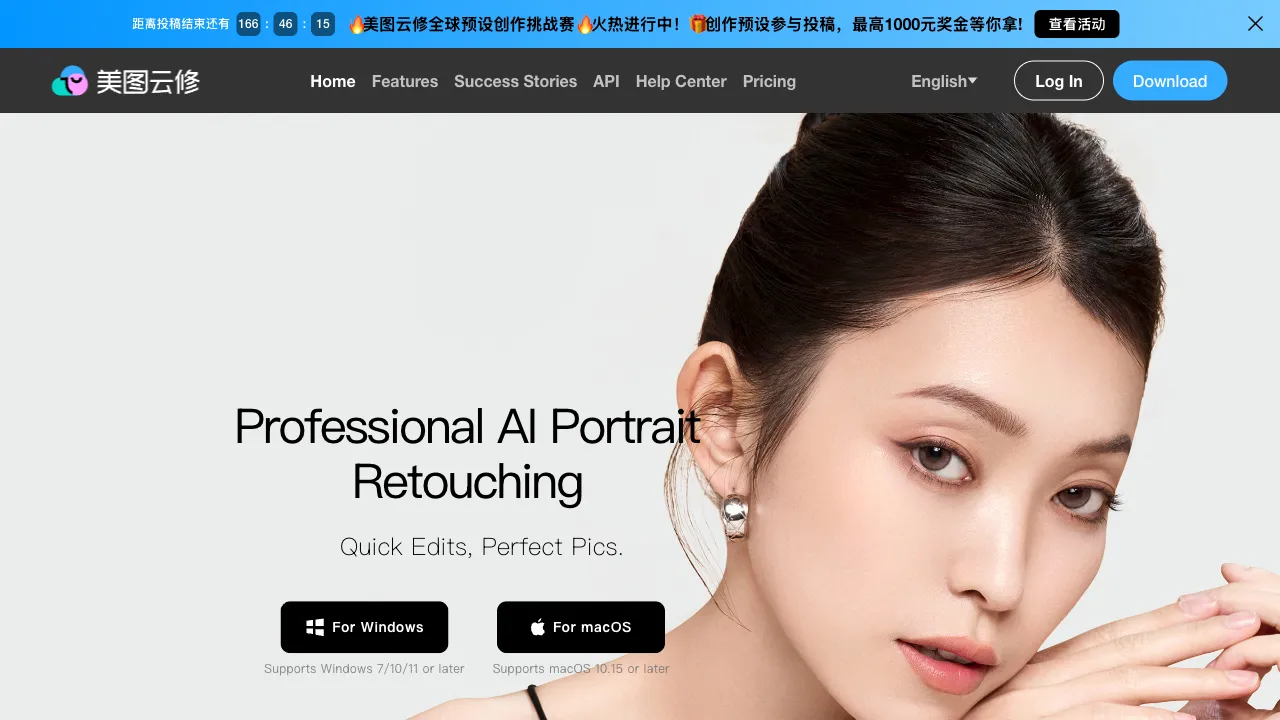
Meitu Xiuxiu (Meitu Pic) is a household name in China, but many people don’t know that beyond its consumer-facing products, Meitu has launched a commercial-grade image processing solution for enterprises and e-commerce: Meitu Cloud Repair. It’s not the phone app you use for skin smoothing and whitening; it’s an AI tool designed for batch commercial image processing, with its core scenario being the large-scale handling of e-commerce product images.
What is Meitu Cloud Repair?
Meitu Cloud Repair (yunxiu.meitu.com) is a commercial-grade AI image processing platform launched by Meitu, featuring batch and automated image processing capabilities. It targets enterprises and individual users in e-commerce, advertising, photography studios, and other fields with high-volume image processing needs.
Unlike tools like Meitu Xiuxiu and Canva, which lean toward individual consumers, Meitu Cloud Repair has been positioned for commercial scenarios from the start. Its advantage isn’t fine-tuning single images, but rather a complete “commercial image pipeline”: batch background removal, batch background replacement, batch resizing, and automated beautification and optimization—using AI to replace repetitive manual operations.
Key Features
Intelligent Background Removal
AI automatically identifies the subject in an image and removes the background, supporting various subjects such as products, portraits, and vehicles. For e-commerce product images, white-background images are a standard format. Traditionally, operators would manually use Photoshop’s Pen Tool to cut out each image one by one; a skilled operator might take over ten minutes to process a single complex product image. Meitu Cloud Repair’s AI background removal can complete this in seconds, and processing hundreds of images in batch takes only a few minutes of waiting.
Meitu has deep expertise in image AI, and its background removal algorithm performs quite well in accuracy for common product categories (apparel, electronics, food, cosmetics), with edge handling much cleaner than early AI background removal tools.
Batch Background Replacement
After removing the background, you can batch replace it with white backgrounds, colored backgrounds, or custom background images. E-commerce main images often require several versions with different backgrounds (white-background main image, scene-based detail page images). Meitu Cloud Repair can generate all versions in one click, saving repetitive manual work.
Image Super-Resolution Upscaling
Using AI super-resolution technology, this feature upscales low-resolution product images to high-definition versions. For historical archives that only have thumbnails or low-quality images provided by suppliers, this function can serve as a form of “rescue.”
Image Quality Optimization and Restoration
Automatically detects and processes issues such as noise, blur, and uneven exposure in images, applying unified quality improvements to entire batches. For product photos shot in a studio, detail adjustments and color optimization can bring the final output closer to commercial-grade standards.
Portrait Beautification
Specialized processing for portrait images, including skin smoothing, whitening, and subtle facial feature adjustments. Suitable for apparel e-commerce stores or beauty brands that need to process model images.
Batch Resizing and Format Conversion
Different e-commerce platforms have different size requirements for main images. Meitu Cloud Repair supports batch output at specified dimensions, automatically adapting to the specifications of mainstream platforms like Taobao, JD.com, and Pinduoduo.
Commercial Advantages
The core difference between Meitu Cloud Repair and ordinary online image tools lies in its deep adaptation to commercial scenarios:
API Integration: Enterprise users can integrate Meitu Cloud Repair’s processing capabilities into their own systems via API, enabling a workflow where images are processed automatically upon upload. It can connect directly with ERP systems and product management systems without manual intervention.
Batch Processing Scale: It supports uploading and processing large volumes of images at once. For large e-commerce businesses launching hundreds of SKUs daily, manual one-by-one processing is unrealistic; batch capability is a necessity.
Clear Commercial Licensing: Unlike using personal-tier tools for commercial image processing, Meitu Cloud Repair provides explicit commercial licensing, ensuring no copyright issues when publishing commercially.
Comparison with Other Tools
vs. remove.bg: remove.bg is the most mainstream online background removal tool internationally, offering top-tier single-image quality, especially for complex edges (hair, fur). However, it is better suited for lightweight, single-image use and lacks Meitu Cloud Repair’s batch processing capabilities and Chinese interface.
vs. PicWish (Zuotang): PicWish is another domestic multi-functional image processing tool with highly overlapping features. The differences in price and quality should be compared practically; it is recommended to test both if you have batch processing needs.
vs. Qingtu: Qingtu leans more toward personal photo restoration, while Meitu Cloud Repair focuses on batch processing for e-commerce commercial scenarios. Their positioning differs.
vs. Local Photoshop: Photoshop’s precision and flexibility are irreplaceable, but it requires manual operation for each image. Meitu Cloud Repair trades off some precision for batch automation capabilities. For standard e-commerce images that don’t require extreme precision, this is a worthwhile trade-off.
Who Should Use Meitu Cloud Repair?
E-commerce Operators and Designers: Those who need to process large volumes of product images daily—white-background images, listing images, promotional images—will find batch background removal and resizing to be the most direct use cases. If your store has many SKUs and high daily new arrivals, Meitu Cloud Repair can significantly save time on this repetitive labor.
Photography Studios and Photographers: For batch post-processing of product photos after shooting, unified quality optimization, and rapid delivery of various specifications required by clients.
Advertising and Brand Agencies: When creating ad creatives for multi-platformlaunch (placement), generating multiple size versions is necessary. The batch format conversion and resizing features are very practical.
Independent Sellers with Moderate Scale: Those who aren’t large enough to hire a full-time designer but whose daily image processing volume exceeds their manual capacity. Meitu Cloud Repair is an excellent tool for using AI to replace this portion of human labor.
Pricing
Offers a free tier with limits on processing volume and file size. Exceeding these limits requires payment, with options for pay-per-use or subscription plans. Commercial API access has separate pricing. Refer to the official website for details.
For users who occasionally need to process images, the free tier is usually sufficient; for high-frequency e-commerce batch processing needs, it is recommended to evaluate paid plans based on cost-effectiveness calculated by processing volume and usage frequency.
Usage Recommendations
Test key product categories first: The AI background removal effect varies significantly across different product categories. Edges of transparent or semi-transparent items (such as glassware and beverage bottles) are typically harder to process than opaque solid products, so it is recommended to test with such images first to see if the results meet your standards.
Run a small-scale validation before batch processing: Before processing 100 images at once, test the quality with 10 representative sample images first. Confirm that the results meet listing standards before executing the full batch to avoid discovering quality issues after all images have been processed.
Archive original images: Regardless of which AI tool you use, always back up the original images before processing. AI processing results can be unstable, and the originals serve as your final safeguard.