

The market for AI programming tools is crowded, with options ranging from GitHub Copilot to Cursor and Claude Code to Cline. In this competitive landscape, BLACKBOX AI has carved out a relatively differentiated path: rather than attempting to be the most feature-complete AI IDE, it focuses on the specific scenario of "quickly finding and generating code from anywhere." Several interesting features have helped it build a solid reputation among certain user groups.
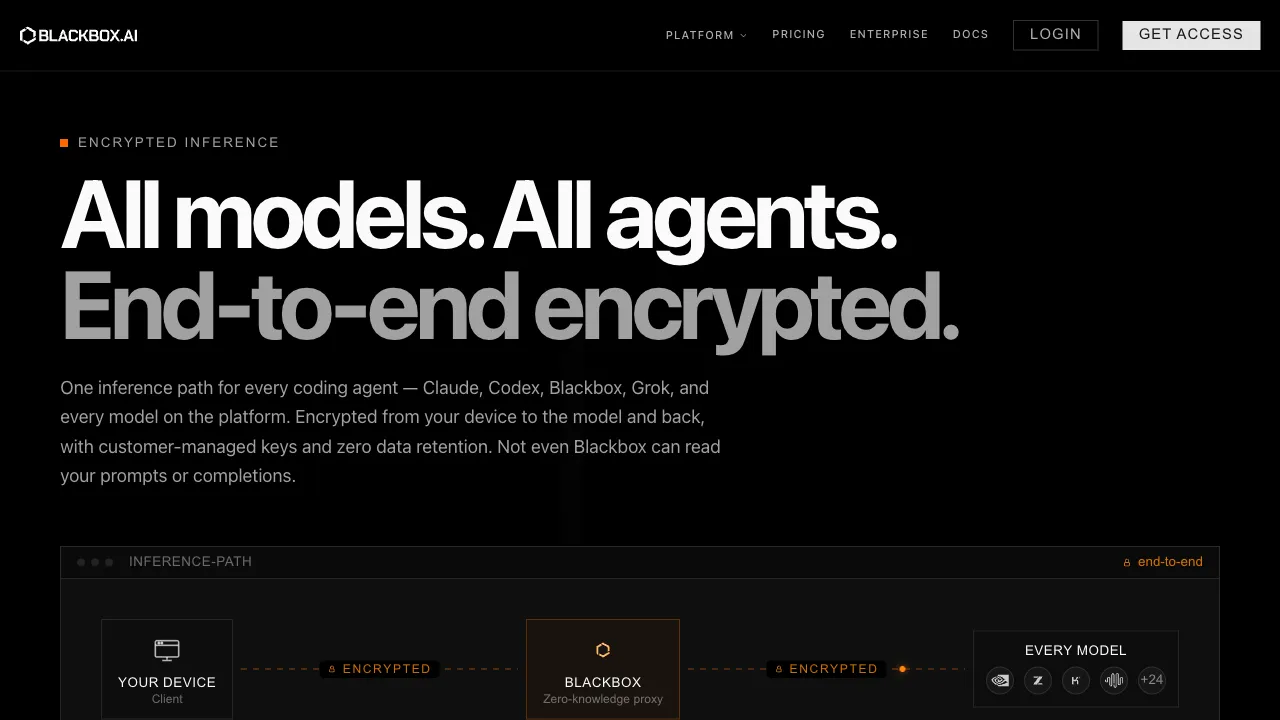
Both the entry and the positioning changed (checked 2026-09-06): the old useblackbox.io address returns 404 and the current domain is blackbox.ai. The product has also moved from "AI coding assistant" to an inference platform — its own wording is "the high-trust platform for frontier inference," offering access to 300+ open and closed models through a single endpoint with end-to-end encrypted inference, zero data retention, and dedicated enterprise deployments. The coding-assistant material below is historical context only.
What is BLACKBOX AI?
BLACKBOX AI is an AI programming assistant that offers browser extensions, VS Code plugins, and a web interface. Its design centers on helping developers quickly locate code (extracted from sources like videos, images, or PDFs) and rapidly generate code anywhere.
It targets developers of all skill levels, particularly those who frequently need to copy code from tutorial videos or search for specific code snippets quickly.
Core Features
Video-to-Code Extraction
This is BLACKBOX AI's most unique feature and its original selling point.
When you are watching a YouTube programming tutorial that contains code you want to save, the old way was to pause the video, manually type it out, or screenshot it before copying by hand. BLACKBOX AI can extract code from screenshots or directly from videos—you take a screenshot or record your screen, and it identifies the code within, converting it into text ready for immediate copy-pasting.
This saves significant time in real-world usage, especially when dealing with high-density code that moves quickly through video tutorials.
Image/PDF Code Extraction
Similarly, BLACKBOX AI can recognize and extract code from screenshots, scanned documents, or PDFs as editable text. This allows you to read technical books or view code examples in documentation without having to manually transcribe them.
Code Generation and Completion
BLACKBOX AI provides standard AI code generation capabilities:
- Code Completion: Real-time code completion within VS Code
- Code Generation: Generate corresponding code based on a description of the desired functionality
- Code Explanation: Select a block of code to have the AI explain what it does
- Debug Assistance: Provide error messages, and let it analyze the problem to offer repair suggestions
These features are standard in similar tools; BLACKBOX AI's implementation quality is average in this regard and not particularly standout.
Code Search
BLACKBOX AI integrates a code search function that can scan open-source projects on GitHub to find implementation examples for specific functionalities. For scenarios where "I know what I want to do but don't know how to write it," searching real open-source implementations serves as a practical reference.
Chat-Based Interaction
It also provides a basic AI chat interface where you can ask programming-related questions, offering an experience similar to ChatGPT but focused specifically on code scenarios.
Browser Extension
The Chrome extension allows you to quickly access AI coding features on any webpage—see a snippet of code on Stack Overflow that you want to learn more about? Simply select the text and invoke BLACKBOX AI directly in your browser without switching tabs.
Comparison with Other Tools
vs GitHub Copilot: Copilot is more mature regarding code completion quality, offering superior commercial support and enterprise integration. BLACKBOX AI's video/image-to-code extraction is a feature Copilot lacks, and its pricing is lower (including a free tier).
vs Cursor: Cursor is a full-featured AI IDE with depth far exceeding BLACKBOX AI, but it requires switching editors. Since BLACKBOX AI operates as an extension/plugin, this is an advantage if you do not want to change your current IDE.
vs Tabnine: Tabnine also provides code completion via VS Code plugins and offers a local mode where code does not leave the machine—a significant plus for users concerned about privacy. BLACKBOX AI lacks a local mode.
vs Codeium: Codeium is BLACKBOX AI's direct competitor, offering free AI code completion as well. Backed by Windsurf (the AI IDE from the company behind Codeium), it has a more complete product ecosystem; however, BLACKBOX AI's video-to-code extraction serves as its differentiating feature.
Who Should Use It?
- Learners who frequently watch programming tutorials: If your primary learning method involves YouTube tutorials, the video code extraction function offers genuine efficiency gains in this specific scenario—a clear advantage for BLACKBOX AI.
- Developers handling technical documentation PDFs regularly: Those needing to extract code examples from PDFs or screenshots will find it a convenient tool.
- Developers seeking free AI code completion: With a fairly usable free tier, it is an option for developers who do not wish to pay but still want basic AI coding assistance.
- Users with light AI programming needs: If you don't require complex multi-file editing or agent task execution and only occasionally need code generation and explanation, BLACKBOX AI is sufficient.
Pricing
- Free Tier: Includes basic code completion, code generation, and chat features, subject to usage limits
- Paid Plans (approx. $5–15/month): Offers higher usage quotas and more advanced features
Pricing sits on the lower end compared to similar tools; for light users, the free tier's functionality is generally sufficient.
Limitations
Core capabilities are not standout: The quality of code completion and generation falls short compared to GitHub Copilot or Cursor. In an increasingly competitive market, this gap is quite noticeable.
Product maturity is average: Compared with Copilot or Cursor, the product's polish shows a clear deficit; it can sometimes exhibit instability.
Video-to-code extraction has limitations: This core feature requires high video quality and clear code visibility. Videos that are low-resolution or where code moves too quickly yield poor results.
Chinese support is average: The tool interface and AI responses primarily use English, with limited optimization for Chinese programming scenarios.
Not suitable for complex development workflows: Lacking Agent functionality, multi-file understanding, and project-level codebase analysis, it struggles to handle complex development tasks effectively.
Practical Recommendations
Treat it as a supplementary tool rather than your primary one: If you already use Cursor or GitHub Copilot, BLACKBOX AI's video-to-code extraction feature is worth installing as an add-on—not a replacement.
Video-to-code extraction represents its real value proposition: Do not purchase expecting to surpass Copilot in code completion; the true differentiator lies in extracting code from videos/images. When evaluating suitability, focus primarily on this capability.
Start with the free version first: The free tier is sufficient to determine whether the tool fits your workflow before deciding to pay for upgrades.
BLACKBOX AI is an AI coding assistant designed for specific use cases; video-to-code extraction serves as its differentiated stronghold in a crowded market. If addressing that particular scenario aligns with your genuine pain points, it warrants serious consideration. However, if you prioritize overall code completion quality and the experience of a robust AI editor, stronger alternatives are available on the market.