

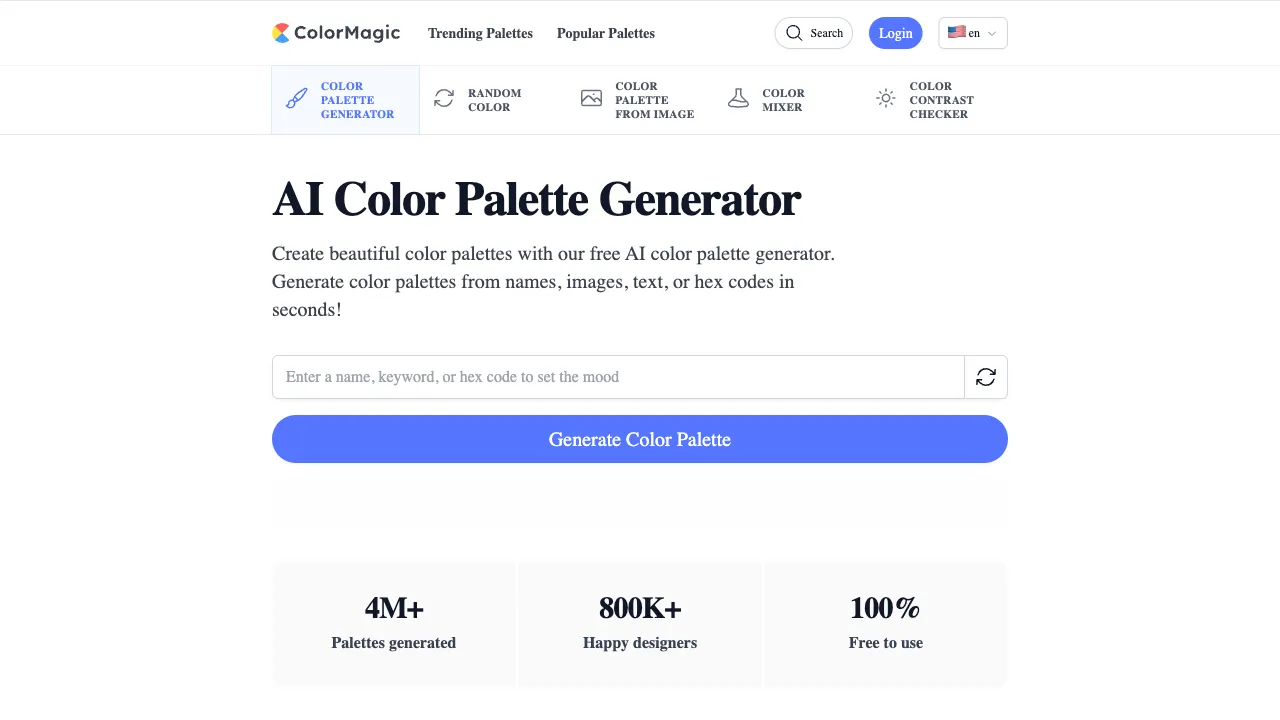
The most classic case of talking past each other in design communication happens with color: a client says, "I want that premium, warm but not cloying feel," while the designer needs a hex code like #E8D5C4. Humans talk about color in feelings; machines talk about it in numbers. The translation between these two languages has historically relied on designers’ experience and countless rounds of "adjust it one more time." This layer of translation is precisely where large language models excel: mapping semantics to concrete visuals. ColorMagic is a small tool that productizes this translation—you describe the feeling, it gives you the color values.
This tool from a Japanese developer has spread by word of mouth in design communities for its minimalist experience: nothreshold of color theory, no complex color wheel operations, just one input box to solve the age-old problem of "I have a feeling but can’t name the color."
What is ColorMagic?
ColorMagic (colormagic.app) is an AI-powered palette generation tool. Input any keyword or description—style, scene, mood, brand temperament—and the AI generates a harmonious palette (usually 5 colors), complete with HEX values that you can copy with one click for direct use in Figma, CSS, or PowerPoint. No registration required; generation takes seconds, making it a typical "use-and-go" efficiency tool.
Core Features
Keyword-Based Palette Generation
This is the main feature; the imaginative space of your keywords defines its capabilities:
- Style words: Minimalist, retro, cyberpunk, Y2K
- Scene words: Summer beach, late autumn forest, rainy Tokyo street
- Mood words: Calm, intense, mysterious, healing
- Cultural words: Japanese style, Mediterranean, Nordic, Dunhuang
- Brand temperament: Tech startup, organic food, affordable luxury beauty
The generated palettes are not random combinations but sets with semantic logic—the hierarchy of primary, secondary, and accent colors is coherent. The high readiness for immediate use is the foundation of its reputation. It supports multilingual input (being developed by a Japanese creator, it has friendly semantic understanding for Asian languages).
Palette Management and Derivatives
Generated results can be saved (after registration) and you can view recommended similar schemes—exploring ten variants along one direction allows for efficient inspiration exploration, far surpassing manual fine-tuning on a color wheel. The community’s public palette library serves as a ready-made shelf of inspiration, browsable by style.
Instant Export
One-click copy of HEX/RGB values connects to all downstream tools—the value loop of a color tool lies in the shortest path "from feeling to paste-ready values." ColorMagic compresses this path into two clicks.
Comparison with Similar Tools
vs Coolors: Coolors is the popularity king among color tools, with smooth interactions for random generation and locked-color iteration, offering full features (contrast checking, gradients, image color picking). However, its starting point is "random," whereas ColorMagic’s starting point is "semantic." For those who already have a feeling in mind, going straight via keywords is much faster than drawing lots. The two are actually complementary in workflow: ColorMagic sets the direction, Coolors refines it.
vs Adobe Color: A professional color wheel and color theory tool with Creative Cloud ecosystem integration; its learning curve and ColorMagic’s zero-threshold approach belong to different worlds. Professional designers’ refinement station versus the public’s inspiration pump—each serves its own purpose.
vs Khroma: Both are AI color tools but take opposite routes—Khroma asks you to select 50 favorite colors first to train a personal preference model, producing recommendations that "understand you"; ColorMagic is ready-to-use with no training needed. Choose Khroma for deep personalization, ColorMagic for impromptu needs.
vs Huemint: Huemint’s killer feature is scene preview (applying color schemes directly to mockups of logos/websites/illustrations to see the effect), which is more persuasive for brand color decisions; ColorMagic wins on being lighter and faster.
vs Asking ChatGPT for Colors: Large models can also provide color values, but they lack visual previews, management, and community—ColorMagic is essentially the productization of this use case. The experience gap for frequent users is obvious.
Who Should Use ColorMagic?
Front-end Developers: A classic group where color is a rigid need but color theory is a blind spot—input a keyword, get a set of harmonious values directly into CSS variables, and say goodbye to "programmer blue paired with gray."
Designers in the Inspiration Phase: Using keywords to batch-explore directions at the start of a project is an order of magnitude more efficient than manual color wheel tuning; return to professional tools for refinement before finalizing.
Content Creators: Unified color schemes for PPTs, social media images, and posters—generate using theme words for immediate use, the lowest-cost solution for visual consistency.
Entrepreneurs in the Early Stages of Branding: Generate multiple schemes using different temperament keywords as targets for team discussion; aligning on brand color direction now has a visual language.
Usage Tips
Scene words are better than adjectives: "White walls and blue sea at noon in the Mediterranean" far outperforms "fresh blue tones." The more specific the visual information you give the AI, the higher the semantic density of the palette; this prompt engineering principle works equally well for color.
Generate a few rounds for the same keyword; the AI’s randomness here is a benefit—there will always be one version that catches your eye. After selecting, fine-tune brightness and saturation to fit specific scenarios. The AI provides the starting point; your intuition sets the endpoint.
Contrast Self-Check Is Essential: For color schemes used in web text,must (must) use tools like WebAIM to check accessibility contrast—ColorMagic does not include this check internally, but it is a hard standard before launch.
Pricing
Core features are free and require no registration; saving and management functions require registration, and advanced features depend on the current policy on the official website. As a bookmark-style tool, its usage cost is approximately zero.
ColorMagic is an excellent example of "tool philosophy": it doesn’t solve all design problems, but it makes the step "from feeling to color value" accessible in three seconds. Bookmark it; next time you face a blank canvas struggling with colors, type the image in your mind into one line of text—most often, the answer will appear faster than you expect.