

Read this first: individual free access ended June 18, 2026
At Google I/O on May 19, 2026, Google announced the transition from Gemini CLI to Antigravity CLI. Per the official announcement, since June 18, 2026 Gemini CLI and the Gemini Code Assist IDE extensions no longer serve requests for Google AI Pro, AI Ultra, or anyone using Gemini Code Assist for individuals free of charge. Two groups keep access: organizations with a Gemini Code Assist Standard or Enterprise license, and paid Gemini / Gemini Enterprise Agent Platform API keys.
The replacement is Antigravity CLI: a Go rewrite invoked as agy, sharing an agent harness with the Antigravity desktop app. Agent Skills, Hooks, and Subagents carry over, and Extensions are now called Antigravity plugins — but it is not open source and it requires a Google AI Pro subscription.
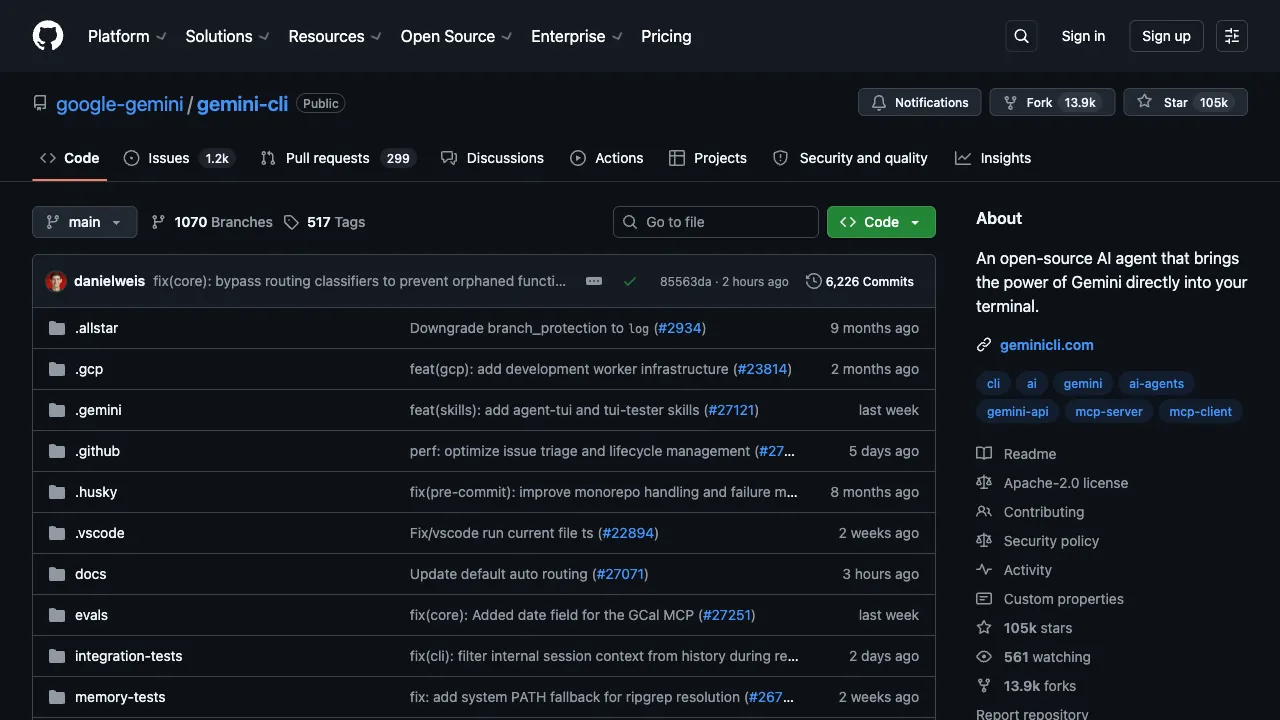
The gemini-cli repository on GitHub still publishes releases, which makes the project look unchanged. Repository activity is not entitlement: consumer plans are no longer served. The capability and workflow notes below still apply if you have a qualifying license; anything about a free allowance is superseded by this section.
In 2025, the competition for AI coding agents in the command-line space intensified: Anthropic launched Claude Code, OpenAI introduced Codex CLI, and GitHub released Copilot for CLI. Google entered this fray with Gemini CLI, an open-source command-line AI agent that brings Gemini’s powerful context-handling capabilities to terminal-based development workflows. As an open-source project, anyone can view the code on GitHub, use it freely, and modify it as needed.
What is Gemini CLI?
Gemini CLI is an open-source command-line tool released by Google DeepMind in 2025 that allows developers to interact directly with Gemini models within their terminal to perform tasks such as code analysis, file processing, and shell command execution. It functions as a true agent: rather than simply chatting, it can read and write files, run commands, and execute multi-step tasks within your local environment.
Gemini CLI and Claude Code both target terminal workflows. Developers who want AI in their command-line projects can compare them on the same task.
Core Features
Long Context Window: Gemini’s Real Advantage
The most significant technical highlight of Gemini CLI is the ultra-long context window provided by its underlying Gemini model, which supports up to 1 million tokens. To put that number into perspective: 1 million tokens can accommodate hundreds of thousands of lines of code or the entire file content of a medium-sized project.
This means that when handling large codebases, Gemini CLI doesn’t need to repeatedly switch contexts; it can maintain an understanding of the entire project within a single conversation. For complex tasks like code review, architectural analysis, and cross-file refactoring, this long-context capability offers a genuine competitive advantage.
File System Access
Gemini CLI can directly read your local files and directories. You can ask it to analyze all files in a directory, understand the structure of the entire codebase, and then answer questions or execute tasks based on that understanding.
For example, “Read all files in src/services/ and tell me the dependencies between these services.” Gemini CLI can execute such tasks, returning analysis based on actual code rather than vague inference.
Shell Command Execution
Gemini CLI can execute shell commands within your terminal environment. It can run your build tools, test suites, and Git commands, observe the output, and then decide on the next steps based on those results.
This “execute–observe–adjust” loop is core to the agent paradigm, enabling Gemini CLI to handle tasks that require multi-step operations rather than just providing code snippets for you to run manually.
Open Source: Self-Hostable and Customizable
Gemini CLI is fully open source and hosted on GitHub. For developers or teams with customization needs, you can fork the project, modify the code, and adapt it to your workflow. For enterprises concerned about data security, being open source means you can audit the code to understand how data is processed.
Enterprise users with Google Cloud accounts can also connect via Vertex AI, keeping data processing entirely within their own cloud environment and avoiding public APIs.
The Free Tier Is Gone
Signing in with a personal Google account used to grant a thousand-plus requests a day, and that was the clearest advantage Gemini CLI had over Claude Code and OpenAI Codex. That route closed on June 18, 2026: the individual free tier, AI Pro, and AI Ultra are no longer served, leaving enterprise Code Assist licenses and paid API keys. If your goal is to try agentic coding in the terminal at zero cost, look elsewhere.
Typical Use Cases
Codebase Analysis and Understanding: When taking over a new project, have Gemini CLI analyze the code structure, explain the roles and relationships of major modules, and quickly build an understanding of the project.
Code Review Assistance: Before submitting a PR, ask Gemini CLI to review code changes, pointing out potential bugs, security issues, and areas for improvement.
Debugging Support: When facing a hard-to-locate bug, provide relevant error messages, stack traces, and related code to Gemini CLI for analysis of possible causes.
Refactoring Guidance: For code that needs refactoring, ask Gemini CLI to suggest improvements or execute the refactoring directly.
Scripting and Automation: Need a script to process files or automate a workflow? Have Gemini CLI write it and test-run it directly.
Comparison with Other Command-Line AI Tools
vs. Claude Code (Anthropic): Both are command-line AI agents with similar positioning. Claude Code requires a Claude subscription or the Anthropic API. Gemini CLI used to win on its free allowance; with the individual tier discontinued in June 2026 that difference is gone, leaving long context and auditable open source as the remaining distinctions.
vs. OpenAI Codex CLI: OpenAI also has a command-line version of Codex integrated into the OpenAI API ecosystem. Gemini CLI’s remaining differentiator is being open source and auditable.
vs. Antigravity CLI: Google’s own successor — a Go rewrite invoked as agy, billed through Google AI subscriptions. It is the official migration target, though it is not open source. If you want to stay in the Google ecosystem for terminal agents, this is the practical choice.
vs. Aider: Aider is a mature open-source command-line AI coding tool that supports multiple AI model backends (including Gemini). While Gemini CLI is an official Google product, Aider has a more mature feature set with richer Git integration and multi-file editing support.
vs. GitHub Copilot CLI: Copilot CLI focuses on helping write and explain shell commands in the terminal, with a narrower scope. Gemini CLI is a more general-purpose programming agent.
Who Is It For?
Command-Line Developers: Those who work primarily in the terminal and don’t want to switch to IDE plugins or browser interfaces to use AI. Gemini CLI provides a complete AI agent experience within the terminal.
Teams with a Code Assist Standard or Enterprise License: These accounts were not cut off on June 18, 2026 and can keep Gemini CLI in existing workflows.
Developers Using the Google Tech Stack: Developers using Google Cloud, Firebase, Flutter, and other Google technologies will find integration with Gemini CLI more natural.
Developers Working on Large Codebases: If your project has a large volume of code, Gemini CLI’s long-context capability is a genuine advantage, allowing you to analyze the entire project without switching contexts.
Open-Source Tool Advocates: For developers wary of using closed-source AI tools and who want to audit the tool’s code, open source is a significant plus.
Limitations
Relatively New: Released in 2025, Gemini CLI is newer than tools like GitHub Copilot or Cursor that have iterated for several years. Its ecosystem is not yet mature, with community resources, plugins, and workflow integrations still under development.
Network Dependency: As a tool that requires calling the Gemini API, its user experience may be affected in environments with unstable network connections.
No Free Path for Individuals: Since June 18, 2026 the individual free tier and AI Pro/Ultra are no longer served. Using it now requires an enterprise Code Assist license or a paid API key, a much higher bar for solo developers.
Official Focus Has Moved: Google has concentrated its effort on Antigravity CLI, so Gemini CLI is no longer the terminal agent it promotes, and long-term feature development will be limited.
Learning Curve for Command-Line Workflows: For developers unfamiliar with the terminal, the learning cost for command-line tools is higher than for IDE plugins, making this type of tool less suitable for non-technical users.
Installation and Usage
Install via npm: npm install -g @google/gemini-cli
Once installed, launch it with the gemini command, authorize using your Google account, and you’re ready to go. Initial configuration takes only a few minutes.
Since this is an open-source project, refer to the GitHub repository for the latest installation instructions.
Practical Advice
Familiarize yourself with the basic commands: gemini enters interactive mode, gemini -p "your task" executes a single command, @filename references a file, and !command runs a shell command. Mastering these few basics allows you to handle most daily tasks.
Leverage the long context window: Don’t worry about including too many files. Gemini CLI’s long context is an advantage; providing more context usually yields more accurate results than worrying about having “too much.”
Integrate with your Git workflow: It works best when used at the root of a Git repository. Gemini CLI can understand Git status, read code changes, and integrates naturally with PR workflows.
Gemini CLI was once the easiest zero-cost way into terminal agents, and its long context and open-source code still hold up. But that entrance closed for individuals on June 18, 2026. Today it is better understood as an existing tool in the hands of enterprise Code Assist users; new users are better served starting from Antigravity CLI or Claude Code.
Pricing
The tool itself is open source and free, but account access narrowed after June 18, 2026:
- Individual free tier, Google AI Pro, AI Ultra: no longer served — the official announcement names all three
- Organizations with a Gemini Code Assist Standard or Enterprise license: unaffected, still working
- Paid Gemini / Gemini Enterprise Agent Platform API keys: still working, billed by API usage
For reference, before the cutoff a personal Google account got 1,000 model requests/day at 60/minute, and an unpaid API key got 250/day limited to Flash models. Those figures are historical now.
To keep using a terminal agent in the Google ecosystem, Google points to Antigravity CLI, which bills through Google AI subscriptions; the old 1,000-requests-a-day free allowance is not part of it. Quota and billing policy are set by Google; check the official docs.