

There’s a widely held truth in the developer community: fixing a bug takes one line of code, but finding that line takes two hours—and a significant chunk of those two hours is wasted on an absurd task: clearly describing the problem. When QA reports “the page is broken,” developers mustfollow-up question browser versions, reproduction steps, and console errors. To ask ChatGPT for help, you first have to manually copy error logs, take screenshots, grab network requests, and piece together a problem description—the cost of moving context often exceeds the cost of analysis itself.
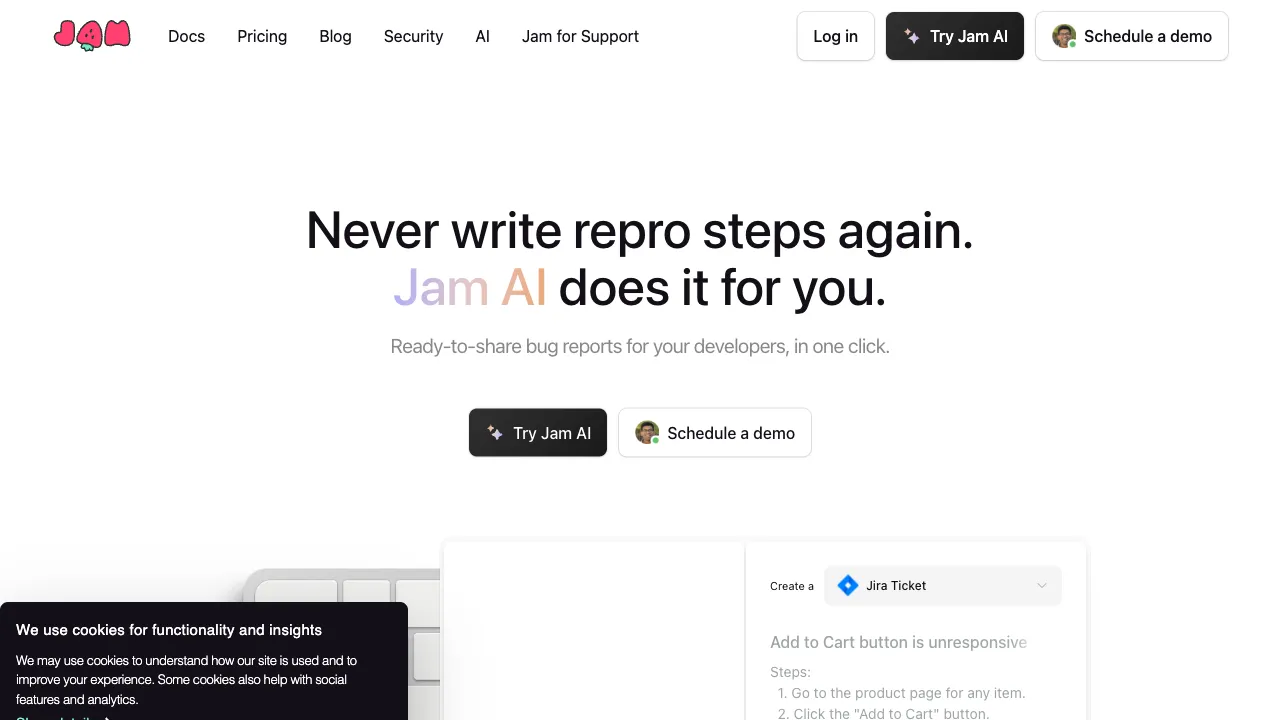
Jam (jam.dev) solves the first half of this problem: “describing it clearly.” It records bugs with one click, automatically packaging screenshots, console logs, network requests, environment info, and operation steps—aword of mouth tool in the QA world with the slogan “a perfect bug report takes just one click.” JamGPT is the logical next step: the context is already ready; feed it directly to AI for analysis—completing both the “description” and “diagnosis” of a bug on the same pipeline.
What Is JamGPT?
JamGPT is an AI Debug assistant built into the Jam platform: based on the complete bug context automatically captured by Jam (errors, logs, requests, reproduction recordings), it explains the meaning of errors, infers possible causes, and provides fix suggestions (often including code snippets). The essential difference between this and “manually asking ChatGPT” is one thing: zero context transfer—AI sees the complete scene collected by machines, not a secondhand description relayed by humans. This changes the foundation of analysis quality.
Key Features
Automatic Error Analysis
When creating a bug report, JamGPT automatically reads captured console errors, warnings, and failed network requests, translating them into plain language: what this error means and what likely caused it. For developers who groan at seeing undefined is not a function, this layer of “error translation” directly eliminates the first round of searching Stack Overflow.
AI Fix Suggestions
Beyond explanation, it provides solutions: exactly how to change things, sometimes with code attached. The hit rate for suggestions on high-frequency frontend errors (type errors, CORS, API 4xx/5xx, state management pitfalls) is considerable—it acts as an efficient “triage desk” for common ailments, and for complex issues, it provides troubleshooting directions, at least giving a roadmap to those two hours of groping.
Context-Integrated Workflow
This is the product’s soulful design: screenshots, recordings, logs, and AI analysis of a bug are all encapsulated in a single shareable report link—QA finds an issue with one click, developers open the link, and problem description, technical scene, and AI initial diagnosis are all present. The back-and-forthtug-of-war like “what’s your environment?” or “how do you reproduce this?” is structurally eliminated. The compression of bug communication costs may be more valuable than the AI analysis itself.
Team Collaboration Layer
Reports can be commented on, assigned, and integrated into ticketing systems like Jira/Linear—Jam is inherently a team tool, so AI analysis flows as a standard accessory to reports. The person fixing the bug receives a “medical record with initial diagnosis,” not just a “one-sentence symptom.”
Comparison with Similar Solutions
vs. Manually Asking ChatGPT/Claude: Large models may have stronger analytical capabilities, but you have to act as the “context porter” yourself—manually organizing logs, requests, and environment info is both tedious and inevitably incomplete. JamGPT’s card is the completeness of automatic collection; occasional complex problems still warrant taking materials to large models for deep discussion, while high-frequency daily bugs go through the Jam pipeline.
vs. GitHub Copilot/Cursor: IDE-based AI handles “writing code” issues; JamGPT handles “post-runtime” issues—the division of labor between static and runtime means they are a relay in the workflow, not competitors.
vs. Sentry: The benchmark for production error monitoring (automatically capturing online exceptions + AI-assisted analysis), aimed at “errors users have already encountered”; Jam/JamGPT’s home field is the “proactive bug reporting” scenario during development and testing—one is an emergency room, the other a health checkup; mature teams use both.
vs. Traditional QA Process of Screenshots + Verbal Description: No comparison, no harm—this is the entire reason Jam exists as a category.
Who Should Use JamGPT?
Frontend Developers: The error scene on the browser side (console, network, DOM) is exactly where Jam excels at collection; daily frontend bug handling efficiency benefits directly—the core audience.
QA and Testing Teams: One-click production of “reports developers can fix immediately” significantly reduces friction tax between testing and development; Jam’s originalword of mouth comes from this group.
Junior to Mid-Level Developers: In the stage where they lack “veteran intuition” for unfamiliar errors, AI error explanation is instant mentoring—each explained error is a micro-learning opportunity.
Remote and Cross-Timezone Teams: In asynchronous collaboration, “can’t reproduce what you said” is an efficiency black hole; report links with complete scenes are a specific remedy.
Limitations
Analytical capability is limited by collection boundaries: it can analyze anything the browser side can capture, but deep server-side logic, databases, and multi-service coordination issues are beyond its view—backend difficulties still rely on log platforms and human brains.
AI suggestions have high hit rates for common errors but tend to be generic for highly customized business logic; review before adoption. For code and logs uploaded to the cloud, enterprises should confirm policies as usual before use.
Pricing
Jam offers a free version (including basic JamGPT analysis quota); paid team versions unlock more usage and collaboration management features; refer to the official website for specifics. Given the hours of “bug communication back-and-forth” it eliminates, the math for the team version is easy to calculate.
JamGPT’s cleverness lies in seeing one thing clearly: the bottleneck of AI Debug has never been that models aren’t smart enough, but that the scene fed to the model isn’t complete enough. Push collection to the extreme, and AI’s value naturally materializes. If your team is still reporting bugs with “screenshots + DingTalk voice descriptions”—next time you encounter an error, record one with Jam and check out that report link with built-in AI initial diagnosis: the ten rounds of “Are you there? How do you reproduce this?” conversations saved are its entire value.