

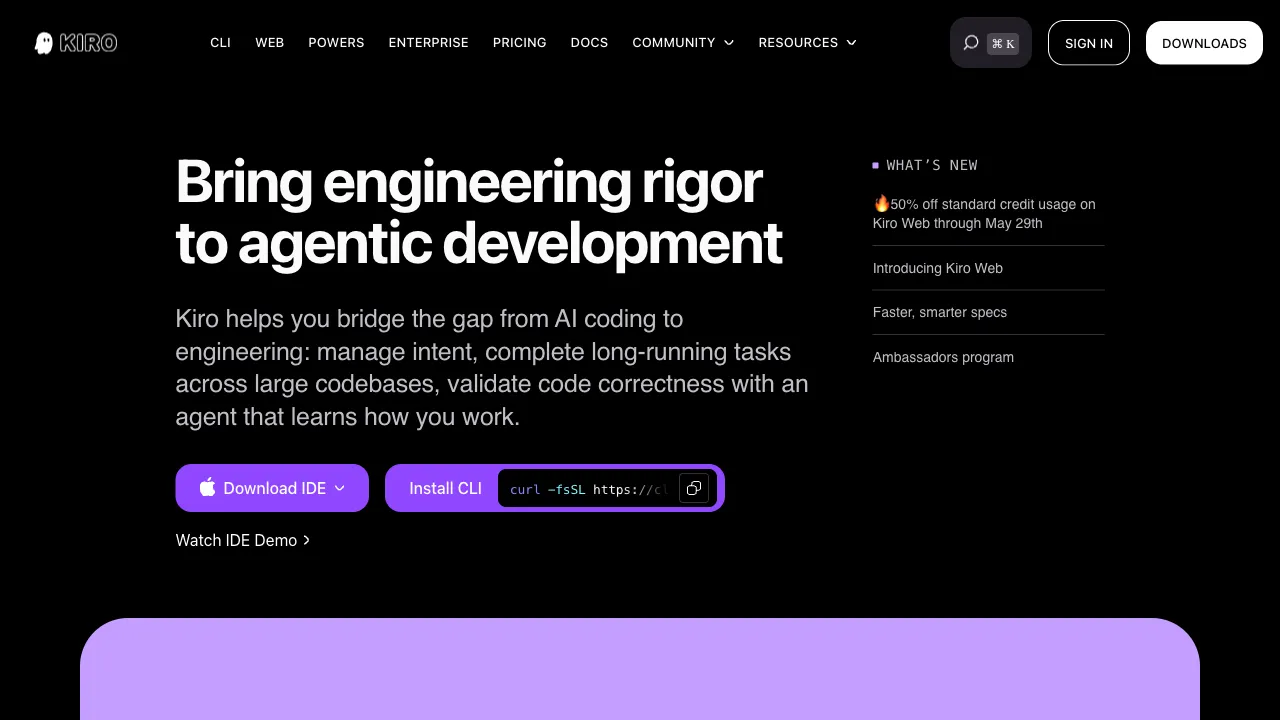
Most AI coding tools address the question of "how to write code"—code completion, function generation, bug fixing. But in software development, there is an earlier stage that is often overlooked: going from a vague idea to clear requirements, to specific technical specifications, and only then to writing code. Kiro is an AI IDE launched by Amazon Web Services in 2025 that focuses on this earlier stage—helping developers formalize ideas into executable specifications, which then drive code implementation.
What is Kiro?
Kiro is an AI-native IDE (Integrated Development Environment) launched by AWS, built on the VS Code architecture and released in preview in 2025. Its core philosophy is "spec-driven development": you describe the functionality you want, Kiro first generates requirement documents and technical specifications for your review, and only after your confirmation does it generate code based on those specs.
This differs from tools that directly ask AI to write code. Kiro’s workflow aligns more closely with the specification processes in professional software engineering: Requirements → Specifications → Implementation, rather than skipping the first two steps to jump straight into coding.
Core Features
From Prompt to Specification Documents
You tell Kiro what functionality you want using natural language (it can be rough, such as "add a shopping cart feature to this e-commerce app"), and Kiro generates several structured documents:
- Requirements: Translates your ideas into formal functional requirements, listing user stories, features, and non-functional requirements.
- Design: Technical architecture design, including data models, API design, and component structure.
- Tasks: Breaks down implementation into individual, executable tasks.
You can review and modify these documents at this stage—adjusting requirements, modifying technical directions, or adding/removing features. Once confirmed, Kiro begins generating code based on these specifications.
The value of this process lies in aligning on "what needs to be done" before writing any code, avoiding the situation where you finish coding only to realize the direction was wrong and need significant rework.
Steering Files
Kiro supports a configuration file type called "Steering," allowing you to set persistent project context and constraints for the AI:
- The tech stack used for the project
- Code style and naming conventions
- Directories that are off-limits for modification
- Architectural principles and design decisions for the project
These Steering files remain in effect throughout all AI interactions in the project, ensuring that the code generated by the AI always conforms to the project’s existing standards, rather than having to repeatedly tell the AI "what framework we’re using" or "what style guide applies."
For long-term projects or team collaboration, Steering files serve as the AI’s "project memory" and "specification constraints," addressing the common pain point of AI tools having "context amnesia."
Agent Hooks (Automated Triggers)
Kiro supports setting up automatic triggers for AI actions when specific events occur, known as Agent Hooks:
- Automatically update related documents when saving a file
- Automatically check for security vulnerabilities when adding new features
- Automatically update unit tests when code changes
- Automatically run linting checks before committing code
This transforms some AI-assisted tasks that would normally require manual triggering into automatic processes, reducing the mental burden of "remembering to ask the AI to check this after finishing the task."
VS Code-Based Architecture
Kiro is built on the VS Code codebase, which means:
- Your familiar VS Code interface and keyboard shortcuts can largely be carried over
- A large number of VS Code extensions are usable within Kiro
- For developers already using VS Code, the migration cost is low
This is a strategy similar to Cursor’s; Cursor is also an AI IDE based on VS Code.
AWS Ecosystem Integration
As an AWS product, Kiro integrates more deeply with AWS services:
- Manage AWS resources directly within the IDE
- Integration with Amazon CodeWhisperer (AWS’s code completion service)
- Smoother AI-assisted deployment and operations workflows for teams using AWS as their cloud platform
For enterprise users deeply embedded in the AWS ecosystem, this integration offers substantial value.
Comparison with Other AI IDEs
vs Cursor: Cursor is currently the most mature AI IDE, with well-developed Tab code completion, Composer multi-file editing, and Codebase indexing, backed by a large user base and community resources. Kiro’s differentiation lies in its spec-driven development workflow and the persistent context design of Steering files. Cursor focuses more on AI assistance at the code level, while Kiro focuses more on the end-to-end process from requirements to code.
vs Windsurf (now Devin Desktop): Cognition renamed this line to Devin Desktop in June 2026, and it overlaps with Kiro in positioning; its Pro tier is now $20/month. Kiro is generally available as of 2026, with 50 credits on the free tier rather than a preview allowance.
vs Claude Code / Gemini CLI: These are command-line tools, not IDEs, and operate differently. Kiro provides a complete graphical IDE experience.
vs GitHub Copilot: Copilot is primarily a code completion tool integrated into VS Code and other IDEs. Kiro is a complete IDE, and spec-driven development is a concept Copilot does not offer.
Who Should Use Kiro?
Teams that value software standards and processes: If your team believes "thinking clearly before writing code" is good practice, Kiro’s spec-driven development workflow effectively supports this practice.
AWS users: Developers and teams already working within the AWS ecosystem will find Kiro’s AWS integration to be an advantage not offered by other tools.
Teams needing long-term project memory for AI: Steering files solve the problem of "having to re-inform the AI about project context every time," which is valuable for projects maintained over the long term.
Migrating from VS Code: Developers already familiar with VS Code will find the migration cost to Kiro lower than to other AI IDEs.
Developers interested in exploring spec-driven development: For those interested in the "Requirements → Specifications → Code" flow but who previously found writing specification documents too cumbersome, Kiro automates the first two steps, significantly lowering the execution cost.
Limitations
Relatively new: Kiro only released its preview version in 2025; feature completeness and stability are still improving, so early users may encounter bugs or incomplete features.
Learning curve for spec-driven workflows: If you are accustomed to "directly asking AI to write code," adapting to Kiro’s spec-driven workflow will require time to adjust your working habits.
Chinese language support remains to be verified: As a US product, the quality of support for Chinese development scenarios needs practical validation.
Limited community resources: Compared to Cursor, which has abundant tutorials, videos, and community discussions, Kiro’s community resources are currently very limited.
Practical Advice
Try the spec-driven workflow first: Kiro’s most unique feature is spec-driven development. Do not skip this process and ask it to write code directly. Experience the complete flow from prompt to specification to code to truly feel its difference from other tools.
Set up Steering files carefully: Take the time to write your project’s tech stack, coding standards, and architectural principles into the Steering file; this investment will pay off continuously throughout the project lifecycle.
Suitable for new features, use caution with legacy code: Kiro’s spec-driven workflow flows smoothly for new feature development, but its effectiveness may vary when modifying complex legacy code.
Kiro represents an interesting direction in the AI IDE space: not just making AI write code faster, but bringing AI into the upstream stages of software development (requirements, specifications). For developers and teams who believe "thinking clearly is necessary to do it right," this direction holds genuine value.
Pricing
Kiro is metered in credits, across five tiers:
- Free $0: 50 credits, open-weight models and Claude Sonnet 4.5
- Pro $20/user/mo: 1,000 credits, premium models
- Pro+ $40/user/mo: 2,000 credits
- Pro Max $100/user/mo: 5,000 credits
- Power $200/user/mo: 10,000 credits
Add-on credits cost $0.04 each. Monthly credits reset each billing cycle and do not roll over; purchased credits stay valid for 12 months. Upgrading to a paid plan via social login or AWS Builder ID carries a $20 signup bonus, and prices exclude tax.
In practice a full spec-driven feature build runs roughly 15–25 credits depending on complexity — which means the free tier covers 2–3 features a month.
Separately, if you are still on Amazon Q Developer IDE plugins or paid subscriptions, the published end-of-support date is April 30, 2027. Eligible startups can apply for Kiro Startup Credits, up to a year of Pro+ at no cost.
Pricing per kiro.dev/pricing.