

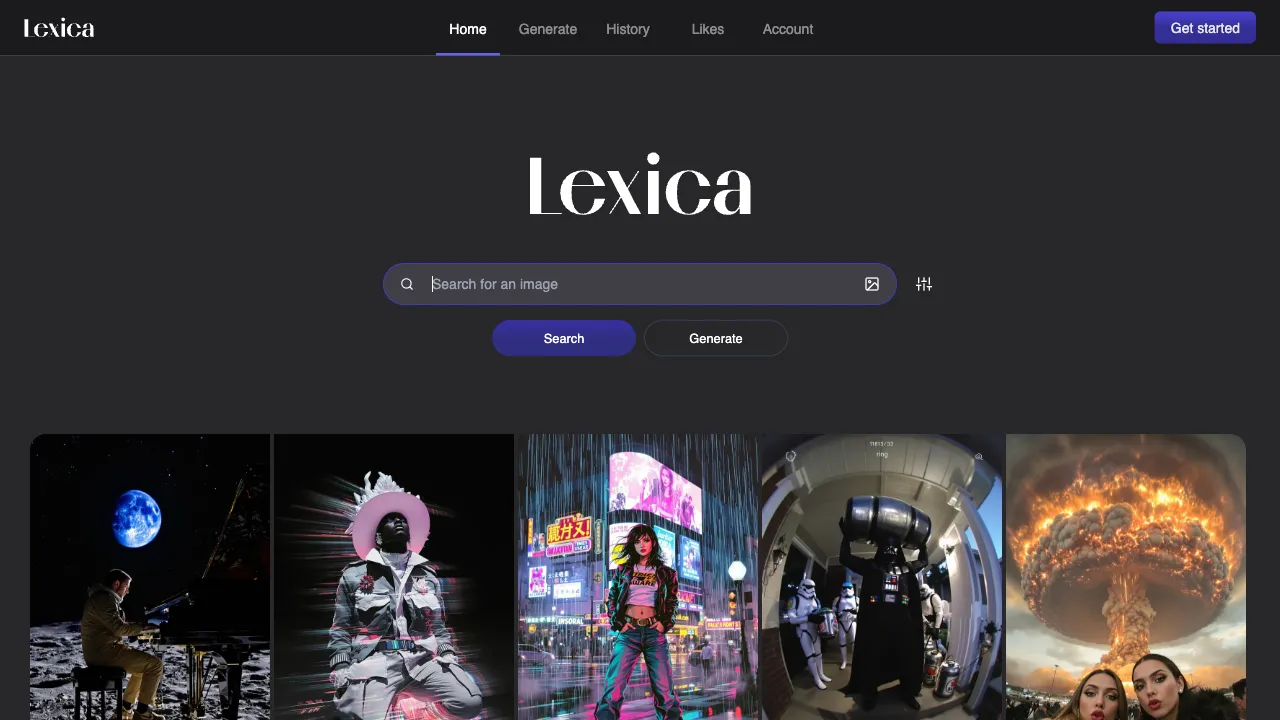
When Stable Diffusion was first open-sourced, everyone was stuck on one question: the model is powerful, but how do you write the "spell"? With the same description, experts produce stunning images while beginners get bizarre results; the gap lies entirely in that string of prompts. Yet prompt-writing techniques were scattered everywhere, with no systematic way to learn them. In 2022, former Stripe engineer Sharif Shameem did something simple yet profoundly impactful: he collected massive amounts of SD-generated images along with their complete prompts and built a searchable engine—so when you see an image you like, you can directly see how it was "spoken." This is Lexica, one of the most important "prompt learning libraries" of the SD era.
What is Lexica?
Lexica (lexica.art) is a dual-function platform: a Stable Diffusion image search engine (hosting tens of millions of SD-generated images and their complete prompt parameters) + an online image generation tool (integrating its self-developed Aperture model). For countless AI art users, its core value isn’t "using others’ prompts," but learning how to write prompts through massive examples—understanding which words work and how to combine them for specific effects. It is the base for "learning spells by looking at images" in SD prompting.
Core Features
Image Search: A Prompt Learning Library
Search keywords to return SD-generated images containing those terms; click any image to reveal its secrets:
- Positive prompts: Full text descriptions
- Negative prompts: Content to avoid
- Parameters such as model, CFG Scale, and dimensions
This turns it into a giant prompt textbook: if you want to learn a certain style, search for keywords → look at images → click on ones you like → deconstruct the prompt patterns. It’s far more effective than reading ten prompt tutorials—tutorials teach abstract rules, while Lexica provides empirical evidence of "how this specific good image was made."
Image-to-Image Search
Upload an image to return SD-generated images with similar style/content and their prompts—solving the classic dilemma of "I like the feel of this image, but I don’t know how to describe it," allowing reverse-engineering of prompts.
Online Generation (Aperture Model)
Lexica’s self-developed Aperture model series allows direct generation within the platform, without installing software. It features user-friendly natural language processing; you don’t need to pile up "prompt jargon," making descriptions more intuitive. There is a daily free quota, with paid options for exceeding it.
Prompt Inspiration Completion
The generation page provides prompt suggestions and variant completions, expanding vague ideas into complete prompts.
Comparison with Similar Tools
vs OpenArt: Highly similar positioning (SD community + generation platform); OpenArt has more comprehensive features (LoRA training, Workflow) and a larger community image library; Lexica’s search experience and interface are simpler, focusing on just "search + generation." Both are worth bookmarking: Lexica leans toward "learning prompts," while OpenArt leans toward "full-process creation."
vs PromptHero: PromptHero includes images from multiple tools like Midjourney, leaning toward "inspiration browsing"; Lexica’s search is stronger, suitable for "precisely finding specific types of prompts" rather than casual browsing.
vs Civitai: Civitai focuses on model downloads (LoRA/Checkpoint), with images and prompts as secondary; Lexica focuses on images and prompts, without model downloads, serving as a pure generation showcase and learning platform.
vs Midjourney: MJ has higher image quality but requires payment + Discord; Lexica is free (with limits) and simple to use, friendly for beginners and those cautious about spending.
vs Local SD: Local SD offers unlimited free generation + high customizability but requires a GPU and technical skill; Lexica is a zero-threshold cloud entry point, the choice for those without high-end graphics cards.
Who Should Use Lexica?
SD Prompt Learners: If you want to learn how to write SD prompts, Lexica’s search is one of the best learning resources—search for your desired style, see how others describe it. This is the core audience and Lexica’s most irreplaceable value.
AI Art Beginners: Those wanting to experience AI image generation without paying for MJ; the free quota is sufficient for getting started.
Designers Seeking Inspiration: Quickly browse massive SD images via keyword search to pinpoint creative directions.
Reference Material Searchers: Looking for specific style image references (note that copyright status for AI-generated images is complex).
Pricing
Free tier: up to 48 images a week (about six or seven a day), and public generation only — images go into the public feed.
Paid tiers (annual rates per month; annual saves about 20%):
| Plan | Annual | Monthly | Notes |
|---|---|---|---|
| Starter | $8/mo | $10/mo | 2 concurrent fast generations, solo commercial licence, images public by default |
| Pro | $24/mo | $30/mo | 3 concurrent jobs, full commercial licence |
| Max | $48/mo | $60/mo | 7,000 fast generations, unlimited slow generations, private images |
Max is the only genuinely uncapped tier (slow generation is unlimited) and the only one offering private images. Credit top-ups cover overflow beyond the monthly allowance.
One discrepancy worth noting: third-party sources disagree on Starter's fast-generation allowance — 1,000 in some, 3,000 in others. Check your account page at lexica.art before subscribing.
The prompt library is free to browse and search without a subscription, and it remains the site's main draw.
Limitations
The Aperture model has quality limits, lagging behind the latest MJ versions; it’s suitable for daily use and learning, not professional commercial images; custom generation is limited (only using its own models, cannot load arbitrary LoRA/Checkpoints), so style diversity lags behind local SD; primarily English, with limited Chinese interface and Chinese prompt search capabilities.
Lexica is a high-value stop on the AI art learning path: search-to-learn and instant generation, two things in one platform, and it’s free to use. Its true contribution was turning "learning spells by looking at images" into something accessible to everyone during the era when SD prompts were still "esoteric jargon." For anyone serious about understanding SD prompt writing, this website is worth frequent visits.