

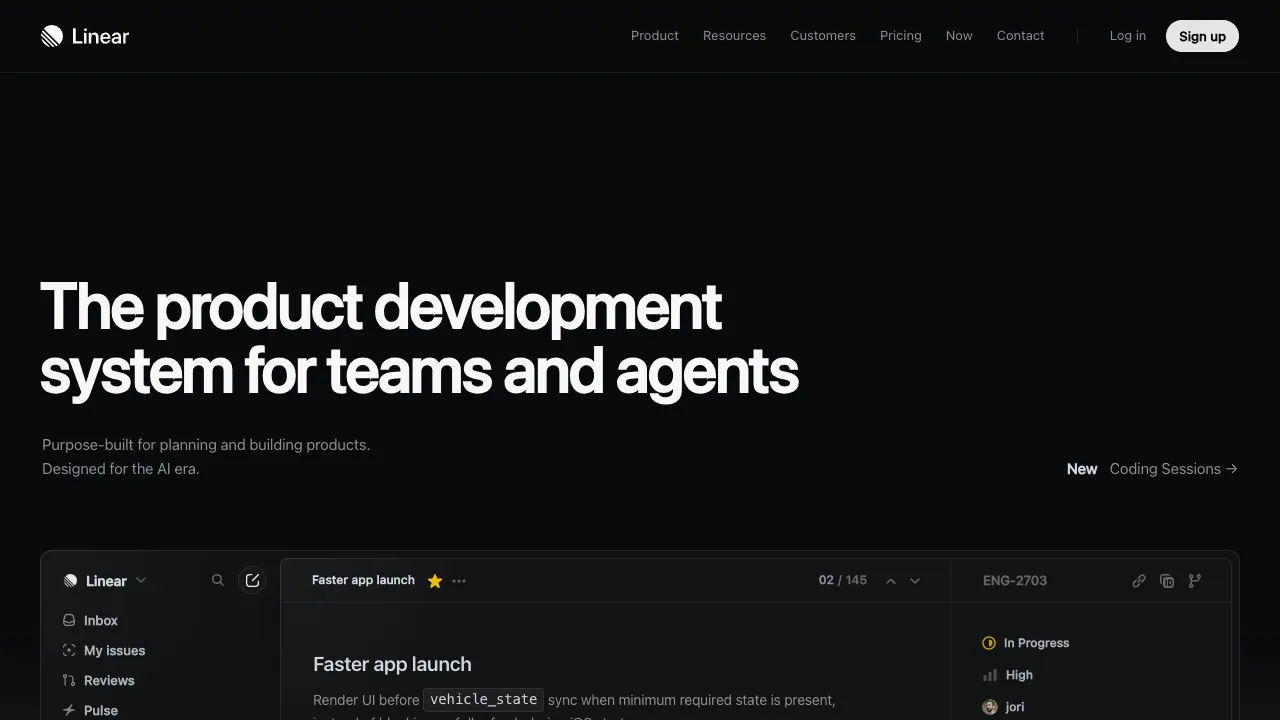
Linear is a project and issue management tool that has earned an excellent reputation among tech teams in recent years. Its core promise is speed: the interface is minimalist, keyboard navigation is fluid, and response times are nearly instantaneous. It handles tasks like logging bugs, assigning tasks, and tracking overall progress with clean efficiency, making it a modern alternative to Jira for many software teams.
What Is Linear?
Linear is a development management platform designed for software product teams, organizing work around the core concept of an "Issue":
- Issue Tracking: Create, assign, prioritize, and tag issues to log bugs and tasks.
- Cycles: Similar to Sprints in Agile, these organize work and track completion by iteration cycle.
- Roadmap & Projects: Break down large goals into projects and milestones to manage long-term planning.
- Team Collaboration: Deeply integrates with GitHub/GitLab, Slack, Figma, and other tools, automatically linking code commits and PR statuses to issues.
- AI Capabilities: Offers intelligent issue triage, automatic categorization, and new features like AI agents that can participate in workflows.
Key Features
- Extreme Speed and Responsiveness: A local-first architecture ensures instant response times, with keyboard shortcuts covering the entire workflow.
- Restrained Design: Features are streamlined and defaults are sensible, avoiding the cumbersome configuration required by heavy-duty tools.
- Developer-Friendly: Integrations with code repositories, CI pipelines, and design tools streamline the development lifecycle.
- Standardization: Built-in mechanisms for priority, cycles, and status help teams establish a consistent collaboration rhythm.
Getting Started: Setting Up in the First Week
- Create teams and workflow states: set up teams around how work is actually split (frontend, backend, design, for example), and stick with the default states at first rather than adding a pile of custom ones.
- Connect GitHub and Slack: include the issue ID in branch names or PRs, and issues move automatically when PRs merge, saving manual updates.
- Turn on Cycles for iterations: pick a fixed length (one to two weeks is common), pull issues from the backlog at the start of each cycle, and review the completion rate at the end.
- Learn a few shortcuts:
Ccreates an issue andCmd/Ctrl + Kopens the command menu, where most actions live — the main reason Linear feels fast. - Import old data: use the official importer when moving from Jira or GitHub Issues, and clean out long-closed issues first; the free plan's 250 non-archived issue cap fills up quickly with old data.
Who Is It For?
- Software Development Teams: Managing development tasks, bugs, iterations, and releases.
- Startups and Product Teams: Needing a lightweight, efficient collaboration tool that doesn’t slow down momentum.
- Teams Tired of Heavy Project Management Software: Looking for a faster, more concise alternative.
Usage Tips
Linear’s value lies in ensuring "the entire team operates on the same rhythm"—unifying priority and status definitions while using Cycles for iterations yields the best results. Fully integrating with GitHub, Slack, and other tools allows issue statuses to flow automatically, saving significant manual updating effort. Since its positioning leans heavily toward software development, it may not be the optimal choice for general task management in non-technical teams.
How It Compares
- For large organizations that need complex approval flows and highly customized fields: Jira is more flexible, at a higher setup and maintenance cost.
- If all your code is on GitHub and the team is small: GitHub Issues and Projects may be enough, without adding another tool.
- For general task and project management outside engineering: Airtable or Notion AI fit better.
Pricing
Per-seat pricing, at yearly rates (monthly costs roughly 15–20% more, though exact monthly figures are not published):
- Free $0: unlimited members, 2 teams, 250 non-archived issues, 10MB uploads, Slack and GitHub integrations, and AI agents included
- Basic $10/user/mo: removes the issue cap and raises the team limit to 5
- Business $16/user/mo: removes the team cap and adds private teams and guests, Triage Intelligence, Loops, Code Intelligence (beta), Linear Insights, Linear Asks, and native Zendesk and Intercom integrations
- Enterprise: custom-priced, annual only
The free tier's 250 issues is a hard cap — hit it and issue creation is blocked, with no grace period.
How AI is billed: Linear does not charge a separate AI fee. Agent and Skills are bundled into the seat price on every plan, including Free; Automations and Code Intelligence require Business or above. The genuinely metered feature is Coding Sessions, launched June 11, 2026 as Linear's first usage-priced capability, drawing from a workspace-level prepaid AI credit balance with Claude Opus 4.8 as the default model. At launch, Basic, Business and Enterprise workspaces received a promotional balance of $20 per unsuspended user. By July 2026 metering covered two features — Coding Sessions and Loops — while headline seat prices held at Basic $10 and Business $16.
Choosing a tier: Basic supports Coding Sessions drawing on AI credits, so if that is the only usage-priced AI capability you need, Basic is enough; Loops require Business or Enterprise.
Check the official site.