

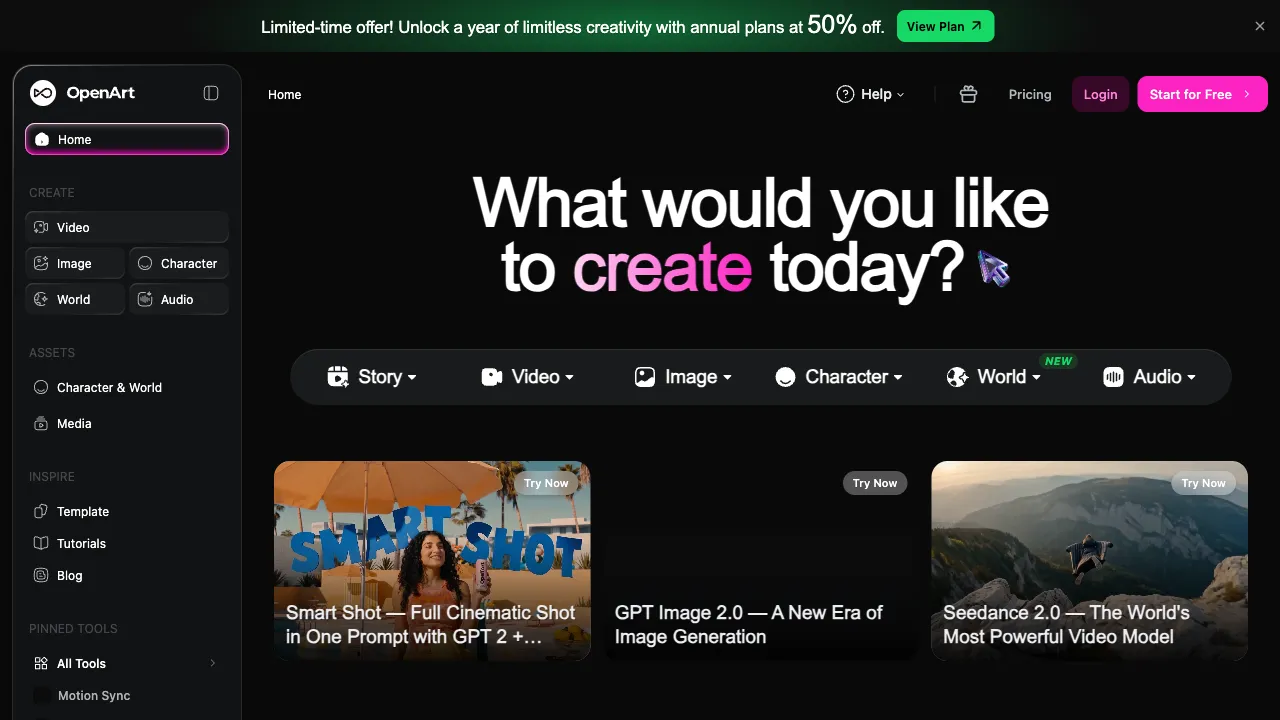
The world of AI image generation is undergoing a "form merger." In the early days, these were several separate entities: prompt communities (learning by studying others' images), generation websites (online image creation), model hubs (downloading LoRAs), and workflow tools (connecting processes in ComfyUI). Players had to bounce back and forth between four or five different sites. The answer from next-generation platforms is to bring it all under one roof. OpenArt is one of the most complete representatives of this "all-in-one" approach, starting as a prompt community and growing into an AI creation platform that integrates generation, model training, and visual workflows.
Its origins are also quite interesting: founded by former Google employees, it initially established itself in the Stable Diffusion (SD) community with a massive library of images complete with full prompts. The simple need to "copy homework by looking at pictures" was its entire initial product offering.
What is OpenArt
OpenArt (openart.ai) is a one-stop AI image creation platform, built on four layers of capability:
- Prompt Community: A vast collection of public works, each with full prompts and parameters—the open textbook for AI art.
- Multi-Model Online Generation: One-stop access to SDXL, SD3, Flux, and various community fine-tuned models.
- Character/Style Training: Cloud-based training for custom models (LoRAs), no need for your own GPU.
- Visual Workflow: Node-based orchestration similar to ComfyUI, running in the cloud.
In one sentence: From "beginners who don't know how to write prompts" to "experts building complex workflows," a single platform supports the entire journey.
Core Features
Prompt Community: The Foundation
Click on any image in the community, and all the secrets to generating it are displayed openly: positive prompts, negative prompts, the model used, sampler, CFG scale, seed value—theoretically allowing for one-click reproduction.
This "transparency" offers learners far more value than any prompt tutorial: tutorials teach abstract rules, while the community provides empirical evidence of "how this specific good image was made." The most efficient growth path for beginners is right here: find an image you like → copy its prompts → tweak one or two words to observe changes → develop your own intuition.
Multi-Model Generation
Mainstream models (SDXL, SD3, Flux, DALL·E series) plus a vast array of community style models, all switchable and callable within a unified interface. It solves a very practical pain point: people wanting to try different models don't need to install numerous local environments or register on various websites separately—running the same prompt through five models for comparison takes just ten minutes to finalize your choice.
Character and Style Training
Upload a set of images, and train a custom model in the cloud: train "your own face" for AI avatars in various scenes, train "your product" for marketing images, or train a "specific art style" for series creation. Character consistency is the number one challenge for commercial AI art (the same character looking different in each image), and self-trained models are currently one of the most reliable solutions—OpenArt has turned this route, which originally required GPUs and technical expertise, into a web service.
Visual Workflow
Node-based orchestration for multi-step processing: Generate → ControlNet for pose control → Inpainting → Upscaling. Complex pipelines are built via drag-and-drop and executed in the cloud. It’s like a "cloud-based simplified ComfyUI"—while its upper limit isn't as high as the local original, the zero-deployment threshold is a reasonable trade-off for advanced users who don’t want to tinker with environments.
Comparison with Similar Platforms
vs Civitai: The center of the SD ecosystem's model universe, unmatched in the richness of LoRA/Checkpoint resources, and more open regarding content boundaries; its focus is on "model sharing and downloading," with online generation as a side dish. Go to Civitai to hunt for models, stay at OpenArt for one-stop creation; the user bases overlap significantly.
vs Lexica/PromptHero: Pure prompt search communities with focused discovery experiences; OpenArt wins on the closed loop of "seeing the prompt and immediately generating"—learning and practicing under one roof.
vs Local ComfyUI Deployment: The freedom and zero marginal cost of local setups are things cloud platforms can never match, at the cost of GPU requirements and setup hassle; OpenArt’s workflow is its "cloud low-spec version," positioning them as complementary, with many players using both.
vs Midjourney: MJ is the king of closed aesthetic routes, offering high image ceilings but operating as a black box; OpenArt represents the open ecosystem route—controllable, learnable, and customizable, suitable for players who want to "understand the why."
vs Domestic Platforms (e.g., Liblib): Domestic SD communities have advantages in Chinese user experience and accessibility; OpenArt’s strengths lie in its international community scale and model timeliness (speed of listing new models like Flux), with network accessibility being a prerequisite.
Who Should Use OpenArt
AI Art Learners: The prompt community is the best zero-cost textbook; the learning loop of "copying homework by looking at pictures then modifying it" is smoother than anywhere else—a top choice for beginners.
Advanced Players Without GPUs: Want to experiment with model training and workflows but lack local hardware—the cloud solution directly eliminates the hardware barrier.
Creators Needing Character Consistency: Users creating serialized content, brand imagery, or personal AI portraits will find the self-training function hits a core need perfectly.
Efficiency-Focused Model Selectors: Compare multiple models in one place to quickly lock in the most suitable generation engine for your project.
Designers Seeking Inspiration: Search community works by style keywords and take away both inspiration and reusable prompts.
Usage Tips
During the learning phase, treat "reproduction" as homework: pick a good image from the community, replicate its parameters exactly to generate it, then change items one by one to observe the impact—this controlled-variable practice builds skills much faster than blindly generating a hundred images.
Prepare materials carefully before training custom models: image quality, angle diversity, and background cleanliness directly determine training results; the law of "garbage in, garbage out" applies exceptionally well here.
For commercial use, note the dual licensing: the platform’s terms for generated content, and the license of the community models used (some prohibit commercial use)—spend ten minutes verifying this before starting a commercial project; it’s necessary due diligence.
Pricing
The free tier offers daily/monthly generation credits, sufficient for light use and learning; paid subscriptions unlock more credits, faster queues, training, and advanced features. Check the official website for specifics.
OpenArt’s form hints at the evolution direction of AI art tools: learning, generation, customization, and orchestration are blurring into a continuous creative environment. If you’re at the node of "knowing how to use MJ but wanting to understand more"—come here to browse others’ prompts and casually generate a few images; you’ll likely understand why such open platforms deserve a spot in your toolkit.