

AI-powered background removal tools have become so numerous in the past couple of years that it’s hard to keep count, but very few are truly good. Pixian AI is one of those tools you’ll proactively recommend to others after using it—not because it has the most features, but because it excels at the single task of background removal to a surprising degree. Its performance on traditionally difficult elements like hair strands leaves many users pleasantly surprised.
What Is Pixian AI?
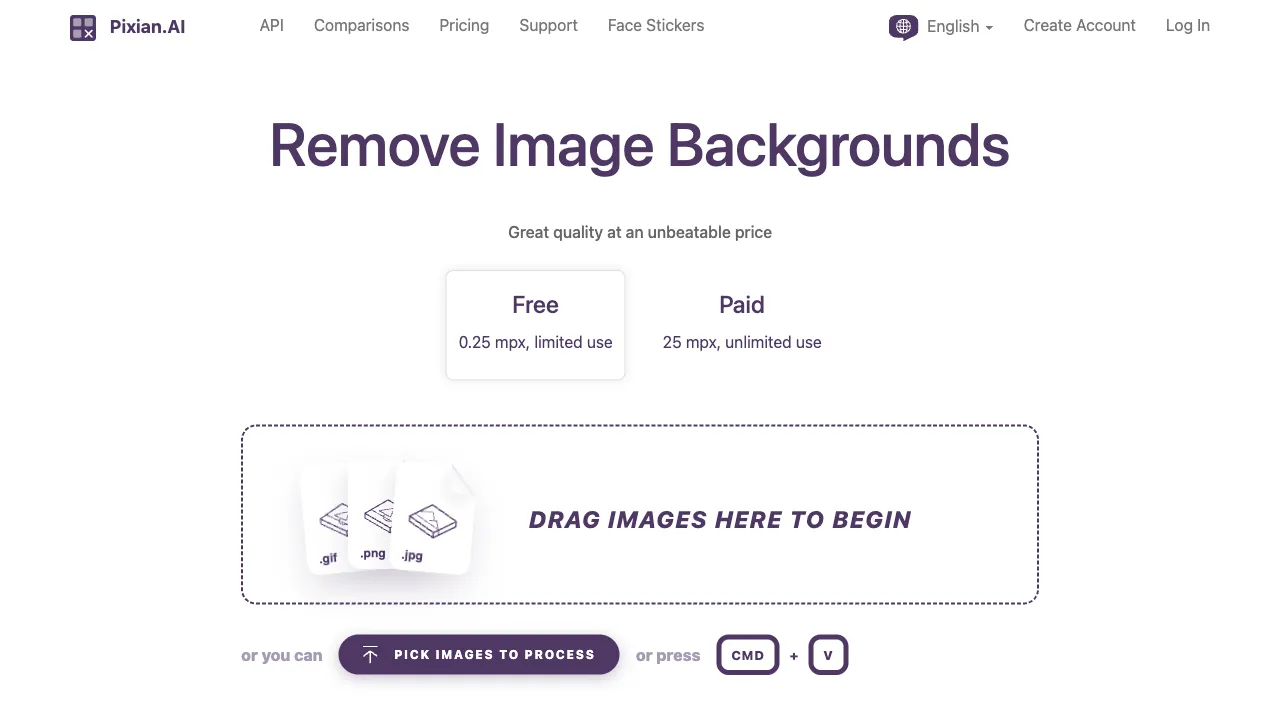
Pixian AI (pixian.ai) is an online tool focused on AI-powered intelligent background removal. Simply upload an image, and the AI automatically identifies the foreground subject and background, precisely removing the latter to output a PNG file with a transparent background. The entire process takes just a few seconds and requires no manual intervention.
The technical core of background removal tools is image semantic segmentation—the AI must understand “what is the subject and what is the background” to cut precisely between them. The difficulty doesn’t lie in identifying large areas of background, but in handling edges: hair, fur, fine textures, semi-transparent materials… The quality of processing in these areas is the most direct standard for distinguishing good tools from bad ones. Pixian AI has invested significant technical effort into this aspect, which is the core reason it is recommended word-of-mouth by users.
Core Features
Outstanding Edge Processing Precision
This is Pixian AI’s most noteworthy feature. For the same photo of a person with flowing hair, different AI background removal tools will produce vastly different results: poor tools will “shave off” the hair strands or create jagged edges, while good tools preserve the natural contours and transparency of the hair.
Pixian AI achieves high precision in processing hair, animal fur, and complex outlines. It’s not perfect for every image, but among similar free/low-cost tools, this edge quality is what earns it high marks from users. For designers and content creators, not having to spend time refining edges after removal saves a considerable amount of accumulated time.
No Registration Required, Ready to Use
Open the website, upload an image, download the result—the entire process requires no account registration, no login, and no software download. This zero-friction experience is a major plus for users who occasionally need to remove backgrounds from just one or two images—you don’t have to go through a registration flow for a single use.
High-Resolution Output
Many background removal tools compress the output resolution in their free versions, but Pixian AI is relatively lenient here, capable of outputting results with high resolution close to the original image. This is important for scenarios where the removed images will be used for printing, large displays, or HD video—low-resolution outputs become blurry when enlarged, rendering the initial fine removal quality useless.
Automated Batch Processing
For scenarios requiring batch background removal (e-commerce product photos, large-scale image processing), Pixian AI supports batch uploads, allowing multiple images to be processed simultaneously and significantly saving time.
API Support
Pixian AI provides an API interface, allowing developers to integrate its background removal functionality into their own applications or workflows. This makes it not just a personal online tool, but also a technical infrastructure:
- Automatic processing of uploaded product images for e-commerce platforms
- Integration of background removal features into image processing applications
- Image processing nodes within automated workflows
Primary Use Cases
E-commerce Product Image Processing: This is one of the most concentrated areas of demand for background removal. Platforms like Taobao and Amazon require white-background main images. Pixian AI can batch-process product photos into clean white-background images without manual per-image handling. It can also extract products and place them in different scene backgrounds to create various display images.
Portrait Processing: Changing backgrounds for ID photos, modifying ID photo background colors (switching from white to blue or red), processing social media avatars, or replacing backgrounds in wedding or portrait photography—portrait background removal is a high-frequency need, and Pixian AI’s advantage in hair processing is most evident here.
Design Asset Creation: When designers are laying out pages, posters, or banners, they often need to extract specific elements from images for individual use or background replacement. Pixian AI’s processing quality significantly reduces the subsequent edge-refinement workload for this step.
Social Media Content Illustrations: Illustrations for WeChat Official Accounts, Xiaohongshu (Little Red Book), and Weibo often require extracting a specific subject to overlay on text or other backgrounds. The fast, no-registration experience is well-suited to these ad-hoc needs.
Product and Brand Materials: Processing images for product manuals, brochures, and brand assets requires high-quality background removal with clear subjects and clean edges. Pixian AI’s quality is sufficient to meet the needs of most non-top-tier commercial projects.
Comparison with Major Competitors
Compared to remove.bg: remove.bg is the internationally most well-known AI background removal tool, with strong professional brand backing and very stable quality, particularly for portrait photos which are widely recognized. The quality levels of both are similar, with each having advantages in different image types. The main difference lies in pricing: remove.bg’s free version has strict output resolution limits (only 0.25 Megapixel), and full-size outputs require payment; Pixian AI’s free version has relatively looser output restrictions, offering better cost-effectiveness for users needing high resolution.
Compared to PicWish (picwish.com): PicWish is a more comprehensive domestic multi-functional image processing platform, where background removal is just one feature among others, including image enhancement, portrait beautification, and ID photo creation. If you need multiple image processing functions simultaneously, PicWish’s comprehensiveness is better; if your primary need is high-quality background removal, Pixian AI, which focuses on this single task, usually delivers better quality.
Compared to Canva’s Background Removal: Canva’s background removal feature (Magic Eraser / Background Remover) is convenient because you can continue layout and design directly in Canva after removal. However, Canva’s removal quality for complex edges is inferior to specialized tools. If edge quality is critical, it’s a better workflow to remove the background with Pixian AI first and then import it into Canva.
Compared to Manual Photoshop Removal: PS’s manual background removal (Pen Tool, Select and Mask features) can achieve the most precise results, suitable for important commercial projects requiring ultimate quality. But manual removal is time-consuming, labor-intensive, and requires high technical skill. For 80% of daily background removal needs, Pixian AI completes the task in seconds with sufficient quality, giving it an overwhelming efficiency advantage.
Compared to PhotoScissors / Apowersoft: These desktop background removal software require download and installation, making the workflow more complex; Pixian AI is purely online with zero installation, suitable for users who don’t want to install more software on their computers.
Processing Recommendations by Image Type
Background removal results vary by image type. Understanding these differences helps you utilize Pixian AI more effectively:
Best Results: Images where the subject and background have high contrast (portraits, product photos); images with solid or simple backgrounds; clear frontal shots with even lighting.
Good Results: Images with complex backgrounds but clear subject outlines; images with some occlusion but relatively complete subjects.
Challenging Cases: Images where the subject color is very similar to the background; extremely complex backgrounds (e.g., dense foliage, grids, complex patterns); semi-transparent materials or transparent objects (e.g., glass cups, water); extremely fine details (e.g., insect antennae, delicate flower petals).
For challenging images, additional manual refinement may be needed after AI processing. It’s recommended to use Photoshop or other tools for further precision editing.
Pricing
Pixian AI offers free usage quotas, and basic background removal functions can be used without registration. The free version has daily processing limits; the paid version unlocks more processing counts, higher resolution outputs, batch processing priority, and more. Compared to remove.bg’s pricing, Pixian AI is generally considered to offer better cost-effectiveness, which is one of the reasons it is recommended by word-of-mouth among designers.
Specific pricing plans are subject to the official website. Pixian AI provides different package options based on usage volume and needs.
If you have background removal needs but haven’t found a particularly satisfactory tool yet, Pixian AI is worth trying—especially if you’ve previously been frustrated by hair processing results; its performance in this detail will likely impress you.