

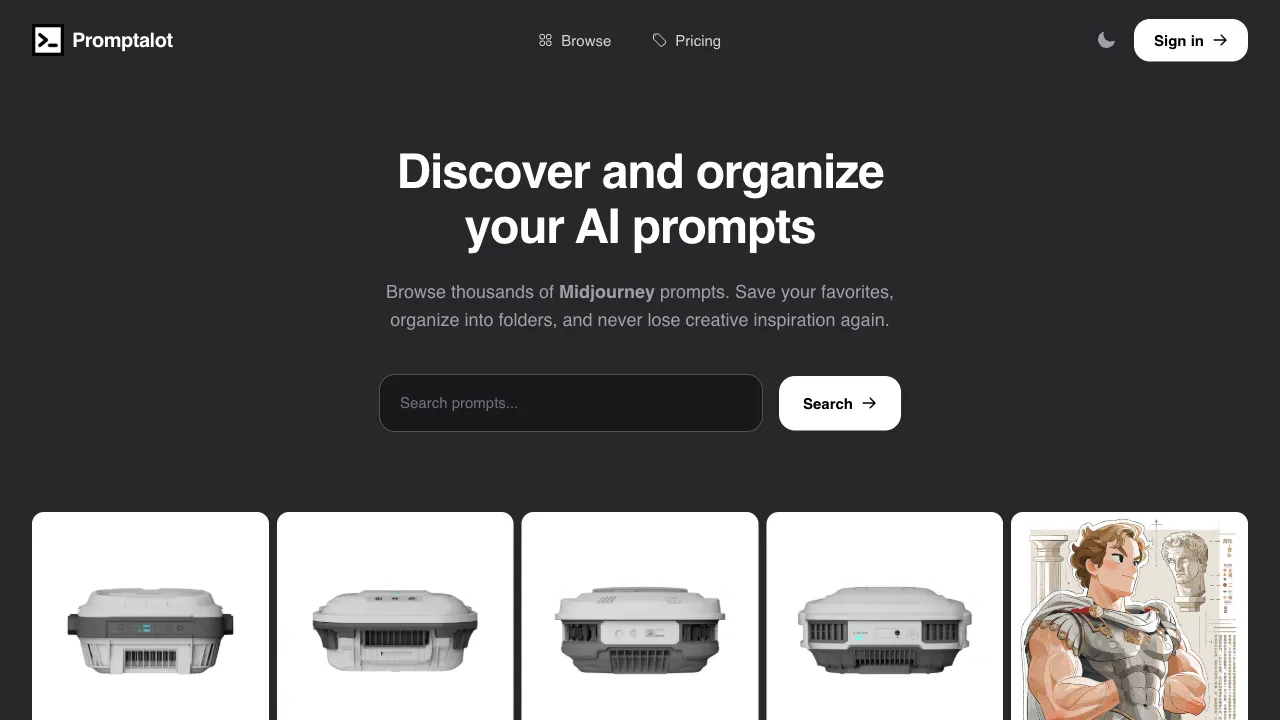
Using Midjourney in Discord requires typing /imagine followed by a long string of prompts, then adding parameters afterward. This process is cumbersome and error-prone—missing parameters, incorrect formatting, or realizing mid-draft that the logic is flawed are small frustrations that happen daily. Promptalot is an auxiliary plugin designed specifically for Midjourney users, transforming prompt construction from manual typing into a visual operation, significantly improving the fluidity of using MJ.
What is Promptalot?
Promptalot (promptalot.com) is a Midjourney prompt assistance tool, primarily available as a browser extension or web-based tool, aimed at helping Midjourney users write, manage, and use prompts more efficiently.
Its core feature is a visual MJ prompt builder interface that allows users to combine prompts through clicking, filling in fields, and adjusting settings, rather than manually concatenating everything in a text box. The generated complete prompt can be copied with one click into the MJ command in Discord for use.
Key Features
Visual Prompt Builder
This is Promptalot’s most core feature. The interface displays different components of the prompt in separate sections:
Subject Description Area: Input what you want to draw and define the subject.
Style and Artist Area: Select style words from a dropdown menu or input box, including artist names, art movements, and visual style descriptors, each with a preview effect.
Technical Parameter Area: Visually adjust all MJ parameters:
- Aspect Ratio (
--ar): Common ratios are selected with a single click. - Stylization Intensity (
--s): Adjusted via a slider. - Version Selection (
--v 5/6/niji, etc.): Selected from a dropdown. - Intuitive control for parameters like Quality (
--q) and Chaos (--c). - Negative Prompts (
--no): Entered in a separate input box.
Composition and Perspective Area: Various composition keywords (close-up, wide shot, high angle, etc.).
All selections are merged in real-time into a complete prompt text displayed at the bottom of the interface, ready for preview and copying at any time.
Prompt History and Favorites
Promptalot saves the history of prompts used by the user, allowing one-click recall of previously used prompts to avoid re-entering them repeatedly. Frequently used prompt frameworks can be saved as templates for quick access.
Parameter Presets
You can save common parameter combinations as presets, such as a "Landscape High Quality" preset (--ar 16:9 --q 2 --v 6) or a "Portrait Storyboard" preset (--ar 9:16 --v 6). Apply common parameter configurations with one click without needing to manually input them each time.
Batch Generation Assistance
When you want to generate multiple style variations of the same subject, Promptalot supports quickly modifying specific parameters (e.g., changing only the artist style) while keeping others unchanged, enabling batch generation of series-style prompt variations.
Style Keyword Reference Library
Built-in with a large number of verified style keywords, organized by category (art styles, photography styles, rendering effects, etc.), effectively alleviating the novice’s dilemma of “not knowing what style words to write.”
Why MJ Users Need This Type of Tool
The pain points of using Midjourney mainly center on the prompt level:
Parameter Memory Burden: MJ has over a dozen common parameters, each with specific formatting requirements (e.g., aspect ratio must be written as --ar 16:9 rather than just 16:9). It is difficult for beginners to memorize them all.
Chaotic Prompt Structure: There are no fixed rules on how to organize parts—whether to write the subject first or the style, or where to place style words for the best effect—but there are some empirical best practices.
Version Iteration Frustrations: MJ updates versions frequently; the optimal prompt writing method for v5 differs from v6, requiring continuous adjustment.
Repetitive Labor: Inputting from scratch every time makes it difficult to efficiently reuse prompts that have worked well before.
Promptalot provides corresponding solutions for these pain points.
Comparison with Other MJ Prompt Tools
vs. MJ Prompt Tool (Noonshot): Both tools are highly similar, serving as visual builders for MJ prompts, with little difference in feature coverage. Users can try both and choose the interface that feels more intuitive.
vs. PromptoMania: PromptoMania supports both MJ and SD, whereas Promptalot focuses exclusively on MJ, potentially keeping up more timely with MJ-specific updates regarding version parameters and specific feature support.
vs. Manual Typing in Discord: The advantage of manual typing is maximum flexibility without interface constraints; Promptalot’s advantages are speed, reduced errors, and convenient history reuse. For high-frequency MJ users, this efficiency gap accumulates significantly over time.
vs. ChatGPT-Assisted Prompt Writing: Using ChatGPT to describe desired effects and have it write MJ prompts is effective for users with clear creative directions; Promptalot is better suited for exploration and adjustment during the construction phase. The two can be used in conjunction.
Who Should Use Promptalot?
Heavy Users Who Use MJ Daily: For those doing large volumes of prompt input, the time saved by using Promptalot adds up considerably.
Beginners Who Forget Parameter Formats: You don’t need to memorize all parameter syntax; visual selection significantly reduces the error rate.
Creators Who Need Efficient Prompt Reuse: History and template features allow existing good prompts to be quickly reused and varied.
Users Engaging in Series Creation: Generating multiple style variations from a single base prompt is made more efficient by Promptalot’s parameter fine-tuning capabilities.
Pricing
Promptalot offers paid features; the basic version may be free or offer a free tier, while advanced features require a subscription. Specific pricing is subject to the official website (promptalot.com).
For high-frequency MJ users who generate dozens or even hundreds of images daily, the time cost saved by Promptalot far exceeds the subscription fee, making payment reasonable. For occasional MJ users, free tools are likely sufficient, and paid versions may not be necessary.
Promptalot is a practical auxiliary tool for heavy Midjourney users. If you use MJ every day, trying it out will reveal that its improvement to workflow efficiency is quite direct.