

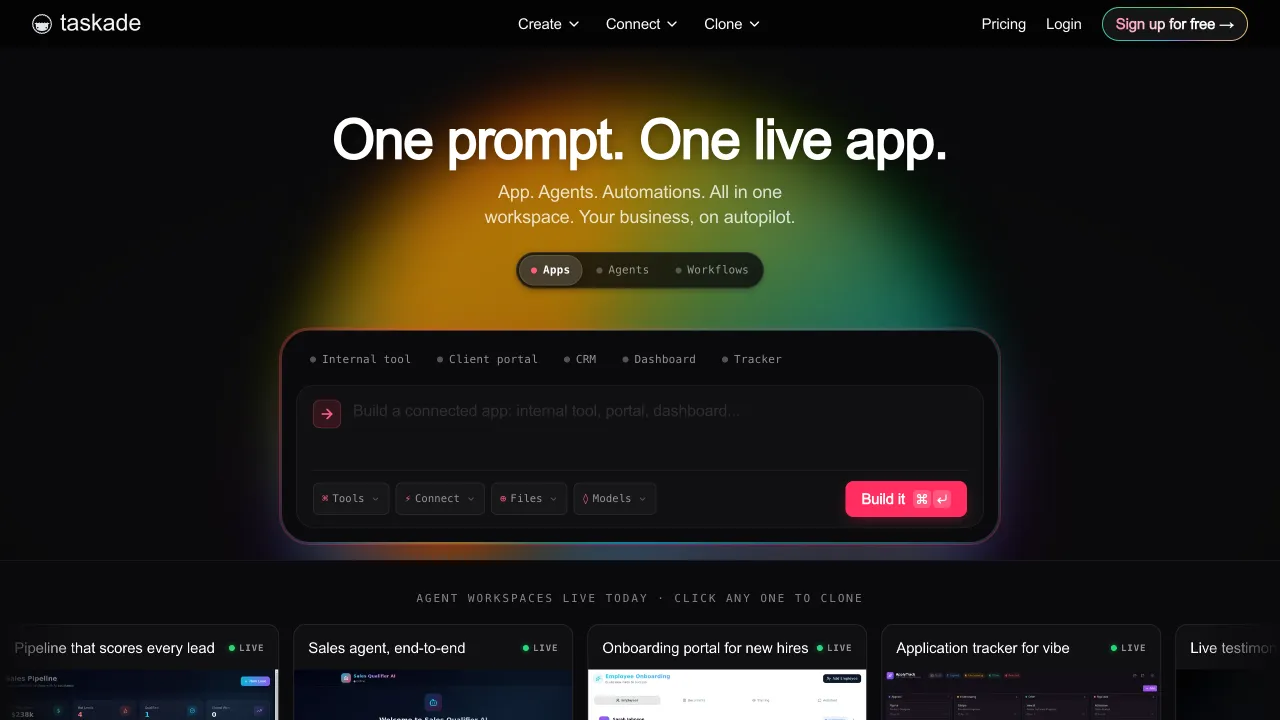
The tool bill for modern small teams is somewhat absurd: Notion for docs, Asana for tasks, Miro for brainstorming, Slack for chat—four or five subscriptions, four or five interfaces. But the real cost isn’t money; it’s fragmented information: brainstorming conclusions sit on a whiteboard, tasks are reconstructed from memory in another system, and decisions in documents never quite match progress on the board. The time spent copying and pasting between tools every day is the "tool fragmentation tax."
Taskade’s response is "All-in-One + AI": three views of the same data for tasks, docs, and mind maps, with AI living inside the workspace. Its radical proposition is that future collaboration tools shouldn’t be a hodgepodge of features, but a workspace powered by AI agents. This Y Combinator-backed company has carved out its own distinct identity in the crowded collaboration tool market in recent years through its aggressive bet on the AI Agent route.
What is Taskade?
Taskade (taskade.com) is an AI-native all-in-one collaboration platform with three core layers: multi-view task and project management (free switching between checklists, boards, Gantt charts, tables, and mind maps), Notion-style document collaboration, and its most ambitious layer—the AI Agent system: you can train dedicated AI assistants for your workspace to generate tasks, draft documents, answer questions about projects, and even automate workflows.
Its design philosophy has a beautiful core: tasks, outlines, mind maps, and documents are essentially "structured ideas"—the same data, just another tool when viewed differently. This "one source, multiple views" architecture is the foundation of its claim to be "one tool replacing five."
Core Features
Multi-View Project Management
One project, five ways to open it: checklists (quick ticking), boards (drag-and-drop cards), Gantt charts (scheduling), tables (data organization), and mind maps (structure)—executors see checklists, managers see Gantt charts, planners see mind maps, each taking what they need from the same data source. The seamless conversion of "brainstorming mind maps into task checklists with one click" is something fragmented tool combinations simply can’t match.
Documents and Knowledge Base
Markdown-friendly block editing, with documents and tasks nested and linked—action items in meeting notes are directly tickable tasks, not text that needs manual transfer to a task system. It fully covers standard requirements for SOPs, knowledge bases, and project wikis.
AI Agents: Core Differentiation
This is Taskade’s heaviest bet, going far beyond "a built-in chat box":
- Generation and Breakdown: One prompt like "Plan a product launch" yields a complete checklist with subtasks; rough ideas go in, structured projects come out.
- Workspace-Based Q&A: The AI can read your projects and documents, so questions like "What was our pricing strategy last time?" have direct answers—the workspace itself becomes a conversational knowledge base.
- Custom Agents: Train dedicated agents for different functions (researchers, copywriters, customer service assistants), attach your materials, and use them in the team like virtual members via @mentions.
- Automated Workflows: Combine agents with triggers to automate processes like auto-generating tasks from form submissions or periodically drafting weekly reports.
This system represents the next imagined step for collaboration tools: from "humans using tools to collaborate" to "humans and AI collaborating in the same space."
Real-Time Collaboration
Multi-user editing, comments, @mentions, version history—the essentials for remote collaboration are all present, with a friendly asynchronous workflow for cross-timezone teams.
Comparison with Similar Tools
vs Notion: Notion organizes information through documents and databases, often using databases for task management. Taskade focuses more on task views and AI Agent workflows. Consider Notion for building a knowledge base and designing databases, or try Taskade for task collaboration and automation.
vs Asana/Trello: Mature players in pure task management with rigorous processes; but they lack a document layer and shallow AI integration. For small teams wanting "tasks + docs + AI" in one pot, Taskade’s integration is more convenient.
vs ClickUp: Another heavyweight on the All-in-One route, with higher feature density, which also means it’s more complex and has a steeper learning curve; Taskade is relatively lightweight, and its ease of use is its card in this "all-around showdown."
vs Feishu (Lark): The realistic reference for domestic teams—Feishu’s all-in-one integration (IM + docs + tasks + meeting notes) is highly complete with unbeatable localization; Taskade’s advantage remains only the aggressiveness of its AI Agents and international ecosystem. For purely domestic teams, Feishu is almost a no-brainer.
vs Linear: A boutique tool exclusive to engineering teams with extreme project management experience; Taskade is general-purpose and doesn’t compete directly with it.
Who Should Use Taskade?
Small startup teams: Budget-sensitive + don’t want to maintain five subscriptions; the combination of all-in-one functionality and a generous free plan hits the need perfectly—the core audience.
Indie founders and freelancers: One person is the whole team; tasks, notes, and AI assistants in one space minimize the tool cost of "self-management."
Remote content/operations teams: The workflow from brainstorming → outline → task → document is naturally coherent, with AI drafting adding speed.
Teams wanting to try AI Agent workflows: Early adopters curious about the direction of "AI virtual members"; Taskade is one of the easiest entry points for this concept currently.
Limitations
Taskade brings documents, tasks and mind maps into one project. Teams that mainly need one of these functions should also compare dedicated tools: Notion for documents, Asana for task workflows and XMind for mind maps.
AI-generated content quality fluctuates; Agent "automation" still requires human oversight in complex scenarios—expect it to be an amplifier, not autonomous driving, for the right expectations.
Chinese localization and domestic access experience are average; heavy Chinese-speaking teams should test first; enterprise-grade maturity for large teams (dozens of people + complex permissions) is also inferior to established players.
Pricing
The big 2026 change is the meter: AI requests were replaced by AI credits, and the $29 / $69 / $149 tiers still circulating widely are a retired price list.
Free plan: unlimited projects, up to 5 members, and 3,000 one-time AI credits — a single pool rather than a monthly refresh, so it is fine to evaluate with and weak for ongoing use.
Paid tiers (the most recent set of figures, at annual rates):
- Starter, about $6/month: 3 members (reduced from $8)
- Pro, about $16/month: 10 members, unlimited AI agents, roughly 50,000 AI credits a month
The pricing logic is worth noting on its own: plans are priced per workspace, not per seat — $16/month covers ten people, where ClickUp and Monday cost substantially more at the same headcount.
But note the disagreement: third-party sources are inconsistent about tier names and prices, with another set listing Pro $10, Business $25 (unlimited seats, 150,000 credits), Max $100 and Enterprise $250, and older ones listing Pro from $20 and Teams at $100. There have been at least two repricings — check the official pricing page before paying.