

The current state of image processing is somewhat absurd: you go to remove.bg to cut out a background, search for a super-resolution tool to upscale, use another site for old photo restoration, and open yet another tab to compress or convert formats. Each tool requires account registration, has its own free-tier rules, and features a different interface logic. A set of image processing tasks that should take ten minutes ends up consuming half that time just hopping between tools.
This fragmentation gave rise to "toolbox" products: platforms that consolidate high-frequency image processing functions into one place, allowing for a single login and continuous operation. BoolPic’s Toolkit is a product born from this philosophy.
Availability note (checked 2026-09-06): boolpic.fun returns HTTP 522 (Cloudflare reporting a connection timeout to the origin server), so the page does not load. No official shutdown notice was found, so this is recorded as temporarily unavailable — check official channels for the current state.
What is the Toolkit?
Toolkit (boolpic.fun) is an online AI image processing suite launched by BoolPic. It integrates common functions such as background removal, image upscaling, old photo restoration, format conversion, compression, and cropping into a single web platform. You can use it directly in your browser without installing any software.
The name "BoolPic" combines Boolean and Picture, reflecting an engineer’s sensibility—processing images through logic. The product philosophy aligns with this: rather than striving to be the absolute best at every individual function, it aims for functionality that is "sufficient, comprehensive, and convenient."
Key Features
AI Background Removal
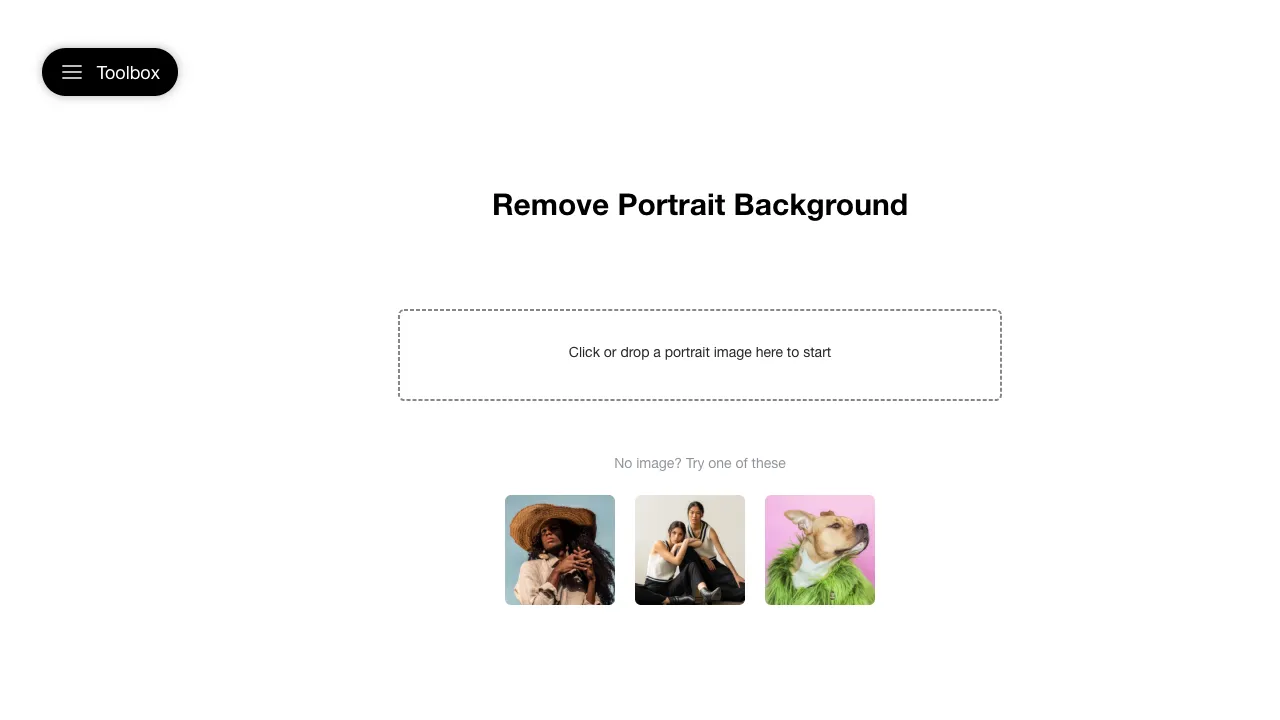
Upload an image, and the AI automatically identifies the subject (people, products, animals), separates the background, and outputs a transparent PNG. This is the most frequently used feature in the entire toolbox—essential for daily high-frequency needs like changing backgrounds for e-commerce product photos, swapping ID photo backgrounds, or cutting out design assets.
It handles standard edges (such as human silhouettes and product outlines) reliably. For extreme edges like hair strands, fur, or semi-transparent objects, the results may lag behind top-tier specialized tools, but they are sufficient for most practical scenarios.
AI Image Upscaling
Lossless upscaling (2x, 4x) based on super-resolution technology. The AI infers and supplements details during upscaling, avoiding the blurriness typical of traditional interpolation methods. Typical use cases include preparing low-resolution assets for printing, enlarging small images for large-screen displays, or boosting AI-generated images to a usable resolution.
Old Photo Restoration and Colorization
A combined feature set designed for scanned old photos: noise reduction, scratch repair, clarity enhancement, and AI-powered colorization of black-and-white photos. Digitally rescuing family heirlooms often carries more emotional value than technical value here—many users come specifically for this function.
Format Conversion and Compression
Convert between mainstream formats like JPG, PNG, WebP, and HEIC (a classic pain point when opening iPhone-shot HEIC files on Windows). It also compresses file sizes while maintaining visual quality—useful for websites with upload size limits, large email attachments, or optimizing web page loading speeds.
Cropping and Resizing
Quickly crop images to standard aspect ratios for various platforms (1:1 avatars, WeChat Official Account covers, Xiaohongshu vertical images, etc.) and batch-unify dimensions. It’s simple, yet it saves the hassle of opening Photoshop just for these minor tasks.
Batch Processing
Upload multiple images simultaneously and process them uniformly. For e-commerce operators processing dozens of product photos at once or photographers batching compression for delivery, this capability determines whether a tool is a "toy" or a "productivity enhancer."
Typical Use Cases
E-commerce Operations: Product photo background removal → uniform resizing → compression and upload. Completing these three steps on one platform is the scenario where Toolkit shines most.
Self-media Content Creation: Different platforms have varying requirements for image formats and dimensions. Converting formats, adjusting aspect ratios, and compressing file sizes are standard pre-publishing actions.
Family Photo Organization: Combine old photo restoration and colorization with clarity enhancement and format unification to turn a box of old photos into a digital album.
Lightweight Design Assistance: Need a transparent background asset or want to slightly enlarge a logo? For these "no need for a sledgehammer" tasks, a web-based toolbox is far faster than professional software.
Comparison with Similar Tools
vs. remove.bg: remove.bg is more specialized in background removal, offering better handling of complex edges and a mature API ecosystem. However, it only does background removal, and its free tier has strict limits on HD downloads. Toolkit’s removal quality is sufficient, but its advantage lies in the seamless workflow—after removing the background, you can immediately upscale, compress, or convert formats without interrupting your process.
vs. Topaz Series (e.g., Gigapixel): Topaz is the benchmark for desktop-based professional AI image enhancement with a higher quality ceiling. It requires purchase and installation and has specific computer configuration requirements. Toolkit offers a no-install, web-based solution; while its quality ceiling is lower, its convenience is significantly higher.
vs. Upscayl: Upscayl is an open-source, free local upscaling tool that allows unlimited use with privacy peace of mind. However, it requires a decent GPU and only handles upscaling. For users without a dedicated graphics card or those needing functions beyond upscaling, a web-based toolbox is more practical.
vs. Meitu/Xingtu (and similar photo editing apps): These apps excel in portrait beautification and creative filters, offering great mobile experiences. Toolkit focuses on "technical processing" (cutting out, converting, compressing) and feels more natural in a desktop browser context. They address different types of problems.
vs. Photoshop: PS can do everything, but the subscription cost and learning curve are significant. For those who don’t make a living from design, 90% of image processing needs are covered by the functions in this toolbox—this is precisely why such products exist.
Usage Tips
The free tier has limited quotas. Test with one or two representative images first to confirm the quality meets your expectations before batch processing. Don’t waste your quota on trial and error.
Leverage the platform’s continuity for multi-step tasks: perform background removal, upscaling, and compression in one go within the site. This is the core experiential advantage of a toolbox over specialized tools—make use of it.
Keep the original images before processing. AI results can occasionally fail (e.g., incorrect subject detection or colorization artifacts). Having the original file allows you to start over or switch tools at any time.
Be cautious with privacy-sensitive images (such as ID documents or internal materials) when using any online processing tool—images are uploaded to servers, which is a common trait of all web-based tools. For such needs, local software is recommended.
Pricing
Offers a free tier with limits on processing volume or resolution; additional usage requires payment, and commercial licensing is priced separately. Refer to the official website (boolpic.fun) for specific terms.
The free allowance is generally sufficient for light users who process around ten images per month. For high-frequency commercial use cases like e-commerce, compare the subscription cost against the total expense of subscribing to multiple specialized tools; a toolkit approach is typically more cost-effective.
The value of products like Toolkit lies not in any single feature’s brilliance, but in the convenience of “opening one site and getting everything done.” Bookmark it, and you’ll think of it next time you need to handle routine image-processing tasks.