

Midjourney creators often get their enthusiasm dampened at the moment of "implementation": after painstakingly crafting a perfect logo design or T-shirt graphic, they hand it off to a print shop or scale it up for poster-size output, only to have jagged edges and blurriness laid bare. AI generates fixed-pixel bitmaps, but the world of commercial production (printing, engraving, brand materials) speaks a different language: vectors. This "format gap" is the last mile from AI creativity to the physical world, and everyone who wants to turn MJ images into products will hit it.
Tracejourney was born for this final mile—the name is a straightforward homage to Midjourney ("Trace" referring to vector tracing), and its positioning is equally direct: a tool dedicated to converting AI-generated images into vectors, living right in the home of MJ users, Discord.
What is Tracejourney
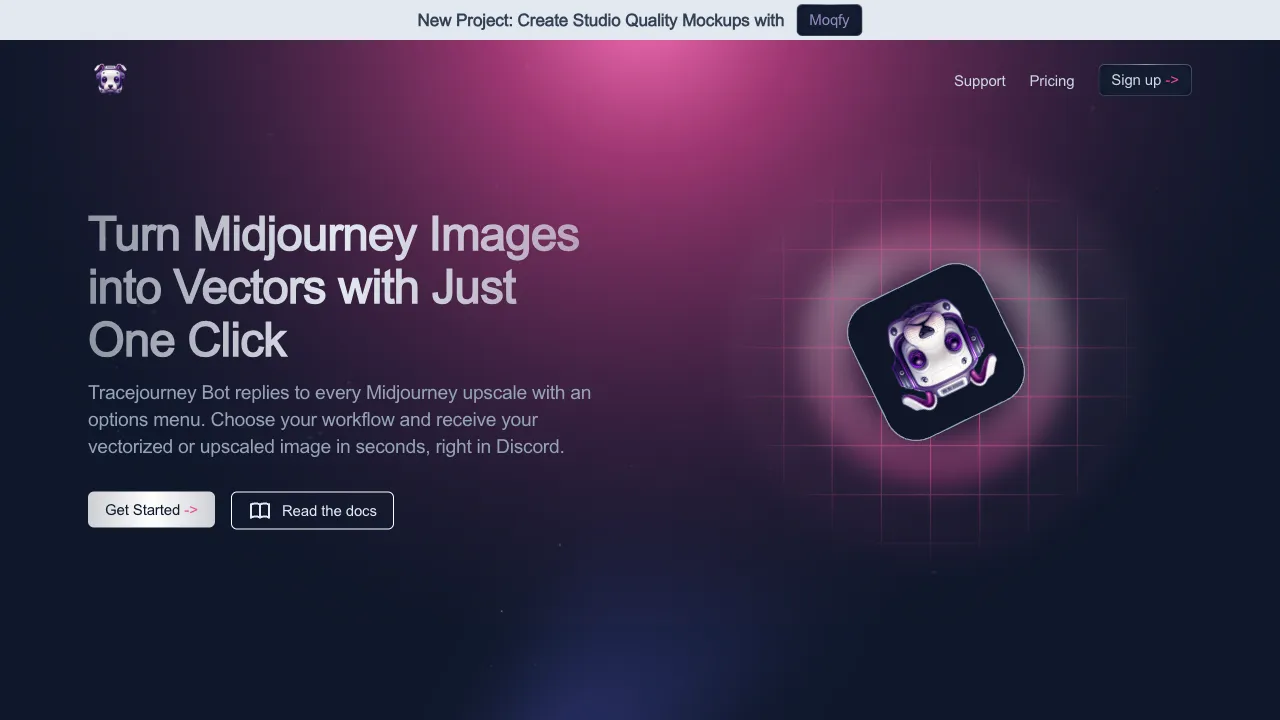
Tracejourney (tracejourney.com) is a tool focused on AI image vectorization, primarily in the form of a Discord Bot: add it to your Discord server, and after MJ generates an image, you don’t need to download or upload anything—just hand the image to the Bot, which returns an SVG vector file within seconds. Beyond vectorization, it has gradually expanded into related capabilities like upscaling, background removal, and localized editing, aiming to become the "Swiss Army knife" for post-processing in MJ workflows.
A quick background note on why this matters: bitmaps (PNG/JPG) consist of a fixed number of pixels; scaling them up causes distortion. Vector graphics (SVG) describe shapes using mathematical curves, remaining infinitely clear at any scale, and the files can be further edited in software like Illustrator—logos, printing, laser cutting, web graphics, these scenarios specifically require vectors.
Key Features
One-Click Vectorization
Core capability: bitmap in, SVG out. AI traces the image’s contours and color blocks, reconstructing them into clean vector paths.
Knowing the objective laws of the results helps you avoid pitfalls:
- Flat illustrations, logo graphics, designs with distinct color blocks: The sweet spot; edges are sharp and colors are clean after conversion, approaching deliverable quality
- Stylized images with moderate detail: Good; some details are simplified but the overall result is usable
- Realistic photo styles, complex gradient lighting: A natural no-go zone for vectorization—images will be reduced to color-block collages, losing significant detail; this isn’t a tool failure, but rather that "photo-to-vector" conversion is inherently flawed
So the smart approach is to work in reverse: aim for vector-friendly styles when generating with MJ (add prompts like flat vector illustration or minimal logo design), so generation and conversion work in tandem for smooth results.
Color Count Control
You can control the number of colors retained during vectorization—reduce to a few colors for logos, resulting in minimalist files and crisp style; increase color count for illustrations to preserve more detail. This parameter is the primary dial for result quality.
Discord Workflow Integration: The Real Differentiator
Its smartest product decision: MJ users already live in Discord, so Tracejourney positions itself as a neighbor under the same roof—generate images, right-click/send command to the Bot, receive SVGs, all without leaving the chat window. For high-frequency users, the accumulated friction cost of "download—open web page—upload—download" is significant, and this integration saves that effort.
Peripheral Processing Capabilities
Features like image upscaling, background removal, and cropping/editing are being added, allowing the "post-MJ cleanup work" to be largely closed-loop within a single Bot.
Comparison with Similar Tools
vs Vectorizer.AI: The benchmark for vectorization quality, with the best industry reputation for AI tracing precision (curve smoothness, detail fidelity) via web interface; Tracejourney’s card is Discord integration and tight fit with MJ workflows. For peak single-image quality, go to Vectorizer.AI; for workflow smoothness, use Tracejourney; heavy users often keep both on hand.
vs Adobe Illustrator Image Trace: Professional software tracing plus manual refinement represents the quality ceiling, suitable for fine-tuning before final delivery; requires a subscription and skills. The standard combo for designers is AI tools for drafts and Illustrator for refinement.
vs Recraft: A more aggressive competitor—Recraft directly generates native vector graphics, skipping the "bitmap-to-vector" step; if your need is for vector assets from the start, native solutions like Recraft are worth prioritizing. Tracejourney serves the existing scenario of "already having MJ bitmaps."
vs Inkscape (free and open source): A zero-cost tracing solution, but quality is average and requires installing software and learning operations; online tools are more convenient for lightweight needs.
Who Should Use Tracejourney
Those using MJ for logos and brand design: From AI concepts to deliverable vector files, this is the most rigid demand scenario—clients want .ai/.svg source files, which must have a clear origin.
T-shirt/merch/POD sellers: Print quality depends on source image format; vectorization is a necessary step before AI patterns go to the printing press.
Heavy MJ users: The smoothness of native Discord integration is addictive once tried—this user group is also its core subscription base.
Front-end developers and designers needing SVGs: Web graphics, icons, animatable assets; AI generation plus vectorization is a new asset production line.
Laser cutting/engraving enthusiasts: Equipment runs on vector paths; this bridges AI creativity to physical processing.
Usage Tips
Vectorization is "translation," not "photocopying"—always zoom in to check key details of the converted result (text, sharp corners, thin lines); it’s a professional habit to run through manual refinement in vector software before commercial delivery.
Source image quality determines the ceiling: choose clean backgrounds, clear edges, and flat styles during MJ generation; conversion success rates vary dramatically otherwise.
For commercial use, remember to clarify two layers of licensing: Tracejourney’s terms of service, and the commercial rights for content generated by MJ (depending on your MJ subscription tier).
Pricing
The site has a dedicated pricing page, but no tiers or amounts appear on publicly readable pages, so no figures are given here. Trust the pricing page at tracejourney.com.
What is verifiable is how it connects: it is a Discord bot that replies to every Midjourney upscale with an options menu — pick a workflow and the vectorised or upscaled image comes back in Discord within seconds, with no exporting and re-uploading elsewhere.
Capabilities are vectorisation, upscaling for greater clarity, and background removal. The site also promotes the team's newer project, Moqfy, for studio-quality mockups.