

Observing how ordinary people handle image processing reveals a recurring pattern: requests come in strings. An e-commerce operator handling product images typically follows the workflow "remove background → upscale to main thumbnail specs → quickly fix minor flaws"; for social media creators making cover art, it's "restore old photo → apply artistic style → compress and upload." However, traditional toolsets are sliced by single functions—one website forCutout (cutout), another for upscaling, yet another for stylization. Every string of requests requires dragging images between three or five tabs, registering on three or five accounts, and memorizing the free quota rules for each.
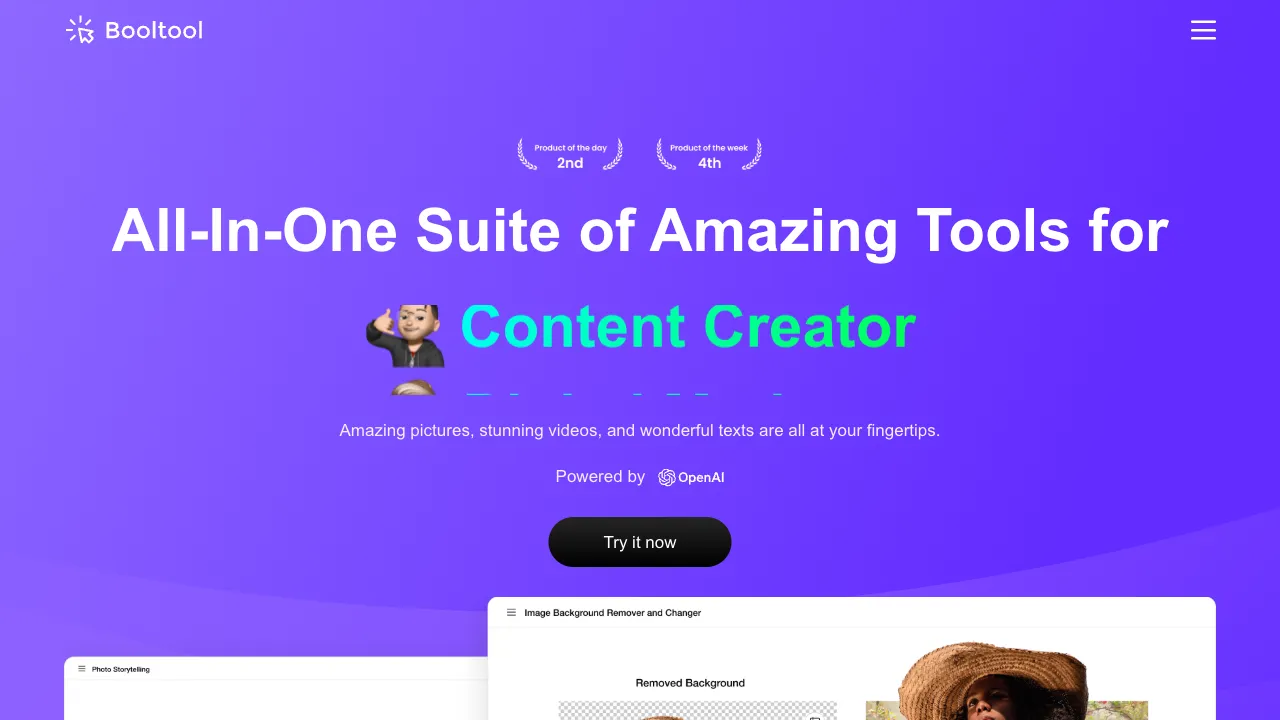
"Toolbox"-type products respond to this fragmentation with integration; Booltool is one such product with a clear positioning: it consolidates high-frequency image processing needs onto a single webpage, turning every function into an ultra-simple "upload → click once → download" interaction.
What is Booltool
Booltool (booltool.boolv.tech) is a multi-in-one online AI image toolbox from Boolv Tech. Its functional matrix covers: background removal, upscaling and enhancement, old photo restoration, photo stylization (anime/artistic styles), portrait beautification, watermark removal, and more. It runs directly in the browser with no installation required, targeting a clear user persona—content creators, e-commerce sellers, and anyone else who "has images to process but doesn't want to learn Photoshop."
Its product philosophy is "breadth first": it does not obsess over being number one in any single category, but ensures every common need has a sufficient button. For its target users, the value of "one-stop completion" outweighs "single-feature excellence."
Key Features
Background Removal
Upload and cut instantly; transparent backgrounds appear within seconds for portraits, products, or animals. As the highest-frequency entry point for e-commerce and design scenarios, quality meets mainstream standards. While extreme edges like fine hair strands or semi-transparent objects still lag behind specialized tools (e.g., remove.bg), results are sufficient for delivery on regular subjects.
Image Upscaling & Enhancement
AI super-resolution at 2x/4x magnification rescues small images and clarifies blurry ones—essential first aid when low-res assets must be printed or used as main thumbnails. The upper limit is determined by the information content of the original; "restoration" does not mean creating something from nothing, so do not expect miracles for extremely blurry inputs.
Old Photo Restoration
AI refurbishment addressing scratches, fading, and quality degradation—a feature driven by emotional necessity in digitizing family heirlooms. User satisfaction with such functions never depends on technical specs alone; it hinges entirely on the moment "Grandpa's face becomes clear again."
Photo Stylization
Transforming photos into anime, illustration, or oil painting styles serves as a joy source for social avatars and creative content. This is also the most viral feature in any toolbox: sharing the result to Moments (Moments) immediately acts as an acquisition flywheel for the product itself.
Portrait Beautification & Watermark Removal
Basic skin smoothing and color grading, plus erasing markings on images. The compliance boundary for watermark removal remains clear-cut: processing images you own is legitimate use; removing another's copyright watermarks before reuse constitutes infringement—the tool stays neutral; responsibility lies with the user.
Comparison with Similar Tools
vs Single-Function Experts (remove.bg/Upscayl): These specialists offer higher ceilings in precision (e.g., remove.bg edges, Upscayl unlimited local upscaling), but each solves only one problem. Booltool trades depth for breadth by handling everything on "one website." Choose an expert if your needs are singular and demand peak performance; choose a toolbox when requests come in strings—this is the eternal choice within this category.
vs PicWish/Zhuo Tang (CapCut/Jianying): As strong competitors among multi-function toolboxes, Zhuo Tang excels in cutout reputation and batch capabilities with better access from mainland China. Booltool's feature combination (especially stylization) differs slightly. Both offer free quotas to test; run your most common images through each—results speak for themselves.
vs Fotor/Adobe Express: These are comprehensive platforms where Fotor offers a wider functional scope including design templates, while Adobe Express leverages Firefly strength but ties you into the Adobe account ecosystem. Booltool wins on lightness: no ecological baggage; open and use immediately.
vs Photoshop: The unchanging benchmark: PS represents the upper limit; toolboxes represent efficiency. "A five-minute request should not be solved with a five-month learning cost"—this entire category's legitimacy rests in that sentence alone.
Who Should Use Booltool
E-commerce Sellers & Operators: Daily strings of requests for cutouts, upscaling, and flaw repair make one-stop workflows real time-savers for fast-paced operations—core audience.
Social Media Creators: Batch processing cover art, captions, and avatars reduces tabs from five to one.
Occasional Needs for Ordinary Users: For someone handling images ten times a year, the optimal solution is always "free, no-install, plug-and-play" web tools; Booltool is designed precisely for these low-frequency, scattered needs.
Designers' Rough Processing Steps: Outsourcing small tasks not worth opening Photoshop (quick cutouts, batch pre-processing) to toolboxes frees up refinement time for true design work.
Usage Tips
Process strings of requests in order from "least destructive" to "most destructive": restore/enhance first, then remove backgrounds or apply styles, avoiding amplifying prior flaws via lossy operations before they are corrected. Test single images before batch processing—AI handling is sensitive to image types (e.g., clothing vs. 3C electronics have different cutout difficulties); validate results before running batches to save quotas and avoid rework. Inspect complex edges (hair, hollows, semi-transparency) closely after upscaling; if flaws are obvious, switch to specialized tools or manually correct them. For privacy-sensitive images, note the cloud-processing nature of such services; consider local solutions for highly sensitive content.
Pricing
Third-party directories list it from about $7.99/month with a trial available. The Image Enhancer and Video Enhancer offer free previews, though previews carry watermarks, which the vendor describes as anti-abuse.
Be aware that the $7.99 figure comes from a third-party software directory rather than the vendor's own pricing page, and some review sites note that the site does not clearly state whether there is a free plan. Confirm on booltool.boolv.tech before paying.
It is part of the wider Boolv family alongside Boolvideo and Boolpic; the parent company was founded in 2022 and raised $10M in seed funding.