

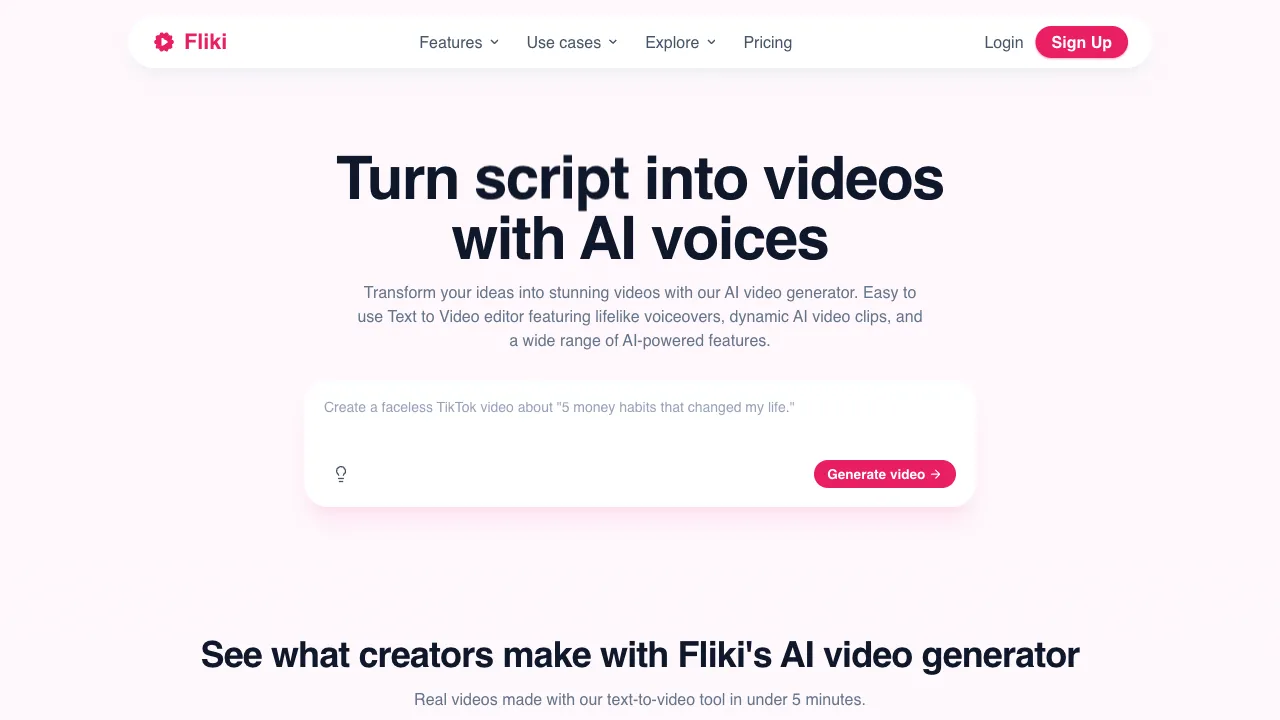
The distribution of consumption between text and video content is becoming increasingly unbalanced—video captures the majority of users' attention, yet for many creators, their primary mode of creation remains text. Fliki is a tool designed to solve this problem: it converts text content into videos with voiceovers, requiring almost no manual intervention throughout the process.
What Is Fliki
Fliki is an AI-driven text-to-video and text-to-speech platform launched in 2021, focusing on "Content Repurposing"—quickly transforming existing text content (blogs, scripts, tweets, news) into video formats suitable for social media publishing.
What sets Fliki apart is its workflow: rather than providing a video editor for you to cut manually, it uses a "script editor" interface similar to writing a draft. You pair each line of script with corresponding visuals and voiceovers, and the system automatically synthesizes the video. For content creators who excel at writing, this interface aligns better with their working habits.
Core Features
Script-Based Video Editor
Fliki’s core interface is a script editor where each line of text corresponds to a segment in the video:
- On the left is the text script (voiceover text)
- On the right is the video asset corresponding to that line (selected from the library or uploaded)
- Below is the voiceover settings for that line (selecting the voice, adjusting speed)
This interface makes the logic of video production very clear—it’s like writing an annotated script rather than manipulating a timeline. For users making videos for the first time, this approach is easier to pick up than traditional timeline editing.
Text-to-Speech (TTS)
Text-to-speech is one of Fliki’s core competitive advantages. It supports 75+ languages and 900+ voices, including:
- Mandarin Chinese (male/female voices, various styles)
- English (American, British, Australian, etc.)
- Japanese, Korean, French, Spanish, and other major languages
Voices come in different styles such as news broadcasting, casual conversation, and storytelling, allowing you to choose the most suitable voiceover style for your video content. The quality of AI voiceovers is much more natural than early machine-synthesized voices, sounding less mechanical.
Blog/Article to Video
Paste a blog article URL or directly copy the article content, and Fliki automatically:
- Parses the article structure
- Splits it into video segments by paragraph
- Matches relevant video assets for each segment
- Generates AI voiceover narration for each segment
Turn an article into a video in minutes, ready to publish directly on platforms like YouTube and TikTok.
Tweet to Video
Paste a Twitter/X tweet link, and Fliki converts the tweet content into a short video format suitable for sharing, complete with voiceover reading and visual assets, ideal for cross-platform content distribution.
Multi-Platform Aspect Ratio Adaptation
Create once, and directly generate versions in aspect ratios suitable for different platforms:
- 16:9 (YouTube landscape)
- 9:16 (TikTok, Instagram Reels portrait)
- 1:1 (Instagram square)
No need to create multiple versions separately, significantly reducing repetitive work.
Asset Library
Built-in library of copyright-safe video assets and images covering various common scenarios. For users without their own filmed footage, you can simply find suitable assets in the library to use.
Comparison with Other Tools
vs FlexClip: Both tools handle text-to-video with highly similar features. FlexClip’s URL-to-video function is more direct, while Fliki’s script-based editor interface aligns better with content creators’ working habits and offers more TTS voices. In practical experience, the quality of both is comparable; it is recommended to try both before choosing.
vs Pictory: Pictory is also an article-to-video tool with a larger user base in English video creation and a decent automatic scene-matching algorithm. However, its support for Chinese is not as strong as Fliki’s.
vs InVideo: InVideo offers more comprehensive features, including more templates and editing options, but its interface is relatively more complex. Fliki’s script-based interface is more user-friendly for those unfamiliar with video editing.
vs ElevenLabs + Manual Production: ElevenLabs may offer higher AI voiceover quality, but it requires manually synthesizing the voiceover with video assets, which is labor-intensive. Fliki integrates these steps, sacrificing some flexibility in exchange for higher efficiency.
vs CapCut (Jianying): CapCut has stronger functionality, particularly optimized for Chinese creators, with excellent features like AI subtitles and smart beat-matching. However, CapCut is primarily an editing tool that requires existing footage; Fliki focuses on generating video from text, requiring no source material.
Who Should Use Fliki
Blog and WeChat Official Account Content Creators: Quickly convert written articles into video formats for distribution on video platforms to reach a wider audience.
Podcasters: Add subtitles and visual assets to podcast audio to create video versions suitable for YouTube publishing.
Multilingual Content Creators: With its wide language support, Fliki allows you to generate multilingual video versions using the same content framework.
Content Operators Without Video Production Experience: The script-based interface has a low entry barrier; there is no need to learn timeline editing, allowing you to create videos by focusing solely on the content itself.
Pricing
Billing runs on credits, which stand in for video minutes; higher tiers grant more credits, better voices and longer videos.
- Free: about 5 minutes a month in HD (other sources record about 36 credits, roughly 3 minutes, at 720p), watermarked and without commercial rights, with 300 voices across 80+ languages
- Standard: about $28/month, or roughly $21/month annually. Removes the watermark, adds 1080p export, videos up to about 15 minutes, commercial rights and around 1,000 voices including many ultra-realistic ones, with 2,160 credits a year
- Premium: about $88/month (cheaper annually). Videos up to about 40 minutes, 2,000+ voices (1,000+ ultra-realistic), team collaboration and more seats, with 7,200 credits a year
- Enterprise: custom-priced and billed yearly, with custom credits, all Premium features, dedicated support and bulk discounts
Paid tiers also unlock voice cloning, AI video clip generation, translation into 80+ languages, limited AI avatars, and millions of premium images, clips, stickers and music assets, plus API access for your own workflows.
On price discrepancies: sources report Standard at both $21 and $28 and Premium at both $66 and $88, largely a monthly-versus-annual difference — and the site runs dynamic promotions, so the price you see may match no review at all. Check the site.
Limitations
Video quality has a ceiling: The AI-matched stock footage doesn’t always align perfectly with the content, so the final output may lack the polish of manually curated videos.
Chinese TTS needs improvement: While Chinese is supported, the naturalness and fluency of the voiceovers still lag behind the English version.
Manual optimization is often required for high-quality content: AI-generated videos are great for rapid content production, but important projects that demand refinement still require manual adjustments to media matching and voiceover timing.
Fliki is a highly practical tool within content repurposing workflows, particularly for creators with extensive text archives looking to expand into video channels, where its efficiency advantages are clear.