
Creating presentations (PPTs) is a private nightmare for many professionals. You may have your content clear in mind, but the actual process of building the PPT consumes significant time: searching for templates, adjusting layouts, selecting images, and manually formatting each slide. A decent reporting presentation can easily take two or three hours, and it still might not look good. When urgent situations arise—such as a proposal due tomorrow or a performance review the day after—the pressure often leads to rushed, mediocre results.
Prezo is an AI-driven presentation creation tool designed to drastically compress this process: input a topic, get a draft with both content and design within minutes, and then refine it on that basis rather than starting from a blank page.
What is Prezo
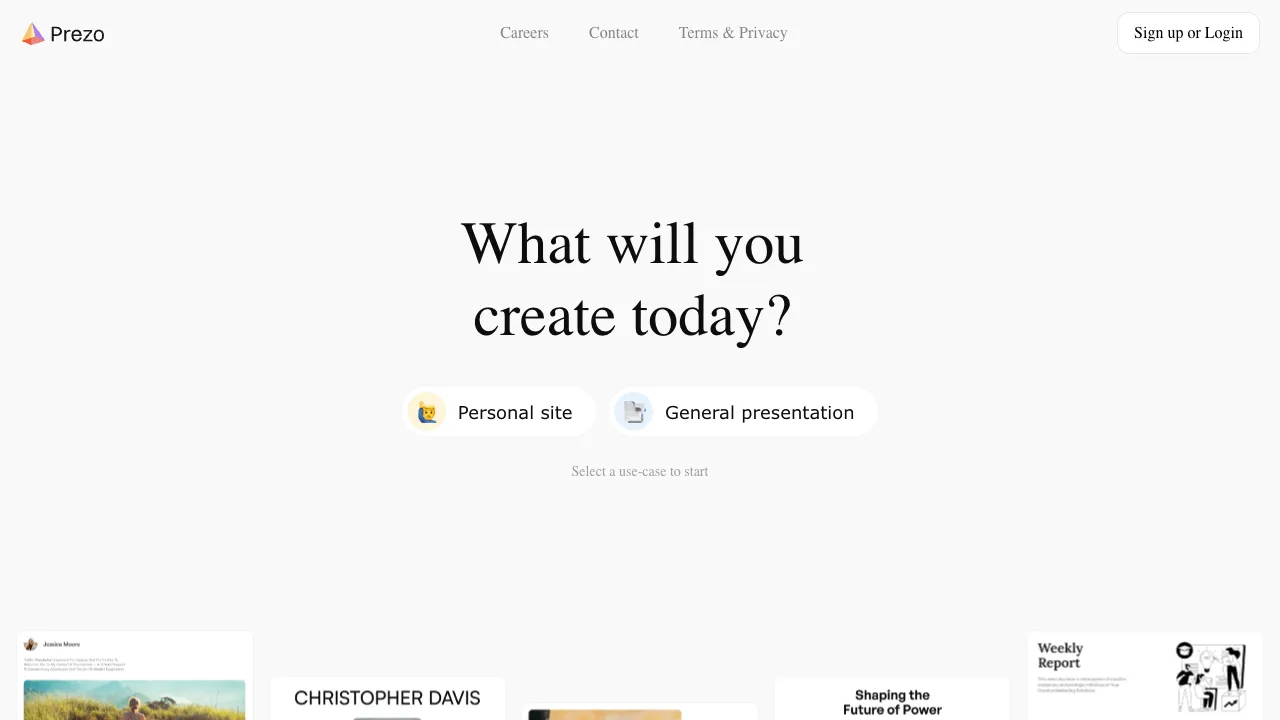
Prezo (prezo.ai) is an AI presentation generation tool. Users input a topic description or content outline, and the AI automatically generates a complete presentation including layout, design, and content. Once generated, you can edit it in the online editor and export the final result as a PDF or PowerPoint file.
It belongs to the niche category of AI PPT generation tools, competing directly with Gamma, Beautiful.ai, and tome. These tools collectively address the need for "enabling non-designers to quickly create visually presentable presentations."
Core Features
AI Content Generation
The core function: tell Prezo what presentation you want to make, and it generates complete slides.
Input methods are flexible: you can provide a topic ("Introduce our new SaaS product for SMEs"), a simple outline (listing key points), or more detailed content descriptions. The AI understands your intent, automatically plans the outline structure, fills in corresponding content for each slide, and applies a design style that matches the theme.
The output is not a blank template but a draft with actual text content—this is the fundamental difference from pure template tools. You receive a PPT that can be directly modified, rather than a fill-in-the-blank exercise.
For users who have their content clear but struggle to organize it into a presentation structure, the AI's outline planning capability is particularly valuable—it helps layer information and find a logical sequence, a task many find harder than expected.
Multiple Visual Styles
Multiple design directions are available: business formal, minimalist modern, creative lively, tech-inspired, etc. By selecting a style tone appropriate for the scenario and audience, the AI ensures visual consistency across slides. Colors, fonts, and layout styles match seamlessly, avoiding the disjointed feel of "slides made by different people."
This is especially helpful for users with weak design backgrounds—you don't need to understand color theory; just pick a style direction, and the AI maintains consistency for you.
Smart Image Matching
The AI automatically matches images relevant to the slide content, eliminating the need to search stock photo libraries. Image selection considers the content theme to avoid the jarring effect of randomly inserted pictures.
However, the quality of auto-generated images isn't always precise, especially for professional industry content (medical, legal, specific technical fields). Auto-images may be too generic, requiring manual replacement with more suitable visuals.
Online Collaborative Editing
After generation, you can edit directly in Prezo's online editor—adjusting text, swapping images, modifying layouts, and changing color schemes—without downloading files or installing PowerPoint. The editing interface is relatively intuitive: drag elements to adjust positions and click text to edit directly.
It supports simultaneous multi-user editing, making it suitable for team collaboration scenarios where presentations are co-created.
Export to Standard Formats
Completed presentations can be exported as PDF or PowerPoint (.pptx) files. Exporting to PDF is ideal for direct display; exporting to PowerPoint suits scenarios requiring further fine-tuning locally or playing the presentation via PowerPoint in formal settings.
Comparison with Competitors
vs Gamma: Gamma is currently the most mature and widely used AI presentation tool, featuring a beautiful interface, stable generation quality, strong community presence, and browser-based viewing capabilities. Prezo and Gamma have highly similar positioning; their main differences lie in generation style preferences and UI design. It is recommended to trial both before deciding.
vs Beautiful.ai: Beautiful.ai differentiates itself with "smart templates" that automatically adjust layouts based on entered content to ensure reasonable slide structure. Its AI content generation capability is weaker, focusing more on assisting layout than generating content. Prezo has stronger AI content generation capabilities, with direct content creation from topic descriptions as its core feature.
vs Microsoft PowerPoint + Copilot: Office 365's Copilot allows AI-generated presentations within PowerPoint, offering deep integration with the Office ecosystem for a seamless experience for Microsoft users. However, it requires dual subscriptions to Microsoft 365 and Copilot, resulting in higher costs. Prezo is an independent tool, making it more practical for users without Microsoft subscriptions.
vs Canva Presentations: Canva offers the richest design assets for presentations with high visual quality, and its AI capabilities are continuously improving. Canva is better suited for users with high visual requirements who are willing to invest time in design. Prezo offers higher AI automation, making it more suitable for efficiency-focused users.
vs WPS AI: WPS AI is deeply integrated into WPS Docs, making it a natural choice for WPS users with stable domestic access. Prezo is an independent online platform, offering different trade-offs in generation quality and efficiency.
vs iSlide: iSlide focuses on beautifying and standardizing existing PPTs, helping users make content-rich presentations look better. Prezo focuses more on generating from scratch. Their use cases differ, but they can be used complementarily.
Who Should Use Prezo
Professionals who frequently present: For monthly summaries, project proposals, or client demos, Prezo can compress production time from two to three hours down to 20–30 minutes. It is particularly useful when you have clear content logic but struggle with the time-consuming nature of PPT creation; starting with an AI draft offers a significant efficiency boost.
Entrepreneurs and Salespeople: Pitch decks, product introductions, and client proposals require frequent creation and updates as content evolves. Prezo's rapid generation capability drastically reduces the cost of version iteration.
Teachers and Trainers: For course handouts, training materials, or keynote slides, AI assistance can compress production time from hours to minutes, allowing you to focus on content quality rather than layout details.
Those less skilled in design: If your content is clear but your PPTs never look good, Prezo's AI design capabilities provide a baseline for visual quality. You don't need a design background; inputting content yields relatively professional visual results.
Those needing quick drafts: Sometimes you need a "presentable" version for discussion or review first. Prezo generates drafts in minutes, far faster than manual creation.
Usage Advice
Treat AI-generated content as a starting point, not an endpoint. Prezo's initial drafts usually have reasonable structure and visual consistency, but content accuracy and depth require human oversight. The AI does not know your company's specifics, your product's real data, or your clients' specific pain points; you must manually input these key details. Using such tools correctly means treating the AI draft as a "skeleton" that you flesh out with real data and specific content, refining it to match reality.
Limitations
AI-generated content is generic, lacking professional depth and specific details. For presentations requiring real data, professional industry insights, or specific business context, the AI provides only a framework; filling in core content still requires human effort.
The choice of design styles is limited. If you have high requirements for personalized visual effects, Prezo's templates may not suffice, and you may need to pair it with more professional design tools.
When exporting to PowerPoint format, format compatibility is sometimes imperfect, requiring adjustments when opened in local PowerPoint software.
Pricing
Prezo offers a free tier that lets you try out its AI generation features; the free version may have limits on the number of presentations or available features. Paid subscriptions unlock additional generation credits, more templates, higher-quality exports, team collaboration tools, and more. Refer to the official website for specific details.
For occasional use, the free plan is usually sufficient. For users who need frequent access or require exporting to high-quality PowerPoint formats, the cost of a paid subscription is typically far lower than the time value lost by creating presentations manually.